IEView 1.94a
Description
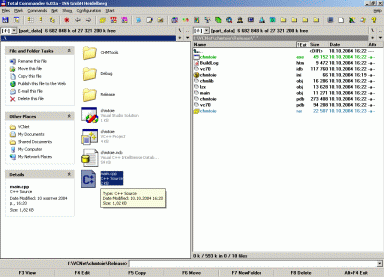
This plugin should be used only if the computer is powerful enough, otherwise delays may be pretty significant. The plugin uses MS WebBrowser control to view files, so it automatically supports all formats which IE supports. This includes, of course, native to IE file types like HTML/XML, many MS Office file types if you have the MS Office installed, PDF through AcrobatReader/IE integration, all the formats Quick View Plus supports if you have the QVP installed, and so on. Even more, if you enable this plugin to open directories, then in QuickView mode select a directory, the second panel magically becomes fully functional Windows Explorer 8-)This plugin is a changed and updated version of the plugin of Yuri Gershanov which is not updated any more.
What’s new
1.94a (14.07.2005)
- bugfixes
- FocusByWindowClass and UseMiddleWhenFocusByPoint keys moved to the [Debug] section
1.94 (18.06.2005)
- Keys removed: NoFocusChange, BlockParentDir
- Keys added: [Extensions]->WordToHTML, [Extensions]->WordToMHT, [options]->StatusBarInQuickView,
[options]->SavePositionOnExit, [options]->AllowPopups.
- Hotkey added: SavePosition
- Word files are opened read-only
- bugfixes
1.93a (11.02.2005)
- bugfixes
1.93 (10.02.2005)
- StatusBar
- "RemoveImages", "CmdFind" hotkeys
- bugfixes
1.92 (29.11.2004)
- Searching with F3/F7 in HTML files
- [Signatures]->"%" key replaced with [DefaultSignatures] section and [options]->"CheckDefaultSignatures" key
- bugfixes
1.91a (13.10.2004)
- some bugfixes
- Hotkeys added: Stop, Refresh
1.91 (10.10.2004)
- CHM support extended
- Key added: [options] Silent
- Fixed: Excel didn't finish correctly when viewing xls files
- Fixed: Many IE windows opened, when viewing html file
- Quick View title changes, when navigating html file or folder
- bugfixes
- FocusByWindowClass and UseMiddleWhenFocusByPoint keys moved to the [Debug] section
1.94 (18.06.2005)
- Keys removed: NoFocusChange, BlockParentDir
- Keys added: [Extensions]->WordToHTML, [Extensions]->WordToMHT, [options]->StatusBarInQuickView,
[options]->SavePositionOnExit, [options]->AllowPopups.
- Hotkey added: SavePosition
- Word files are opened read-only
- bugfixes
1.93a (11.02.2005)
- bugfixes
1.93 (10.02.2005)
- StatusBar
- "RemoveImages", "CmdFind" hotkeys
- bugfixes
1.92 (29.11.2004)
- Searching with F3/F7 in HTML files
- [Signatures]->"%" key replaced with [DefaultSignatures] section and [options]->"CheckDefaultSignatures" key
- bugfixes
1.91a (13.10.2004)
- some bugfixes
- Hotkeys added: Stop, Refresh
1.91 (10.10.2004)
- CHM support extended
- Key added: [options] Silent
- Fixed: Excel didn't finish correctly when viewing xls files
- Fixed: Many IE windows opened, when viewing html file
- Quick View title changes, when navigating html file or folder
