Total Commander 11.57
Description
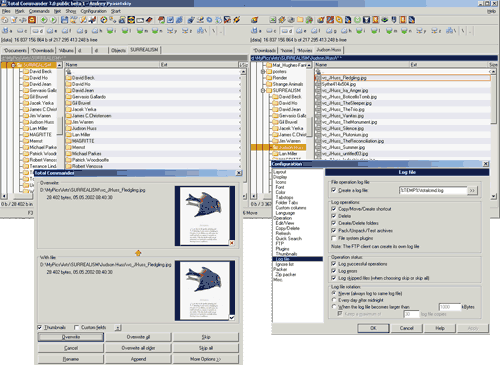
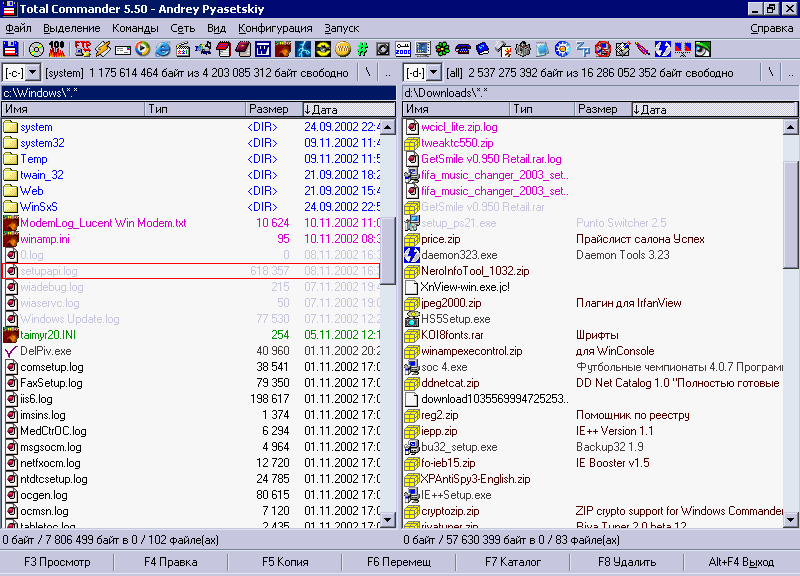
Total Commander is a file manager replacement that offers multiple language support, search, file comparison, directory synchronization, quick view panel with bitmap display, ZIP, ARJ, LZH, RAR, UC2, TAR, GZ, CAB, ACE archive handling plus plugins, built-in FTP client with FXP, HTTP proxy support, and more.What’s new
New functions and fixes in Total Commander 11.57:
- Command line: Run program as administrator by putting an asterisk * at the start of the command line
- Configuration - Button bar: The icon index field is now a text area, allowing a quick jump to a specific icon
- Find files: Show name of loaded settings in title bar
- Lister: Configure which context menu items are allowed
- cm_MkDir now supports parameters like /N="Name(s)"
- Updated unrar and 7-zip dlls
New functions and fixes in Total Commander 11.56:
- Security issue in unrar.dll fixed
- Updated 7-zip dlls
New functions and fixes in Total Commander 11.55:
Copying:
- When "Copy to all selected folders/links..." is enabled, the "Keep relative paths" option is also respected
- Supports copying directories anywhere in subdirectories. For example, if "Only files of this type:" is set to "test\", the "test" folder will be found anywhere in the selected folders
- An overlay icon is displayed in the system tray when an overwrite confirmation dialog is open while Total Commander is not in the foreground
- When copying sparse files, only the parts containing non-zero data are copied. This option needs to be enabled via wincmd.ini [Configuration] CopySparseFiles=1
General:
- Multi-rename tool: New placeholder [v] for inserting milliseconds, e.g. [hms].[v]
- Create/Verify Checksums: Use multiple threads for Blake3 checksums (64-bit only, on Windows 7 and newer)
- Use tc7z.dll as a fallback for unrar.dll if unrar.dll fails to load
- Rename directories in 7z archives when using the internal 7z packer
- New parameter for the internal MULTIRENAME command opens the tool and offers the user to undo the last operation
- Use external DLL tcsha64.dll to create/verify SHA3 checksums faster
- Bug fixes
New functions and fixes in Total Commander 11.51:
- New parameters for internal command cm_SwitchToNextTab, e.g. to switch to last visited tab
- Main menu and "Start" menu: Use icons defined in em_command even if they are located in shell32.dll or imageres.dll
- Configure how the Microsoft Photos app is called: wincmd.ini [Configuration] PhotoAppMode
- Bugfixes
New functions and fixes in Total Commander 11.50:
General:
- File lists: Option to show seconds in the date/time field
- File lists: Shorten date/time with "..." when the value is too long for the available space
- Folder tabs: Always scroll current tab into view when resizing main window
- Always load icons from .ico files directly instead of associated program
- Drive list (cm_OpenDrives): Show volume labels/descriptions behind drive letters
- Recycle bin (cm_OpenRecycled): Show original location of deleted files in comment view
- Thumbnails view: Show thumbnails of link (.lnk file) targets instead of link files themselves, e.g. links to photos
- Main menu: Use icon defined in em_command, but only from wcmicons.dll or .ico files or the main executable, for speed reasons (virus scanners)
- Configure button bar/single button or configure internal command: New button "->.ico" to extract single icon from .exe/.dll/.icl
- Everything: Support network drives when getting folder sizes with option "Automatic, only with 'Everything'"
- Change directory via "cd" command: Append \: to go to the parent and place cursor on directory or archive
- OPENBARMENU now also works when there is no main button bar
- FTP connect dialog (Ctrl+F): File system plugins can now also be entered in the form \\\Pluginname\Path, or any directories (with drive letter or UNC path).
- New pseudo environment variables %$CLIPBOARD%, %$CLIPNAME% and %$CLIPNAME_NE% to access clipboard content, e.g. in button commands
File operations:
- Internal 7-Zip compression via 7-Zip dll (included)
- Wildcards to rename files when copying files with F5: Options to put text in front of name, or append text after name
- Packer about box (Alt+Enter on file in archive): Show which plugin opened the archive in the "Packer" field
- Open the Photos app with new command to enable previous/next buttons
- Files - Associate With: New button "Delete" sets association to "(none)"
- Synchronize dirs: Time stamps can now be copied also to file system plugins and FTP servers
- Delete files by Drag&Drop to button 'F8 Delete': Confirmation can now be turned off separately from copy confirmation
Verify checksums:
- New checkbox "Only errors" to only show lines with errors and the summary
- When verifying a checksum from the file name or clipboard, let the user choose a different checksum method if there are multiple with the same checksum size
- Ctrl+A now selects the entire list when the focus is in the list
- Verify checksums from clipboard: Support also SHA224 and SSH384
Search:
- Search for *.ext \test1\test2\ will find files in current directory plus subdirectory \test1\test2\ although test1 isn't searched
- Search for *.ext test1\test2\ will find files in current directory plus in subdirectories containing directories test1\test2\ anywhere in the path
- Standalone search started via /S=F: Extra parameter S* tells search to get the sort order from a currently running Total Commander
- Plugins tab: Entries can now be sorted manually with Ctrl cursor up/down or via sort buttons
List of open tabs (Ctrl+Shift+A):
- Option to show last visited tabs first, hotkey Ctrl+L
- Shift+Enter on recently closed tab now restores the tab, but doesn't focus it
- Configuration - Options - Folder tabs: New options "Ctrl+Tab opens as list" and "Last visited first"
- Configuration - Options - Folder tabs: New option to jump to last opened tab with Ctrl+Tab.
Lister:
- Ctrl+Mouse wheel and Ctrl+'+'/'-' now also zooms in all text modes (control via [Lister] ZoomFont=1/0)
- Ask user whether he wants to manually set a font to ASCII/DOS which does not contain the encoding
- Right click on URL starting with http://, https://, www. or alphanumeric text with at least one dot before the end selects it and shows context menu item 'Open in default browser'
Internal commands:
- OPENBAR, OPENBAR1, OPENBAR2, OPENBARMENU: New parameter * opens default bar defined for the main bar/vertical bar
- All commands starting with cm_SelectAll or cm_ClearAll now support a numeric parameter n: if not 0, select every nth file from the current position, e.g. cm_SelectAllFolders 2 -> every second folder from the cursor position
- Add 4 to parameter of the following commands to not save the change to wincmd.ini: cm_SwitchLongNames, cm_SwitchHidSys, cm_SwitchHid, cm_SwitchSys, cm_Switch83Names, cm_SwitchDirSort, cm_SwitchOverlayIcons, cm_SwitchIgnoreList, cm_SwitchX64Redirection, cm_SwitchFileTipWindows, cm_SwitchColorsByFileType, cm_ToggleAutoViewModeSwitch, cm_Vis*
Button bar/Start menu parameters:
- Parameters %S, %R, %P%S and %T%R in double quotes now support prefix/suffix text for each file
Multi-rename tool:
- Field [T4] followed by any date/time fields like [YMD] now gets EXIF date also from HEIC image files, and recording date from MP4 videos
- Placeholder [T4] now also works when creating directories (F7) or text files (Shift+F4)
- Load names from file now supports Unix line breaks
New wincmd.ini options:
- [Configuration] OldStyleHistory=1 gets back old style history as a dropdown menu without frequently used directories
- [Configuration] CopyStayOnFile=1 keeps cursor on currently active file after copying file with Shift+F5
- [Configuration] BriefViewWidthLimitMin=0 sets minimum column width for brief view
New functions and fixes in Total Commander 11.03:
- Copy files: The option "Keep relative paths" is now also available in search results, copies with entire path
- Lister: Press F4 to open currently viewed file in user-defined editor (configurable via wincmd.ini [Lister] F4Edit)
- New environment variable %COMMANDER_INI_PATH%: Directory of the settings file wincmd.ini
- cm_CompareDirs, cm_CompareDirsWithSubdirs: New parameter 1 to only select files which do not exist on the other side
- List of open tabs: Switch between tab title and tab directory with Ctrl+Shift+A
- Pseudo environment variable %$DATE% now supports an offset, e.g. %$DATE+1Y% (use %|$DATE+1Y| in parameters field)
- Set a different location for DirectShow filters: wincmd.ini [Lister] Filter32dir=/Filter64dir
- Windows 10 and newer: Open Windows Photo app with current directory parameter so it can switch through all images in the same folder as the opened image, configurable with PhotoAppFilter field
- Bugfixes
New functions and fixes in Total Commander 11.02:
- Synchronize directories: Comparison can now be paused (pause button)
- Updated libdeflate/libdeflate64 DLLs: In rare cases Windows Explorer 7/10/11 could not extract archives created by this DLL even if the archive is 100% correct and can be extracted with Win7zip/pkzip/ WinRAR/7Zip without problems.
- Files - Test archive(s) finds affected ZIP files, unless disabled (wincmd.ini [Packer] ZipTestWarnExplorer=0)
- Improved thumbnail caching in thumbnail view
- Multiple options available for cm_SyncChangeDir function (SyncChangeDirMode in wincmd.ini)
- Bugfixes
New functions and fixes in Total Commander 11.01:
- Updated unrar dlls to 6.23.0.
- Shift+F4 edit new file(s): Multiple names can now be passed also in double quotes separated by spaces, e.g. "file1.txt" "file2.txt" "file3.txt"
- cm_Edit: Parameter /N now supports alternate syntax /N=<"file1.txt" "file2.txt" "file3.txt"> to pass multiple names to the function more easily
- Compare by content: Set number of lines which must be matching after a difference (CompareFindLines)
- Bugfixes
New functions and fixes in Total Commander 11.00:
General:
- Show searchable list of all open tabs with Ctrl+Shift+A (as in the Chrome browser) or right clicking on the rightmost edge of the tab headers
- Ignore list now supports entries for file system plugins and FTP servers (separate syntax)
- Search with "Everything": Support search in indexed subfolders
- Show full path with all parents in nested virtual folders, e.g. when accessing a phone
- Show free and total space of Android devices in the base folder
- Follow link files (*.lnk) pointing to directories relative to the current location, e.g. %WinDir%\explorer.exe ..\..\content
- Inform other Total Commander instances on the same PC when the user changes the "Start" menu or button bars
- In place rename, command line: Stop on Ctrl+Left/Right at extra non-alphanumeric characters
- Standalone Lister, search, compare and synchronize dirs can be started maximized and minimized
- New pseudo environment variable %$DATE% inserts current date and time in 24 hour format, supports template like %$DATE:YMD%
- Multi-rename tool: New placeholder [I] to ignore dots in folder names: Entire name in [N], [E] is empty.
File operations:
- High speed packing and unpacking of ZIP and GZ files with modified libdeflate library
- Change compression rate for ZIP, GZ and TGZ directly in the pack dialog
- F5 copy: New overwrite mode "Rename older target files, skip newer"
- F5 copy, ftp/plugin transfers: Show transfer speed of the entire copy operation in the second progress bar when available
- File system plugins and FTP: Show new option "Finish copying the current file" when aborting copying
- Unpack ZIP files with ZSTD (by Facebook) compression
- Unpack .zst (ZSTD) and .br (BROTLI) files
- 7z.exe or 7zg.exe can now also be used as an external zip packer
Directory history:
- New style directory history list which is no longer based on a Windows menu
- Quick search and quick filter support
- Quick search in whole path by starting search strings with an asterisk
- Right click context menu support with many options like opening the directory in the other panel or a new tab
- Context menu, option to copy path to clipboard
- Context menu, option to remove entries from history
- Context menu, option to show all items when history thinning is enabled
- Keep track of most frequently used directories and show them in the directory history in addition to the history entries
- Keep list of frequently used directories synchronized between multiple Total Commander instances on the same PC
- New page "History" in the main settings dialog
Lister:
- Hex mode: highlighting in both text and hex representation of file content
- Copy the selection to the clipboard as hexadecimal characters, with Ctrl+Shift+C or via the right-click menu
Internal commands:
- cm_Copy, cm_RenMov, cm_CreateShortcut, cm_PackFiles, cm_UnpackFiles and cm_Edit support parameters to set dialog box options
- New tab commands: cm_RenameTab, cm_SetTabOption*, cm_SetAllTabsOption*, cm_OpenNewTabOther, cm_OpenNewTabBgOther
- New quick search commands: cm_QuickSearch, cm_QuickFilter, cm_QuickFilter 1 (restore last quick filter)
- New drive commands: cm_DriveContextMenu, cm_OpenDriveByIndex
- New command line commands: cm_ShowCmdLineHistory, cm_AddFileNameToCmdline, cm_AddPathAndFileNameToCmdline
- New internal command OPENBARMENU opens the passed .bar file as a dropdown menu
- Hotkeys defined via Configuration - Options - Misc now support commands with parameters
- Internal commands can now be used in internal associations, .e.g. ***cm_List %1
Command line parameters in button bar/start menu:
- New parameter %y (lowercase) keeps other parameters and skips only list file parameters if the list is empty
- New parameter %a (lowercase) includes all selected files from both panels in list parameters like %L
- New parameter %|envvar| inserts environment variable envvar, e.g. %|windir| or %|$DESKTOP|
New functions and fixes in Total Commander 10.52:
General:
- Command line parameters: option /O now supports a parameter, e.g. /O0 to never open a new instance in any case
- New hotkey F9 in "Compare by content" to toggle visibility of the two line compare box at the bottom
- Internal associations: New command **path\filename.bar opens the given button bar file as a menu
- Button command LOADLIST0 loads list of files without any error messages when files cannot be found
- Command line parameters now support value LOADLIST:path\listfile.txt instead of a directory name to load list file into file panel
- Quick search with search dialog and Ctrl+S Quick filter: New hotkey Ctrl+Z to clear search text
- New method to open virtual folders via button or command line, with command cd shell:Folder name (e.g. cd shell:Fonts)
Internal commands:
- cm_UnloadPlugins: Parameter 16 (cm_UnloadPlugins 16) now unloads an external tcmatch dll
- cm_Exit now supports a parameter. Sum of 1: Close and restart Total Commander, 2: Close and switch between 32-bit and 64-bit, 4: Save paths, tabs and display options even when disabled in settings, 8: Pass current left and right directory and file under cursor to new instance, 16: Restart as administrator
- cm_*ActivateTab* (e.g. cm_SrcActivateTab1) now supports numerical parameter for tab. Negative numbers mean counting from the end
- cm_50percent now accepts a parameter: It adds the value (in percent) to the width of the active panel
New functions and fixes in Total Commander 10.51:
General:
- Button bar, start menu: New parameter %Q turns off automatic quotation marks around certain parameter combinations like %P%N
- Verify checksums: Support extension .bk3 for Blake3, and arbitrary length Blake3 checksum verification
- OneDrive folder: Show green overlay icon with checkmark for files which are marked for always being available offline
- Lister, Compare by content: Support side scrolling by tilting mouse wheel left/right (only supported by some mice)
- Multi-rename tool: New placeholder [X] inserts text from the clipboard
- Synchronize dirs: Show yellow progress bar in task bar when done and the comparison took longer than 10 seconds
- Bugfixes
New functions and fixes in Total Commander 10.50:
General:
- Files - Create checksum file(s): Support for very fast BLAKE3 hash algorithm
- New option "Finish copying the current file" when aborting copying in the middle of a file
- New command line parameter /P opens parent of the passed path and places cursor on last directory
- Internal content plugin (tc): New fields from id3v1/id3v2/ape/flac/wav/ogg/m4a metadata tags, like Title, Artist etc.
- Unpack ZIP files with Brotli (by Google) compression, mainly used in XPI files
- Synchronize dirs: Show progress when comparing by content also in taskbar icon
- FTPS/HTTPS: Support for OpenSSL 3.0
- wincmd.ini [Configuration] ExecUseContextMenu: set to 1 to open files as if the user right clicked on it and clicked on the default context menu item
- wincmd.ini [Configuration] AlwaysShowAppdata=0 hides Appdata folder when hidden files are not shown
- wincmd.ini [Configuration] FileTipWindowsOnIcon=1 only shows tooltips when the cursor is over the icon (FileTipWindows must also be enabled).
- wincmd.ini [Configuration] CountMarkedInDialog=0 turns off the memory requirement determination in the F5 copy dialog
User interface:
- Option to always load directory sizes after a directory change, either internally or via 'Everything' tool
- Option to set custom date/time format and separators (Configuration - Options - Tabstops)
- Show total bytes, files and folders to be copied already in F5 copy dialog
- Show transfer speed with mixed units (e.g. x.xx b/M/G/T), configured via [Configuration] SizeTransfer, defaults to value of footer
- Configure extra space around drive button icons via Configuration - Options - Icons
- Dark mode: Option to configure border color (lines between controls)
- Button bar: set the "Tooltip" field to a single space to disable tooltip
- Menu Files - Print - File content now prints all selected files (after a warning)
- On Windows 10 older than 1709 (Fall 2017) and older Windows versions, support thumbnails larger than 240 pixels
- Directory hotlist (Ctrl+D): For add/remove button and Configure, use hotkeys +, - and * (configurable)
- Ctrl+Z on ".." allows to set the comment of the current directory
Lister:
- Show additional main menu item "Plugins" to directly choose a Lister plugin
- Quick view panel: Show used plugin in title (normally used for path) behind the file name
- Command line parameter /S=L to open a separate Lister window: New sub-parameter F to open Lister in full screen view
Lister, internal image viewer:
- Zoom images with Ctrl+Mouse wheel or +/- on numeric keypad, or via click on percent value in the menu
- Use Shift+Cursor left/right to scroll images in smaller steps than Cursor left/right
Lister, internal media player:
- Show track name and artist from a track's tags (id3v1, id3v2.2, id3v2.3/2.4, ape, flac, wav, ogg and m4a)
- Show cover image from a track's tags, or from a file named cover.jpg, folder.jpg, cover.png, or folder.png in the same folder
- Button to show/hide cover image
- Load track positions and names from .cue file with the same name as the opened media file, e.g. for seeking in long compilations
- Single step now also works for audio only (1/10 second steps)
- New hotkeys in multimedia mode: M=Mute, E=Single step, C=Cover, Ctrl/Shift+arrow keys to fast forward/rewind
- Prefer DirectShow filters from filter32/64 subdirectory when present, even when a different version of that filter is registered in the system. Disable via wincmd.ini [Lister] PreferFiltersFromFile=0
- Set foreground and background color of Lister media player controls via Configuration-Options-Color
Change attributes:
- Set partial date and/or time by using letters in place of the unchanged parts, e.g. 10:mm:ss to change just the hours. The actual characters don't matter, 10:xx:xx will also work.
Compare by content:
- New hotkey F2 in edit mode jumps to the next difference within a line, Shift+F2 to the previous difference
- Accept one or two file names via drag&drop to the path edit boxes
- Button "Sync" to choose re-synchronize method, e.g. to look for equal characters only after a space
Multi-rename tool:
- Offer to auto-rename files also when moving them to subdirs and a file with the same name already exists in that directory
- New placeholders [B0]..[B9] insert parent, grandparent, great grandparent folder etc. from the path
- New placeholders [B+0]..[B+9] insert drive letter, first folder, second folder etc. from the path
- New field [T4] will use EXIF date (when a photo was taken) for all date fields after this placeholder
- The Fields [T1] to [T4] now support a time offset in the form [T1+60m] or [T1-10h]
Internal commands:
- cm_ReloadFileIcons to reload all icons and icon overlays without re-reading the file lists
- cm_CloseDuplicateTabs to close all duplicate tabs in current panel
- cm_SwitchColorsByFileType to turn colors by file type on/off
- cm_SwitchFileTipWindows to enable/disable the display of tooltips (hints) for files
- cm_CopyToArchive/cm_MoveToArchive to open pack dialog with "Move" option unchecked/checked
- cm_CloseCurrentTab, cm_CloseAllTabs, cm_UnloadPlugins, cm_CopyFileDetailsToClip, cm_CopyHdrFileDetailsToClip etc. now support parameters, see description
- command cd "path" can now be combined with internal commands, with the path in double quotes
- MULTIRENAME= starts renaming immediately with the given saved settings, two equal signs close the dialog afterwards
New functions and fixes in Total Commander 10.00:
General:
- Directories created by MacOS on ExFAT flash drives are now shown in TC. They were not shown because they had the invalid attribute 8: Volume label
- Always show hidden directory "AppData" in c:\Users\ even with hidden files disabled
- Allow user to install key file automatically when double clicking on it.
- Add a "Zone Transfer" data stream when downloading files via anonymous FTP (Ctrl+F), or HTTP (Ctrl+N) from outside the intranet, like web browsers
- When unpacking files internally or via plugins, copy "Zone Transfer" data stream from archive to unpacked files, just like the Explorer
- New zone transfer option can be disabled via WantZoneData=0
- Always look for key file also in c:\totalcmd, even if Total Commander is installed elsewhere
User interface:
- Allow to use "Windows Hello" on Windows 10 to securely store master password until TC is closed. Use fingerprint, face or pin to connect again
- Use mouse wheel to scroll through directory tabs (like in Firefox) when not using multi-line tabs
- Zoom thumbnails with Ctrl+Mouse wheel between 10% and 200% of the size configured in Configuration - Options - Thumbnails
- Load thumbnails from EXIF data (preview image) from JPG and various camera RAW formats: Canon RAW 1-3, DNG, Fuji, Nikon, Olympus, Panasonic, Pentax, Sony
- New option "Return to locked tab root directory on tab change" in Configuration - Options - Folder tabs
- Show "!" prefix when current dir differs from locked dir on tabs which are locked with directory changes allowed
- New option to only execute command line when it is focused (Configuration - Options - Layout)
- When closing TC while there are unpacked temporary files, show the user the first 3 file names and their origin
- When dropping file from outside (e.g. virtual folder in Explorer) to a directory without write rights (e.g. c:\windows): Show better dialogs to allow overwrite and copy as administrator
- Automatically scale dialog boxes with the chosen font if the font needs more space than the default font
- Ctrl+L on single file now also shows the Zone.Identifier stream data for that file
- Save displayed file types (e.g. *.txt) separately for each tab. Configuration - Options - Folder Tabs - Save displayed file types separately for each tab
- Ctrl+U and Ctrl+Shift+U now also swap the displayed file types if DirTabFilters=1, because they are part of the tab
- Directory menu (Ctrl+D): Option to hide menu items which begin with a user-defined character, by default a question mark '?'
- View modes, Auto-run commands: Put '-' at the start of the command field to not execute commands on tab change, only on directory change
- For locked folder tabs with directory changes allowed, show both the current directory and the locked directory if they are different
Saving settings:
- When user cannot save settings (e.g. in Configuration menu or main settings): Offer to copy the ini files to user profile
- For plugins in write protected directories, intercept calls to CreateFileA/W and all INI functions, and redirect write calls to %APPDATA%\GHISLER\redirect
- Disable redirection of plugins: Add 8192 to RestrictInterface in wincmd.ini or registry
- Specify different ini locations for specific plugins: wincmd.ini [ReplaceIniLocation]
Lister:
- New DirectShow media player in Lister, replacing the old one based on Video for Windows (can still be chosen via configuration)
- Support full screen playback via double click or Alt+Enter, leave the same way or with ESC
- Change audio and subtitle streams via context menu
- Configure preferred DirectShow filters via Lister configuration (3rd Tab)
- Show chapters as tickmarks below seek bar, jump there with Ctrl+PageDown/Ctrl+PageUp
- Buttons to jump backward/forward by x seconds (default 10s and 60s, configurable via right click)
- Preload DirectVobSub filter if the source filter has a pin "Subtitle"
- Allow to use LAV filters and ffdshow filters without installing them, by putting them in subdir filter32 or filter64, respectively
- Save last playback position of the last played tracks longer than 10 minutes
- Keep sound pitch constant when changing playback speed, using custom DirectShow filter based on open source SoundTouch.dll
- New option "Additional multimedia file types" and "Additional Irfanview/Xnview file types"
Search:
- Internal regular expression library updated to latest version (faster, more functions)
- Warn user when he enters a text in "Find text" which cannot be converted to ANSI and/or ASCII (if checked)
Synchronize dirs:
- Allow to use regular expressions and saved searches, with options where to apply them, e.g. one side, both sides, etc. via button [1x]
- New context menu items to show file context menu and file properties, and to edit left/right file
- Show exclamation mark in button "Singles" or "Duplicates" if it isn't down when opening the dialog
Compare by content:
- Show extra listbox with the two lines from the current cursor position for easier character by character comparison
- Show progress dialog when pasting large text buffer takes more than 2 seconds, allows to abort paste, but doesn't revert it
- Focus the bottom 2 line compare list directly with Ctrl+Tab
- Bottom 2 line compare list can be scrolled with cursor left/right, page up/down, home/end, and the mouse wheel
- Ctrl+Mouse wheel now scrolls the two line panel at the bottom even when the mouse isn't on it. Ctrl+Alt+Mouse Wheel still scrolls by page
FTPS/HTTPS:
- Support for OpenSSL 1.1 and newer. The main dll must be named libssl-*_*.dll / libssl-*_*-x64.dll (with *_* the version number, e.g. 1_1), the libcrypto*.dll must NOT be renamed!
Verify checksums:
- Support checksum created from a stream, showing up as " -" (checksum followed by two spaces and a dash)
- In checksum files created by other programs, more OpenSSL format types are supported: SHA224, SHA384, SHA3-224, SHA3-256, SHA3-384, SHA3-512
Internal commands:
- LOADLIST listfilename loads list of files/folders from text file.
- cm_ZoomIn and cm_ZoomOut to zoom thumbnails (like Ctrl+Mouse wheel)
- cm_syncchangedir: When pressing ENTER, do not enter a directory when it doesn't exist on the other side. Only turn off cm_syncchangedir when the user tries again
- Support parameters 0 (or none)=toggle, 1=set, 2(or -1)=reset for the following internal commands: cm_*Comments, cm_*DirBranch, cm_*DirBranchSel, cm_ToggleAutoViewModeSwitch, cm_SyncChangeDir, cm_SwitchLongNames, cm_SwitchHidSys, cm_SwitchHid, cm_SwitchSys, cm_Switch83Names, cm_FtpHiddenFiles, cm_SwitchDirSort, cm_SwitchOverlayIcons, cm_SwitchWatchDirs, cm_SwitchIgnoreList, cm_SwitchX64Redirection, cm_Vis*
- Command LOADSEARCH (e.g. on button): Put one equal sign = in front of name to start searching immediately, two == to start and feed to listbox after search
- Improved ZIPFROMLIST command: The file list name can now contain Unicode characters, and the content can be ANSI, UTF-16 (with byte order marker BOM) or UTF-8 (with or without BOM), and the archive name can now also be put in the parameters field.
- Support parameters 0=toggle, 1=set, 2(or -1)=reset also for: cm_SrcQuickview, cm_LeftQuickview, cm_RightQuickview, cm_SrcQuickInternalOnly, cm_LeftQuickInternalOnly, cm_RightQuickInternalOnly, cm_SeparateQuickview, cm_SeparateQuickInternalOnly
- New internal command OPENATTRIBUTES Change attributes: +s (subfolders), +a/-a +r/-r +h/-h +s/-s +dDate +tTime +L +L2 Plugin_settings
Placeholders for commands in button bar/start menu:
- All placeholders in button bar or start menu like %N, %P now support substring fields in the form :~start,end, e.g. %N:~2,5 (5 characters from the second) or %N:~-8,5 (5 from the 8-last)
- Placeholders %S, %R, %P%S and %T%R now support appended text for each file. The parameter must be in double quotes, e.g. "%P%S.bak" would append .bak to each name
- New placeholder %B for part of path (including branch view paths): %B or %B0 parent, %B1 grandparent etc. %B-, %B-1, %B-2 same but without branch view
- New placeholder %Bt, %Bt1 etc: Parent, grandparent directory of target folder
- New placeholder %B+ for part of path (including branch view paths), start counting from the beginning: %B+ drive with ":", %B+0 drive without ":", %B+1 first subdirectory, %B+2 second subdirectory etc.
Content plugin fields:
- 3 new internal fields: tc->ZoneId, tc->HostUrl and tc->ReferrerUrl read these fields from Zone.Identifier stream data. ZoneId is set to 0 if not present
Installer:
- Default to c:\Program Files\totalcmd on new systems. If the user fails to get admin rights, change to c:\totalcmd
- When not installed in Program Files, allow to set permissions for authenticated users to read only, installing user to full control
- New parameter /W enables write protecting target folder: /W0 unchanged, /W1 give current user write rights, /W2 give only elevated users write rights
- Last parameter can be a target path, e.g. installername.exe /F "c:\totalcmdnew"
New functions and fixes in Total Commander 9.51 final:
- Bugfixes
New functions and fixes in Total Commander 9.51 release candidate 6:
- Bugfixes
New functions and fixes in Total Commander 9.51 release candidate 5:
- Allow to install/uninstall/repair and use Total Commander even if the current user profile directory contains characters from a different codepage (e.g. Cyrillic on English Windows)
- Bugfixes
New functions and fixes in Total Commander 9.51 release candidate 4:
- Support for new Windows 10 option in regional settings "Beta: Use Unicode UTF-8 for worldwide language support"
- Bugfixes
New functions and fixes in Total Commander 9.51 release candidate 3:
- Bugfixes
New functions and fixes in Total Commander 9.51 release candidate 2:
- Changed version number to 9.51 because the test takes longer and there are more changes than expected
- Bugfixes
New functions and fixes in Total Commander 9.50a release candidate 1:
- Dark mode: F1 opens help file named totalcmddark.chm (separate download) if it exists in the same location as totalcmd.chm
- Bugfixes
New functions and fixes in Total Commander 9.50 final:
- Bugfixes
New functions and fixes in Total Commander 9.50 release candidate 2:
- Reduced flickering of the main menu in dark mode
- Bugfixes
New functions and fixes in Total Commander 9.50 release candidate 1:
- New Menu item "Dark<->Normal" in menu "Configure"
- Mouse cursor now jumps to default button if this is enabled in Control Panel under "Mouse"
- Bugfixes
New functions and fixes in Total Commander 9.50 beta 8-13:
- Bugfixes
New functions and fixes in Total Commander 9.50 beta 7:
- Show up to 3 connected USB devices without drive letter (e.g. phones, tablets) also in drive buttonbar
- Always show borders around file lists in dark mode
- Support substrings from environment variables, e.g. %variable:~2,3%
- Bugfixes
New functions and fixes in Total Commander 9.50 beta 6:
- Hint colors are now configurable both in normal and dark mode
- Default dark mode background color is now a bit brighter
- Configuration - Options - Color: Show preview (example output) also for Lister, Compare by contents, title bars, hint windows, and dark mode
- Bugfixes
New functions and fixes in Total Commander 9.50 beta 5:
- Dark mode: Show border around file panels when not using the option "Flat user interface"
- Upload from archive directly to FTP: Option to preserve timestamps
- Bugfixes
New functions and fixes in Total Commander 9.50 beta 4:
- Find files: "F2 search in found files" now also searches in previously found folders
- Bugfixes
New functions and fixes in Total Commander 9.50 beta 3:
- Dark mode is now available by default on Windows XP and newer
- Dark mode: Scrollbars in the main file lists are now drawn dark when not scrolling with the mouse
- Three new internal commands to switch dark mode on and off: cm_SwitchDarkmode: on/off, cm_EnableDarkmode: on, cm_DisableDarkmode: off
- Bugfixes
New functions and fixes in Total Commander 9.50 beta 2:
- Bugfixes
New functions and fixes in Total Commander 9.50 beta 1:
User interface:
- Dark mode, starting with Windows 10 Fall 2018, inofficially also with older Windows versions (ForceDarkModeOptions=1)
- Increased directory history length to 200 (configurable via HistoryLenStored)
- History: Only show directories in which the user performed some operation (configurable). Alt+Shift+Down arrow shows full history
- Drive dropdown list, drive buttonbar: Show "eject" overlay over drive icon for removable drives
- When scrolling through file lists with the keyboard, keep a margin of 4 lines above/below the current position (configurable)
- Directory panels: Show for hard links/soft links to files instead of 0 size
- Ctrl+Q quick view: Show contents of link target instead of lnk file content
- Configuration - Options - Display: New option "Append \" to show folders as Folder\ instead of [Folder]
- Internal associations: Optional: Add extra verbs from ALL matching filters, default "open" only from the first match
- Show "New" submenu also in context menu for [..] entry, to create new file in current directory
- Windows 10, context menu: Menu item "Share" didn't do anything -> handle it internally
- Quick search dialog: Clear search with Ctrl+Y
- Right click on directory tab -> "Recently closed tabs"
- Show location of Total Commander EXE file in about box
File operations:
- Archives: Choose codepage when unpacking files, e.g. to unpack names with cyrillic characters. Show [Auto] or chosen encoding in tab header.
- OneDrive folder: Handle folders appearing as file system links
- F5 copy dialog: Support directory hotlist (Ctrl+D)
- Create CRC checksums: New options to use Unix format, and to always use UTF-8
FTP / File system plugins:
- Transfer from FTP server to FTP server with F5: Option to copy via local PC
- Transfer from/to FTP/FS plugins: Support copy filters like the local file copy function, e.g. *.txt | excludeddir\
- FTP, upload/download with F5 - F2 in background: Support client certificate
- RestrictInterface=6144: Disallow all plugins, or 4096: Only allow plugins with a valid digital signature
Multi-rename tool:
- New placeholder [c] = number of files in list
- New placeholder [S] = file size
Alt+F10 tree:
- Option to use 'Everything' to load the tree
- Combobox to change drive, open with Alt+F1 or Alt+F2
Search:
- Search with 'Everything': Show percent of the search results transferred to Total Commander
- Improved search in Office xml files (e.g. .docx, .ods etc): find accented characters
- Automatically check 'Everything' option when using prefix ev: or ed: in search field
- Option to search in search results only
- View previous search results
Lister (F3):
- Define which view method and plugin should be used when opened, separately by file type, e.g. all jpg files with internal image viewer
- Press '8' to show preview as the Explorer (uses IPreviewHandler or IThumbnailProvider if the former isn't available)
- Support printing of JPG/PNG/GIF in Lister with internal image viewer
Compare by content:
- Set color for underlined search results
Synchronize dirs:
- Use Ctrl+PageUp/PageDown to jump to next/previous directory
Internal commands:
- New internal commands with parameters: LOADSELECTION, SAVESELECTION, SAVEDETAILS plus ANSI/Unicode versions
- cm_ModernShare allows to use the new Windows 10 "Share" context menu item directly
- cm_ChangeArchiveEncoding to open the archive encoding popup menu
- cm_MoveTabLeft and cm_MoveTabRight to manually move current tab
- Command line: Run program as administrator by putting an asterisk * at the start of the command line
- Configuration - Button bar: The icon index field is now a text area, allowing a quick jump to a specific icon
- Find files: Show name of loaded settings in title bar
- Lister: Configure which context menu items are allowed
- cm_MkDir now supports parameters like /N="Name(s)"
- Updated unrar and 7-zip dlls
New functions and fixes in Total Commander 11.56:
- Security issue in unrar.dll fixed
- Updated 7-zip dlls
New functions and fixes in Total Commander 11.55:
Copying:
- When "Copy to all selected folders/links..." is enabled, the "Keep relative paths" option is also respected
- Supports copying directories anywhere in subdirectories. For example, if "Only files of this type:" is set to "test\", the "test" folder will be found anywhere in the selected folders
- An overlay icon is displayed in the system tray when an overwrite confirmation dialog is open while Total Commander is not in the foreground
- When copying sparse files, only the parts containing non-zero data are copied. This option needs to be enabled via wincmd.ini [Configuration] CopySparseFiles=1
General:
- Multi-rename tool: New placeholder [v] for inserting milliseconds, e.g. [hms].[v]
- Create/Verify Checksums: Use multiple threads for Blake3 checksums (64-bit only, on Windows 7 and newer)
- Use tc7z.dll as a fallback for unrar.dll if unrar.dll fails to load
- Rename directories in 7z archives when using the internal 7z packer
- New parameter for the internal MULTIRENAME command opens the tool and offers the user to undo the last operation
- Use external DLL tcsha64.dll to create/verify SHA3 checksums faster
- Bug fixes
New functions and fixes in Total Commander 11.51:
- New parameters for internal command cm_SwitchToNextTab, e.g. to switch to last visited tab
- Main menu and "Start" menu: Use icons defined in em_command even if they are located in shell32.dll or imageres.dll
- Configure how the Microsoft Photos app is called: wincmd.ini [Configuration] PhotoAppMode
- Bugfixes
New functions and fixes in Total Commander 11.50:
General:
- File lists: Option to show seconds in the date/time field
- File lists: Shorten date/time with "..." when the value is too long for the available space
- Folder tabs: Always scroll current tab into view when resizing main window
- Always load icons from .ico files directly instead of associated program
- Drive list (cm_OpenDrives): Show volume labels/descriptions behind drive letters
- Recycle bin (cm_OpenRecycled): Show original location of deleted files in comment view
- Thumbnails view: Show thumbnails of link (.lnk file) targets instead of link files themselves, e.g. links to photos
- Main menu: Use icon defined in em_command, but only from wcmicons.dll or .ico files or the main executable, for speed reasons (virus scanners)
- Configure button bar/single button or configure internal command: New button "->.ico" to extract single icon from .exe/.dll/.icl
- Everything: Support network drives when getting folder sizes with option "Automatic, only with 'Everything'"
- Change directory via "cd" command: Append \: to go to the parent and place cursor on directory or archive
- OPENBARMENU now also works when there is no main button bar
- FTP connect dialog (Ctrl+F): File system plugins can now also be entered in the form \\\Pluginname\Path, or any directories (with drive letter or UNC path).
- New pseudo environment variables %$CLIPBOARD%, %$CLIPNAME% and %$CLIPNAME_NE% to access clipboard content, e.g. in button commands
File operations:
- Internal 7-Zip compression via 7-Zip dll (included)
- Wildcards to rename files when copying files with F5: Options to put text in front of name, or append text after name
- Packer about box (Alt+Enter on file in archive): Show which plugin opened the archive in the "Packer" field
- Open the Photos app with new command to enable previous/next buttons
- Files - Associate With: New button "Delete" sets association to "(none)"
- Synchronize dirs: Time stamps can now be copied also to file system plugins and FTP servers
- Delete files by Drag&Drop to button 'F8 Delete': Confirmation can now be turned off separately from copy confirmation
Verify checksums:
- New checkbox "Only errors" to only show lines with errors and the summary
- When verifying a checksum from the file name or clipboard, let the user choose a different checksum method if there are multiple with the same checksum size
- Ctrl+A now selects the entire list when the focus is in the list
- Verify checksums from clipboard: Support also SHA224 and SSH384
Search:
- Search for *.ext \test1\test2\ will find files in current directory plus subdirectory \test1\test2\ although test1 isn't searched
- Search for *.ext test1\test2\ will find files in current directory plus in subdirectories containing directories test1\test2\ anywhere in the path
- Standalone search started via /S=F: Extra parameter S* tells search to get the sort order from a currently running Total Commander
- Plugins tab: Entries can now be sorted manually with Ctrl cursor up/down or via sort buttons
List of open tabs (Ctrl+Shift+A):
- Option to show last visited tabs first, hotkey Ctrl+L
- Shift+Enter on recently closed tab now restores the tab, but doesn't focus it
- Configuration - Options - Folder tabs: New options "Ctrl+Tab opens as list" and "Last visited first"
- Configuration - Options - Folder tabs: New option to jump to last opened tab with Ctrl+Tab.
Lister:
- Ctrl+Mouse wheel and Ctrl+'+'/'-' now also zooms in all text modes (control via [Lister] ZoomFont=1/0)
- Ask user whether he wants to manually set a font to ASCII/DOS which does not contain the encoding
- Right click on URL starting with http://, https://, www. or alphanumeric text with at least one dot before the end selects it and shows context menu item 'Open in default browser'
Internal commands:
- OPENBAR, OPENBAR1, OPENBAR2, OPENBARMENU: New parameter * opens default bar defined for the main bar/vertical bar
- All commands starting with cm_SelectAll or cm_ClearAll now support a numeric parameter n: if not 0, select every nth file from the current position, e.g. cm_SelectAllFolders 2 -> every second folder from the cursor position
- Add 4 to parameter of the following commands to not save the change to wincmd.ini: cm_SwitchLongNames, cm_SwitchHidSys, cm_SwitchHid, cm_SwitchSys, cm_Switch83Names, cm_SwitchDirSort, cm_SwitchOverlayIcons, cm_SwitchIgnoreList, cm_SwitchX64Redirection, cm_SwitchFileTipWindows, cm_SwitchColorsByFileType, cm_ToggleAutoViewModeSwitch, cm_Vis*
Button bar/Start menu parameters:
- Parameters %S, %R, %P%S and %T%R in double quotes now support prefix/suffix text for each file
Multi-rename tool:
- Field [T4] followed by any date/time fields like [YMD] now gets EXIF date also from HEIC image files, and recording date from MP4 videos
- Placeholder [T4] now also works when creating directories (F7) or text files (Shift+F4)
- Load names from file now supports Unix line breaks
New wincmd.ini options:
- [Configuration] OldStyleHistory=1 gets back old style history as a dropdown menu without frequently used directories
- [Configuration] CopyStayOnFile=1 keeps cursor on currently active file after copying file with Shift+F5
- [Configuration] BriefViewWidthLimitMin=0 sets minimum column width for brief view
New functions and fixes in Total Commander 11.03:
- Copy files: The option "Keep relative paths" is now also available in search results, copies with entire path
- Lister: Press F4 to open currently viewed file in user-defined editor (configurable via wincmd.ini [Lister] F4Edit)
- New environment variable %COMMANDER_INI_PATH%: Directory of the settings file wincmd.ini
- cm_CompareDirs, cm_CompareDirsWithSubdirs: New parameter 1 to only select files which do not exist on the other side
- List of open tabs: Switch between tab title and tab directory with Ctrl+Shift+A
- Pseudo environment variable %$DATE% now supports an offset, e.g. %$DATE+1Y% (use %|$DATE+1Y| in parameters field)
- Set a different location for DirectShow filters: wincmd.ini [Lister] Filter32dir=/Filter64dir
- Windows 10 and newer: Open Windows Photo app with current directory parameter so it can switch through all images in the same folder as the opened image, configurable with PhotoAppFilter field
- Bugfixes
New functions and fixes in Total Commander 11.02:
- Synchronize directories: Comparison can now be paused (pause button)
- Updated libdeflate/libdeflate64 DLLs: In rare cases Windows Explorer 7/10/11 could not extract archives created by this DLL even if the archive is 100% correct and can be extracted with Win7zip/pkzip/ WinRAR/7Zip without problems.
- Files - Test archive(s) finds affected ZIP files, unless disabled (wincmd.ini [Packer] ZipTestWarnExplorer=0)
- Improved thumbnail caching in thumbnail view
- Multiple options available for cm_SyncChangeDir function (SyncChangeDirMode in wincmd.ini)
- Bugfixes
New functions and fixes in Total Commander 11.01:
- Updated unrar dlls to 6.23.0.
- Shift+F4 edit new file(s): Multiple names can now be passed also in double quotes separated by spaces, e.g. "file1.txt" "file2.txt" "file3.txt"
- cm_Edit: Parameter /N now supports alternate syntax /N=<"file1.txt" "file2.txt" "file3.txt"> to pass multiple names to the function more easily
- Compare by content: Set number of lines which must be matching after a difference (CompareFindLines)
- Bugfixes
New functions and fixes in Total Commander 11.00:
General:
- Show searchable list of all open tabs with Ctrl+Shift+A (as in the Chrome browser) or right clicking on the rightmost edge of the tab headers
- Ignore list now supports entries for file system plugins and FTP servers (separate syntax)
- Search with "Everything": Support search in indexed subfolders
- Show full path with all parents in nested virtual folders, e.g. when accessing a phone
- Show free and total space of Android devices in the base folder
- Follow link files (*.lnk) pointing to directories relative to the current location, e.g. %WinDir%\explorer.exe ..\..\content
- Inform other Total Commander instances on the same PC when the user changes the "Start" menu or button bars
- In place rename, command line: Stop on Ctrl+Left/Right at extra non-alphanumeric characters
- Standalone Lister, search, compare and synchronize dirs can be started maximized and minimized
- New pseudo environment variable %$DATE% inserts current date and time in 24 hour format, supports template like %$DATE:YMD%
- Multi-rename tool: New placeholder [I] to ignore dots in folder names: Entire name in [N], [E] is empty.
File operations:
- High speed packing and unpacking of ZIP and GZ files with modified libdeflate library
- Change compression rate for ZIP, GZ and TGZ directly in the pack dialog
- F5 copy: New overwrite mode "Rename older target files, skip newer"
- F5 copy, ftp/plugin transfers: Show transfer speed of the entire copy operation in the second progress bar when available
- File system plugins and FTP: Show new option "Finish copying the current file" when aborting copying
- Unpack ZIP files with ZSTD (by Facebook) compression
- Unpack .zst (ZSTD) and .br (BROTLI) files
- 7z.exe or 7zg.exe can now also be used as an external zip packer
Directory history:
- New style directory history list which is no longer based on a Windows menu
- Quick search and quick filter support
- Quick search in whole path by starting search strings with an asterisk
- Right click context menu support with many options like opening the directory in the other panel or a new tab
- Context menu, option to copy path to clipboard
- Context menu, option to remove entries from history
- Context menu, option to show all items when history thinning is enabled
- Keep track of most frequently used directories and show them in the directory history in addition to the history entries
- Keep list of frequently used directories synchronized between multiple Total Commander instances on the same PC
- New page "History" in the main settings dialog
Lister:
- Hex mode: highlighting in both text and hex representation of file content
- Copy the selection to the clipboard as hexadecimal characters, with Ctrl+Shift+C or via the right-click menu
Internal commands:
- cm_Copy, cm_RenMov, cm_CreateShortcut, cm_PackFiles, cm_UnpackFiles and cm_Edit support parameters to set dialog box options
- New tab commands: cm_RenameTab, cm_SetTabOption*, cm_SetAllTabsOption*, cm_OpenNewTabOther, cm_OpenNewTabBgOther
- New quick search commands: cm_QuickSearch, cm_QuickFilter, cm_QuickFilter 1 (restore last quick filter)
- New drive commands: cm_DriveContextMenu, cm_OpenDriveByIndex
- New command line commands: cm_ShowCmdLineHistory, cm_AddFileNameToCmdline, cm_AddPathAndFileNameToCmdline
- New internal command OPENBARMENU opens the passed .bar file as a dropdown menu
- Hotkeys defined via Configuration - Options - Misc now support commands with parameters
- Internal commands can now be used in internal associations, .e.g. ***cm_List %1
Command line parameters in button bar/start menu:
- New parameter %y (lowercase) keeps other parameters and skips only list file parameters if the list is empty
- New parameter %a (lowercase) includes all selected files from both panels in list parameters like %L
- New parameter %|envvar| inserts environment variable envvar, e.g. %|windir| or %|$DESKTOP|
New functions and fixes in Total Commander 10.52:
General:
- Command line parameters: option /O now supports a parameter, e.g. /O0 to never open a new instance in any case
- New hotkey F9 in "Compare by content" to toggle visibility of the two line compare box at the bottom
- Internal associations: New command **path\filename.bar opens the given button bar file as a menu
- Button command LOADLIST0 loads list of files without any error messages when files cannot be found
- Command line parameters now support value LOADLIST:path\listfile.txt instead of a directory name to load list file into file panel
- Quick search with search dialog and Ctrl+S Quick filter: New hotkey Ctrl+Z to clear search text
- New method to open virtual folders via button or command line, with command cd shell:Folder name (e.g. cd shell:Fonts)
Internal commands:
- cm_UnloadPlugins: Parameter 16 (cm_UnloadPlugins 16) now unloads an external tcmatch dll
- cm_Exit now supports a parameter. Sum of 1: Close and restart Total Commander, 2: Close and switch between 32-bit and 64-bit, 4: Save paths, tabs and display options even when disabled in settings, 8: Pass current left and right directory and file under cursor to new instance, 16: Restart as administrator
- cm_*ActivateTab* (e.g. cm_SrcActivateTab1) now supports numerical parameter for tab. Negative numbers mean counting from the end
- cm_50percent now accepts a parameter: It adds the value (in percent) to the width of the active panel
New functions and fixes in Total Commander 10.51:
General:
- Button bar, start menu: New parameter %Q turns off automatic quotation marks around certain parameter combinations like %P%N
- Verify checksums: Support extension .bk3 for Blake3, and arbitrary length Blake3 checksum verification
- OneDrive folder: Show green overlay icon with checkmark for files which are marked for always being available offline
- Lister, Compare by content: Support side scrolling by tilting mouse wheel left/right (only supported by some mice)
- Multi-rename tool: New placeholder [X] inserts text from the clipboard
- Synchronize dirs: Show yellow progress bar in task bar when done and the comparison took longer than 10 seconds
- Bugfixes
New functions and fixes in Total Commander 10.50:
General:
- Files - Create checksum file(s): Support for very fast BLAKE3 hash algorithm
- New option "Finish copying the current file" when aborting copying in the middle of a file
- New command line parameter /P opens parent of the passed path and places cursor on last directory
- Internal content plugin (tc): New fields from id3v1/id3v2/ape/flac/wav/ogg/m4a metadata tags, like Title, Artist etc.
- Unpack ZIP files with Brotli (by Google) compression, mainly used in XPI files
- Synchronize dirs: Show progress when comparing by content also in taskbar icon
- FTPS/HTTPS: Support for OpenSSL 3.0
- wincmd.ini [Configuration] ExecUseContextMenu: set to 1 to open files as if the user right clicked on it and clicked on the default context menu item
- wincmd.ini [Configuration] AlwaysShowAppdata=0 hides Appdata folder when hidden files are not shown
- wincmd.ini [Configuration] FileTipWindowsOnIcon=1 only shows tooltips when the cursor is over the icon (FileTipWindows must also be enabled).
- wincmd.ini [Configuration] CountMarkedInDialog=0 turns off the memory requirement determination in the F5 copy dialog
User interface:
- Option to always load directory sizes after a directory change, either internally or via 'Everything' tool
- Option to set custom date/time format and separators (Configuration - Options - Tabstops)
- Show total bytes, files and folders to be copied already in F5 copy dialog
- Show transfer speed with mixed units (e.g. x.xx b/M/G/T), configured via [Configuration] SizeTransfer, defaults to value of footer
- Configure extra space around drive button icons via Configuration - Options - Icons
- Dark mode: Option to configure border color (lines between controls)
- Button bar: set the "Tooltip" field to a single space to disable tooltip
- Menu Files - Print - File content now prints all selected files (after a warning)
- On Windows 10 older than 1709 (Fall 2017) and older Windows versions, support thumbnails larger than 240 pixels
- Directory hotlist (Ctrl+D): For add/remove button and Configure, use hotkeys +, - and * (configurable)
- Ctrl+Z on ".." allows to set the comment of the current directory
Lister:
- Show additional main menu item "Plugins" to directly choose a Lister plugin
- Quick view panel: Show used plugin in title (normally used for path) behind the file name
- Command line parameter /S=L to open a separate Lister window: New sub-parameter F to open Lister in full screen view
Lister, internal image viewer:
- Zoom images with Ctrl+Mouse wheel or +/- on numeric keypad, or via click on percent value in the menu
- Use Shift+Cursor left/right to scroll images in smaller steps than Cursor left/right
Lister, internal media player:
- Show track name and artist from a track's tags (id3v1, id3v2.2, id3v2.3/2.4, ape, flac, wav, ogg and m4a)
- Show cover image from a track's tags, or from a file named cover.jpg, folder.jpg, cover.png, or folder.png in the same folder
- Button to show/hide cover image
- Load track positions and names from .cue file with the same name as the opened media file, e.g. for seeking in long compilations
- Single step now also works for audio only (1/10 second steps)
- New hotkeys in multimedia mode: M=Mute, E=Single step, C=Cover, Ctrl/Shift+arrow keys to fast forward/rewind
- Prefer DirectShow filters from filter32/64 subdirectory when present, even when a different version of that filter is registered in the system. Disable via wincmd.ini [Lister] PreferFiltersFromFile=0
- Set foreground and background color of Lister media player controls via Configuration-Options-Color
Change attributes:
- Set partial date and/or time by using letters in place of the unchanged parts, e.g. 10:mm:ss to change just the hours. The actual characters don't matter, 10:xx:xx will also work.
Compare by content:
- New hotkey F2 in edit mode jumps to the next difference within a line, Shift+F2 to the previous difference
- Accept one or two file names via drag&drop to the path edit boxes
- Button "Sync" to choose re-synchronize method, e.g. to look for equal characters only after a space
Multi-rename tool:
- Offer to auto-rename files also when moving them to subdirs and a file with the same name already exists in that directory
- New placeholders [B0]..[B9] insert parent, grandparent, great grandparent folder etc. from the path
- New placeholders [B+0]..[B+9] insert drive letter, first folder, second folder etc. from the path
- New field [T4] will use EXIF date (when a photo was taken) for all date fields after this placeholder
- The Fields [T1] to [T4] now support a time offset in the form [T1+60m] or [T1-10h]
Internal commands:
- cm_ReloadFileIcons to reload all icons and icon overlays without re-reading the file lists
- cm_CloseDuplicateTabs to close all duplicate tabs in current panel
- cm_SwitchColorsByFileType to turn colors by file type on/off
- cm_SwitchFileTipWindows to enable/disable the display of tooltips (hints) for files
- cm_CopyToArchive/cm_MoveToArchive to open pack dialog with "Move" option unchecked/checked
- cm_CloseCurrentTab, cm_CloseAllTabs, cm_UnloadPlugins, cm_CopyFileDetailsToClip, cm_CopyHdrFileDetailsToClip etc. now support parameters, see description
- command cd "path" can now be combined with internal commands, with the path in double quotes
- MULTIRENAME= starts renaming immediately with the given saved settings, two equal signs close the dialog afterwards
New functions and fixes in Total Commander 10.00:
General:
- Directories created by MacOS on ExFAT flash drives are now shown in TC. They were not shown because they had the invalid attribute 8: Volume label
- Always show hidden directory "AppData" in c:\Users\ even with hidden files disabled
- Allow user to install key file automatically when double clicking on it.
- Add a "Zone Transfer" data stream when downloading files via anonymous FTP (Ctrl+F), or HTTP (Ctrl+N) from outside the intranet, like web browsers
- When unpacking files internally or via plugins, copy "Zone Transfer" data stream from archive to unpacked files, just like the Explorer
- New zone transfer option can be disabled via WantZoneData=0
- Always look for key file also in c:\totalcmd, even if Total Commander is installed elsewhere
User interface:
- Allow to use "Windows Hello" on Windows 10 to securely store master password until TC is closed. Use fingerprint, face or pin to connect again
- Use mouse wheel to scroll through directory tabs (like in Firefox) when not using multi-line tabs
- Zoom thumbnails with Ctrl+Mouse wheel between 10% and 200% of the size configured in Configuration - Options - Thumbnails
- Load thumbnails from EXIF data (preview image) from JPG and various camera RAW formats: Canon RAW 1-3, DNG, Fuji, Nikon, Olympus, Panasonic, Pentax, Sony
- New option "Return to locked tab root directory on tab change" in Configuration - Options - Folder tabs
- Show "!" prefix when current dir differs from locked dir on tabs which are locked with directory changes allowed
- New option to only execute command line when it is focused (Configuration - Options - Layout)
- When closing TC while there are unpacked temporary files, show the user the first 3 file names and their origin
- When dropping file from outside (e.g. virtual folder in Explorer) to a directory without write rights (e.g. c:\windows): Show better dialogs to allow overwrite and copy as administrator
- Automatically scale dialog boxes with the chosen font if the font needs more space than the default font
- Ctrl+L on single file now also shows the Zone.Identifier stream data for that file
- Save displayed file types (e.g. *.txt) separately for each tab. Configuration - Options - Folder Tabs - Save displayed file types separately for each tab
- Ctrl+U and Ctrl+Shift+U now also swap the displayed file types if DirTabFilters=1, because they are part of the tab
- Directory menu (Ctrl+D): Option to hide menu items which begin with a user-defined character, by default a question mark '?'
- View modes, Auto-run commands: Put '-' at the start of the command field to not execute commands on tab change, only on directory change
- For locked folder tabs with directory changes allowed, show both the current directory and the locked directory if they are different
Saving settings:
- When user cannot save settings (e.g. in Configuration menu or main settings): Offer to copy the ini files to user profile
- For plugins in write protected directories, intercept calls to CreateFileA/W and all INI functions, and redirect write calls to %APPDATA%\GHISLER\redirect
- Disable redirection of plugins: Add 8192 to RestrictInterface in wincmd.ini or registry
- Specify different ini locations for specific plugins: wincmd.ini [ReplaceIniLocation]
Lister:
- New DirectShow media player in Lister, replacing the old one based on Video for Windows (can still be chosen via configuration)
- Support full screen playback via double click or Alt+Enter, leave the same way or with ESC
- Change audio and subtitle streams via context menu
- Configure preferred DirectShow filters via Lister configuration (3rd Tab)
- Show chapters as tickmarks below seek bar, jump there with Ctrl+PageDown/Ctrl+PageUp
- Buttons to jump backward/forward by x seconds (default 10s and 60s, configurable via right click)
- Preload DirectVobSub filter if the source filter has a pin "Subtitle"
- Allow to use LAV filters and ffdshow filters without installing them, by putting them in subdir filter32 or filter64, respectively
- Save last playback position of the last played tracks longer than 10 minutes
- Keep sound pitch constant when changing playback speed, using custom DirectShow filter based on open source SoundTouch.dll
- New option "Additional multimedia file types" and "Additional Irfanview/Xnview file types"
Search:
- Internal regular expression library updated to latest version (faster, more functions)
- Warn user when he enters a text in "Find text" which cannot be converted to ANSI and/or ASCII (if checked)
Synchronize dirs:
- Allow to use regular expressions and saved searches, with options where to apply them, e.g. one side, both sides, etc. via button [1x]
- New context menu items to show file context menu and file properties, and to edit left/right file
- Show exclamation mark in button "Singles" or "Duplicates" if it isn't down when opening the dialog
Compare by content:
- Show extra listbox with the two lines from the current cursor position for easier character by character comparison
- Show progress dialog when pasting large text buffer takes more than 2 seconds, allows to abort paste, but doesn't revert it
- Focus the bottom 2 line compare list directly with Ctrl+Tab
- Bottom 2 line compare list can be scrolled with cursor left/right, page up/down, home/end, and the mouse wheel
- Ctrl+Mouse wheel now scrolls the two line panel at the bottom even when the mouse isn't on it. Ctrl+Alt+Mouse Wheel still scrolls by page
FTPS/HTTPS:
- Support for OpenSSL 1.1 and newer. The main dll must be named libssl-*_*.dll / libssl-*_*-x64.dll (with *_* the version number, e.g. 1_1), the libcrypto*.dll must NOT be renamed!
Verify checksums:
- Support checksum created from a stream, showing up as " -" (checksum followed by two spaces and a dash)
- In checksum files created by other programs, more OpenSSL format types are supported: SHA224, SHA384, SHA3-224, SHA3-256, SHA3-384, SHA3-512
Internal commands:
- LOADLIST listfilename loads list of files/folders from text file.
- cm_ZoomIn and cm_ZoomOut to zoom thumbnails (like Ctrl+Mouse wheel)
- cm_syncchangedir: When pressing ENTER, do not enter a directory when it doesn't exist on the other side. Only turn off cm_syncchangedir when the user tries again
- Support parameters 0 (or none)=toggle, 1=set, 2(or -1)=reset for the following internal commands: cm_*Comments, cm_*DirBranch, cm_*DirBranchSel, cm_ToggleAutoViewModeSwitch, cm_SyncChangeDir, cm_SwitchLongNames, cm_SwitchHidSys, cm_SwitchHid, cm_SwitchSys, cm_Switch83Names, cm_FtpHiddenFiles, cm_SwitchDirSort, cm_SwitchOverlayIcons, cm_SwitchWatchDirs, cm_SwitchIgnoreList, cm_SwitchX64Redirection, cm_Vis*
- Command LOADSEARCH (e.g. on button): Put one equal sign = in front of name to start searching immediately, two == to start and feed to listbox after search
- Improved ZIPFROMLIST command: The file list name can now contain Unicode characters, and the content can be ANSI, UTF-16 (with byte order marker BOM) or UTF-8 (with or without BOM), and the archive name can now also be put in the parameters field.
- Support parameters 0=toggle, 1=set, 2(or -1)=reset also for: cm_SrcQuickview, cm_LeftQuickview, cm_RightQuickview, cm_SrcQuickInternalOnly, cm_LeftQuickInternalOnly, cm_RightQuickInternalOnly, cm_SeparateQuickview, cm_SeparateQuickInternalOnly
- New internal command OPENATTRIBUTES Change attributes: +s (subfolders), +a/-a +r/-r +h/-h +s/-s +dDate +tTime +L +L2 Plugin_settings
Placeholders for commands in button bar/start menu:
- All placeholders in button bar or start menu like %N, %P now support substring fields in the form :~start,end, e.g. %N:~2,5 (5 characters from the second) or %N:~-8,5 (5 from the 8-last)
- Placeholders %S, %R, %P%S and %T%R now support appended text for each file. The parameter must be in double quotes, e.g. "%P%S.bak" would append .bak to each name
- New placeholder %B for part of path (including branch view paths): %B or %B0 parent, %B1 grandparent etc. %B-, %B-1, %B-2 same but without branch view
- New placeholder %Bt, %Bt1 etc: Parent, grandparent directory of target folder
- New placeholder %B+ for part of path (including branch view paths), start counting from the beginning: %B+ drive with ":", %B+0 drive without ":", %B+1 first subdirectory, %B+2 second subdirectory etc.
Content plugin fields:
- 3 new internal fields: tc->ZoneId, tc->HostUrl and tc->ReferrerUrl read these fields from Zone.Identifier stream data. ZoneId is set to 0 if not present
Installer:
- Default to c:\Program Files\totalcmd on new systems. If the user fails to get admin rights, change to c:\totalcmd
- When not installed in Program Files, allow to set permissions for authenticated users to read only, installing user to full control
- New parameter /W enables write protecting target folder: /W0 unchanged, /W1 give current user write rights, /W2 give only elevated users write rights
- Last parameter can be a target path, e.g. installername.exe /F "c:\totalcmdnew"
New functions and fixes in Total Commander 9.51 final:
- Bugfixes
New functions and fixes in Total Commander 9.51 release candidate 6:
- Bugfixes
New functions and fixes in Total Commander 9.51 release candidate 5:
- Allow to install/uninstall/repair and use Total Commander even if the current user profile directory contains characters from a different codepage (e.g. Cyrillic on English Windows)
- Bugfixes
New functions and fixes in Total Commander 9.51 release candidate 4:
- Support for new Windows 10 option in regional settings "Beta: Use Unicode UTF-8 for worldwide language support"
- Bugfixes
New functions and fixes in Total Commander 9.51 release candidate 3:
- Bugfixes
New functions and fixes in Total Commander 9.51 release candidate 2:
- Changed version number to 9.51 because the test takes longer and there are more changes than expected
- Bugfixes
New functions and fixes in Total Commander 9.50a release candidate 1:
- Dark mode: F1 opens help file named totalcmddark.chm (separate download) if it exists in the same location as totalcmd.chm
- Bugfixes
New functions and fixes in Total Commander 9.50 final:
- Bugfixes
New functions and fixes in Total Commander 9.50 release candidate 2:
- Reduced flickering of the main menu in dark mode
- Bugfixes
New functions and fixes in Total Commander 9.50 release candidate 1:
- New Menu item "Dark<->Normal" in menu "Configure"
- Mouse cursor now jumps to default button if this is enabled in Control Panel under "Mouse"
- Bugfixes
New functions and fixes in Total Commander 9.50 beta 8-13:
- Bugfixes
New functions and fixes in Total Commander 9.50 beta 7:
- Show up to 3 connected USB devices without drive letter (e.g. phones, tablets) also in drive buttonbar
- Always show borders around file lists in dark mode
- Support substrings from environment variables, e.g. %variable:~2,3%
- Bugfixes
New functions and fixes in Total Commander 9.50 beta 6:
- Hint colors are now configurable both in normal and dark mode
- Default dark mode background color is now a bit brighter
- Configuration - Options - Color: Show preview (example output) also for Lister, Compare by contents, title bars, hint windows, and dark mode
- Bugfixes
New functions and fixes in Total Commander 9.50 beta 5:
- Dark mode: Show border around file panels when not using the option "Flat user interface"
- Upload from archive directly to FTP: Option to preserve timestamps
- Bugfixes
New functions and fixes in Total Commander 9.50 beta 4:
- Find files: "F2 search in found files" now also searches in previously found folders
- Bugfixes
New functions and fixes in Total Commander 9.50 beta 3:
- Dark mode is now available by default on Windows XP and newer
- Dark mode: Scrollbars in the main file lists are now drawn dark when not scrolling with the mouse
- Three new internal commands to switch dark mode on and off: cm_SwitchDarkmode: on/off, cm_EnableDarkmode: on, cm_DisableDarkmode: off
- Bugfixes
New functions and fixes in Total Commander 9.50 beta 2:
- Bugfixes
New functions and fixes in Total Commander 9.50 beta 1:
User interface:
- Dark mode, starting with Windows 10 Fall 2018, inofficially also with older Windows versions (ForceDarkModeOptions=1)
- Increased directory history length to 200 (configurable via HistoryLenStored)
- History: Only show directories in which the user performed some operation (configurable). Alt+Shift+Down arrow shows full history
- Drive dropdown list, drive buttonbar: Show "eject" overlay over drive icon for removable drives
- When scrolling through file lists with the keyboard, keep a margin of 4 lines above/below the current position (configurable)
- Directory panels: Show for hard links/soft links to files instead of 0 size
- Ctrl+Q quick view: Show contents of link target instead of lnk file content
- Configuration - Options - Display: New option "Append \" to show folders as Folder\ instead of [Folder]
- Internal associations: Optional: Add extra verbs from ALL matching filters, default "open" only from the first match
- Show "New" submenu also in context menu for [..] entry, to create new file in current directory
- Windows 10, context menu: Menu item "Share" didn't do anything -> handle it internally
- Quick search dialog: Clear search with Ctrl+Y
- Right click on directory tab -> "Recently closed tabs"
- Show location of Total Commander EXE file in about box
File operations:
- Archives: Choose codepage when unpacking files, e.g. to unpack names with cyrillic characters. Show [Auto] or chosen encoding in tab header.
- OneDrive folder: Handle folders appearing as file system links
- F5 copy dialog: Support directory hotlist (Ctrl+D)
- Create CRC checksums: New options to use Unix format, and to always use UTF-8
FTP / File system plugins:
- Transfer from FTP server to FTP server with F5: Option to copy via local PC
- Transfer from/to FTP/FS plugins: Support copy filters like the local file copy function, e.g. *.txt | excludeddir\
- FTP, upload/download with F5 - F2 in background: Support client certificate
- RestrictInterface=6144: Disallow all plugins, or 4096: Only allow plugins with a valid digital signature
Multi-rename tool:
- New placeholder [c] = number of files in list
- New placeholder [S] = file size
Alt+F10 tree:
- Option to use 'Everything' to load the tree
- Combobox to change drive, open with Alt+F1 or Alt+F2
Search:
- Search with 'Everything': Show percent of the search results transferred to Total Commander
- Improved search in Office xml files (e.g. .docx, .ods etc): find accented characters
- Automatically check 'Everything' option when using prefix ev: or ed: in search field
- Option to search in search results only
- View previous search results
Lister (F3):
- Define which view method and plugin should be used when opened, separately by file type, e.g. all jpg files with internal image viewer
- Press '8' to show preview as the Explorer (uses IPreviewHandler or IThumbnailProvider if the former isn't available)
- Support printing of JPG/PNG/GIF in Lister with internal image viewer
Compare by content:
- Set color for underlined search results
Synchronize dirs:
- Use Ctrl+PageUp/PageDown to jump to next/previous directory
Internal commands:
- New internal commands with parameters: LOADSELECTION, SAVESELECTION, SAVEDETAILS plus ANSI/Unicode versions
- cm_ModernShare allows to use the new Windows 10 "Share" context menu item directly
- cm_ChangeArchiveEncoding to open the archive encoding popup menu
- cm_MoveTabLeft and cm_MoveTabRight to manually move current tab