Java Decompiler 1.1
Description
This plugin allows Total Commander to both decompile and navigate java .class files. It is a packer plugin, meaning you can "enter" these files as archives.But... a .class file is not an archive, is it?
It is not, .class files do NOT contain other files. However this plugin "hacks" the TC packer interface so that class files appear to be archives containing all of:
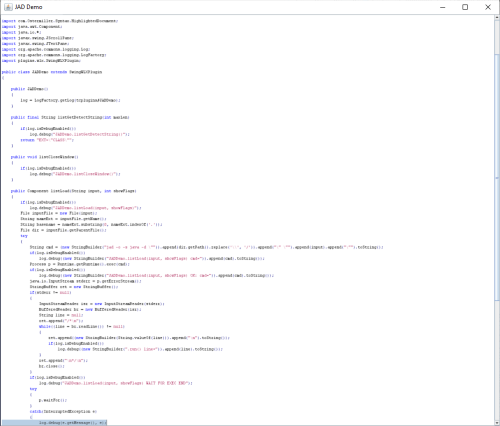
- a file "classname.java" which you can view (F3) or copy (F5). This java is the decompiled class file
- a list of directories representing all the methods, fields, constructors, member classes and interfaces of the class. This way you can have a very quick view of the class structure
- a couple more directories show the system properties and environment variables (this info is not directly related to the class, but it could be useful)
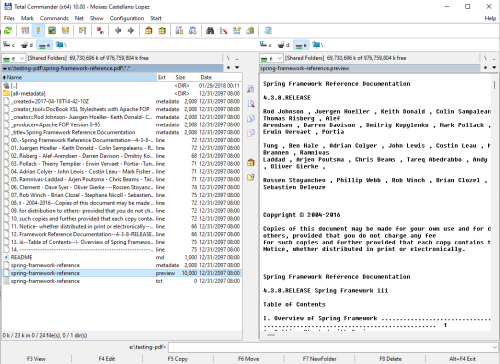
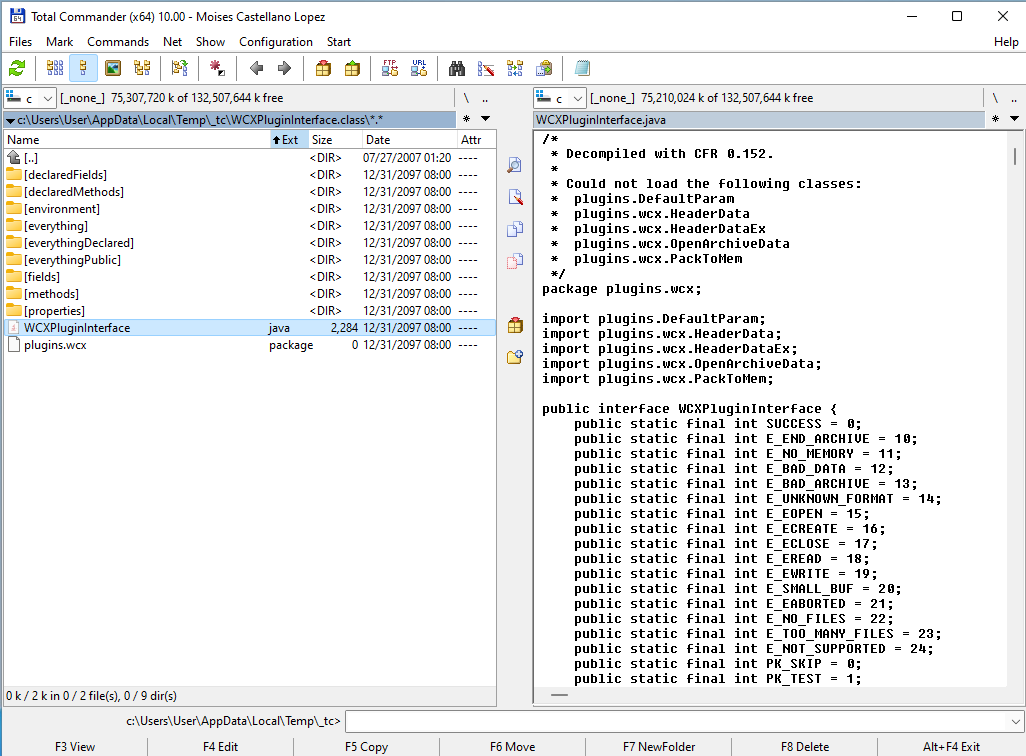
In the screenshot, on the left panel we have entered to a .class file. The sub-directories contain members of the class. Decompiled class is viewed on the right panel.
The plugin uses CFR 0.152 decompiler as a library, so it does not need any extra executables or processes.
More info and source code at the Github project
This plugin is based on the Java plugin interface 2.3, also here in totalcmd.net
JavaDecompiler is written in Java, so you need to have installed a Java Runtime Environment (JRE). Because it uses lambda expressions, it needs at least Java 8. It has been tested on JDK1.8.0
What’s new
(refer to https://github.com/moisescastellano/javadecompiler-tcplugin/blob/main/changes.md)
v1.1 - 2022-jan-30
------------------
- You can now also view (F3) or copy (F5) files with extension ".env" and ".property" as they were text files
- files with extension ".env" contain the environment variables
- files with extension ".property" contain the system properties
- new "environment.env" and "properties.property " files in the root dir.
- JavaDecompiler 1.1 is now based on Java Plugin Interface v2.3
- PluginClassLoader was incomplete (missing e.g. findResources implementation). It has now been completed.
- Better exception management when getting/showing elements (e.g. class methods) fails:
- if an error occurs, an ".exception" file is shown that you can open (F3) to view the detail.
- other elements (e.g. decompiled class) can still be shown in that case
- Troubleshooting guide linked and main problems enumerated in main README
- Major code restructure - more legible if you are familiar with lambda expressions
- it now shares a common extended class (ItemsPlugin) with ThousandTypes plugin
- JavaDecompiler is now hosted at Github pages
- Version check (for at least tc-classloader 2.2.0) to avoid javalib problems
- Refer to: In case you have more than one Java plugin installed
- Source code is now available at Github project
- Logging is updated to SLF4J (previously was based on deprecated Apache commons-logging implementation).
- Logging now works for Log4j2 via SLF4J.
- Logging is disabled by default, any logging implementation has been removed from the plugin itself.
- Documentation about how to configure logging for plugins.
- errormessages.ini: corrected typos on english and german messages, showing some memory dump
v1.0 - 2021-dec-27
------------------
- JavaDecompiler is now available at Totalcmd.net
- This plugin allows Total Commander to both decompile and navigate java .class files.
- It is a packer plugin, meaning you can "enter" these files as archives.
- This plugin "hacks" the TC packer interface so that class files appear to be archives containing all of:
- a file "classname.java" which you can view (F3) or copy (F5). This java is the decompiled class file.
- a list of directories representing all the methods, fields, constructors, member classes and interfaces of the class.
- a couple more directories show the system properties and environment variables.
v1.1 - 2022-jan-30
------------------
- You can now also view (F3) or copy (F5) files with extension ".env" and ".property" as they were text files
- files with extension ".env" contain the environment variables
- files with extension ".property" contain the system properties
- new "environment.env" and "properties.property " files in the root dir.
- JavaDecompiler 1.1 is now based on Java Plugin Interface v2.3
- PluginClassLoader was incomplete (missing e.g. findResources implementation). It has now been completed.
- Better exception management when getting/showing elements (e.g. class methods) fails:
- if an error occurs, an ".exception" file is shown that you can open (F3) to view the detail.
- other elements (e.g. decompiled class) can still be shown in that case
- Troubleshooting guide linked and main problems enumerated in main README
- Major code restructure - more legible if you are familiar with lambda expressions
- it now shares a common extended class (ItemsPlugin) with ThousandTypes plugin
- JavaDecompiler is now hosted at Github pages
- Version check (for at least tc-classloader 2.2.0) to avoid javalib problems
- Refer to: In case you have more than one Java plugin installed
- Source code is now available at Github project
- Logging is updated to SLF4J (previously was based on deprecated Apache commons-logging implementation).
- Logging now works for Log4j2 via SLF4J.
- Logging is disabled by default, any logging implementation has been removed from the plugin itself.
- Documentation about how to configure logging for plugins.
- errormessages.ini: corrected typos on english and german messages, showing some memory dump
v1.0 - 2021-dec-27
------------------
- JavaDecompiler is now available at Totalcmd.net
- This plugin allows Total Commander to both decompile and navigate java .class files.
- It is a packer plugin, meaning you can "enter" these files as archives.
- This plugin "hacks" the TC packer interface so that class files appear to be archives containing all of:
- a file "classname.java" which you can view (F3) or copy (F5). This java is the decompiled class file.
- a list of directories representing all the methods, fields, constructors, member classes and interfaces of the class.
- a couple more directories show the system properties and environment variables.