XML Review 3.8.2
Description
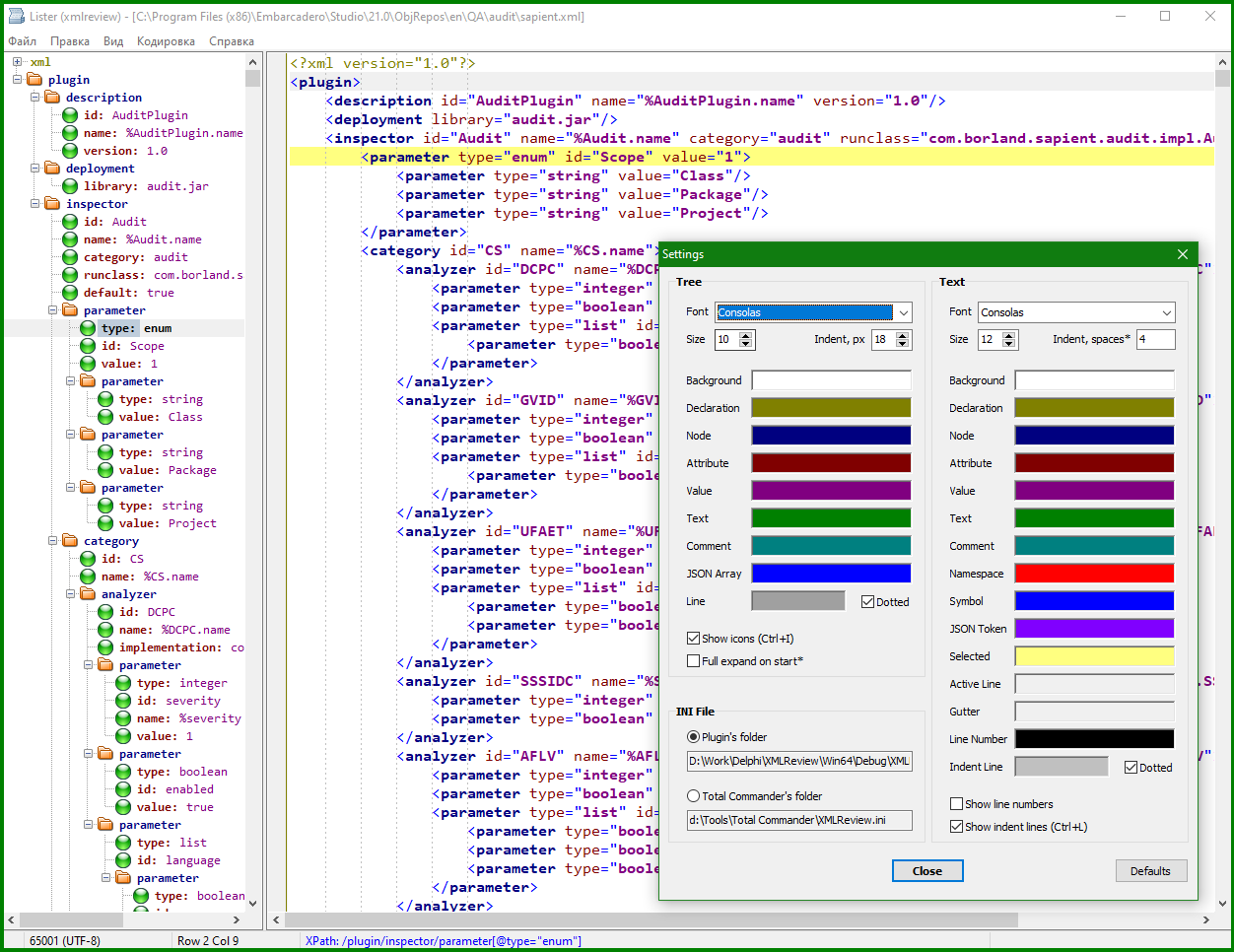
Plugin for viewing XML and JSON files. Three viewing modes:- Formatted text with node tree. It is possible to filter nodes based on XPath.
- Source file with or without xsd schema validation.
- Converted file based on the specified xslt template.
Default extensions are xml, xsd, xsl, xslt, wsdl, json.
What’s new
Version 3.8.2:
- Added the Ukrainian language
Version 3.8.1:
- Fixed a problem with the scrollbar in some versions of Windows
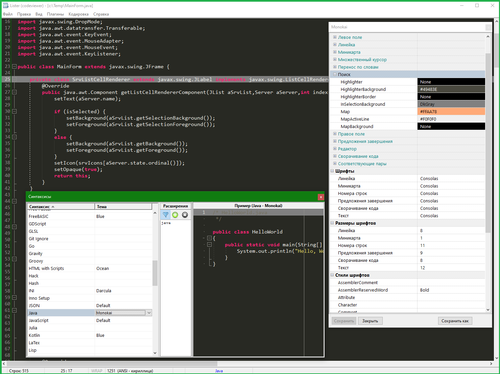
- You can customize font styles for tokens in the text
Version 3.8:
- UI Styles
- Copying text with and without format
- Setting "Attributes on separate lines" for xml
- F8 clears the node selection in the text
- Triple-clicking on a node in the tree expands/collapses it
- Some other improvements
Version 3.7.3:
- Setting the initial width of the tree
Version 3.7.2:
- Added a setting "On a parsing error scroll to the end of the text"
Version 3.7.1:
- Added German (thanks to Tycho Barfy)
- Fixed incorrect rendering of the status bar in some cases
Version 3.7:
- Performance optimization. The speed of searching in large files has been significantly increased.
- Added a setting that allows you to escape special characters to get valid xml and json in formatted text.
Version 3.6:
- Language files for the interface. Added Russian language.
Version 3.5:
- Common TC search dialog
- You can paste xml or json text from the clipboard for quick viewing (the file will not be changed)
- Copying to the clipboard XPath with indexes of the form /Node[i]
Version 3.4:
- Sorting tree nodes
- New color settings
- Selecting the location of the ini file
- Fixes
Version 3.3:
- Tooltips for long names in the tree.
- If there is no root node, the entire xml content is output.
- Single-line comments like "#", "//" in JSON are ignored.
- Some fixes.
Version 3.2:
- Fixed a bug with opening JSON files containing escape characters.
Version 3.1:
- Indent lines can be shown.
- Some settings added.
- Fixed a bug in the representation of fractional numbers.
Version 3.0:
- Added viewing of JSON files. To add the "json" extension to the list of file extensions, you can remove the plugin and install it again.
- Added a choice of file encoding in case the encoding is automatically detected incorrectly.
- In xslt conversion mode, the ability to view the result in the browser has been added.
Version 2.1:
If there is an "http://", "https://" href link in the "xml-stylesheet" tag, the plugin tries to load an xslt template.
The current view mode is saved in the ini file.
Improved syntax highlighting in national alphabets.
Version 2.0:
Added "Source" and "XSLT Transform" view modes.
Added the ability to filter nodes in the tree based on XPath.
Some improvements and fixes.
- Added the Ukrainian language
Version 3.8.1:
- Fixed a problem with the scrollbar in some versions of Windows
- You can customize font styles for tokens in the text
Version 3.8:
- UI Styles
- Copying text with and without format
- Setting "Attributes on separate lines" for xml
- F8 clears the node selection in the text
- Triple-clicking on a node in the tree expands/collapses it
- Some other improvements
Version 3.7.3:
- Setting the initial width of the tree
Version 3.7.2:
- Added a setting "On a parsing error scroll to the end of the text"
Version 3.7.1:
- Added German (thanks to Tycho Barfy)
- Fixed incorrect rendering of the status bar in some cases
Version 3.7:
- Performance optimization. The speed of searching in large files has been significantly increased.
- Added a setting that allows you to escape special characters to get valid xml and json in formatted text.
Version 3.6:
- Language files for the interface. Added Russian language.
Version 3.5:
- Common TC search dialog
- You can paste xml or json text from the clipboard for quick viewing (the file will not be changed)
- Copying to the clipboard XPath with indexes of the form /Node[i]
Version 3.4:
- Sorting tree nodes
- New color settings
- Selecting the location of the ini file
- Fixes
Version 3.3:
- Tooltips for long names in the tree.
- If there is no root node, the entire xml content is output.
- Single-line comments like "#", "//" in JSON are ignored.
- Some fixes.
Version 3.2:
- Fixed a bug with opening JSON files containing escape characters.
Version 3.1:
- Indent lines can be shown.
- Some settings added.
- Fixed a bug in the representation of fractional numbers.
Version 3.0:
- Added viewing of JSON files. To add the "json" extension to the list of file extensions, you can remove the plugin and install it again.
- Added a choice of file encoding in case the encoding is automatically detected incorrectly.
- In xslt conversion mode, the ability to view the result in the browser has been added.
Version 2.1:
If there is an "http://", "https://" href link in the "xml-stylesheet" tag, the plugin tries to load an xslt template.
The current view mode is saved in the ini file.
Improved syntax highlighting in national alphabets.
Version 2.0:
Added "Source" and "XSLT Transform" view modes.
Added the ability to filter nodes in the tree based on XPath.
Some improvements and fixes.