csvtab 2.1.0
Description
Feature HighlightsOpen messy CSV files with confidence
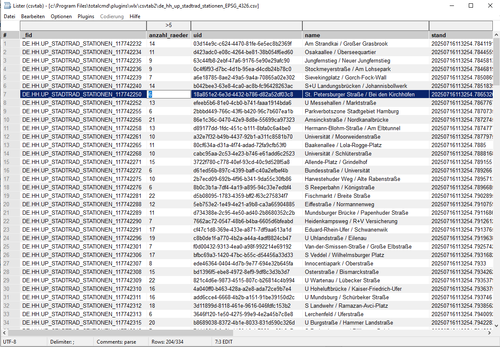
csvtab is built for the kind of CSV files that are almost, but not quite, regular.
•Detects ANSI, UTF-8, UTF-16LE and UTF-16BE, including BOM handling.
•Detects common delimiters automatically: comma, semicolon, TAB, pipe and colon.
•Understands quoted CSV, doubled quotes, multiline cells and empty trailing
cells.
•Skips leading comment/preamble rows in Auto mode, including #, sep= and
single-semicolon comment lines.
•Lets you switch encoding, delimiter and comment handling directly from the
status bar and reloads the table immediately.
Work in the grid, not around it
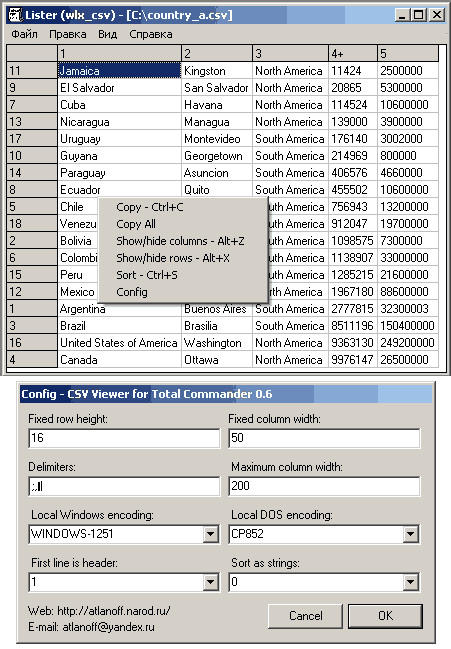
•Per-column filters sit above the header and update the table interactively.
•Click headers to sort; the sort indicator shows ascending/descending state.
•Hide noisy columns with Ctrl+click, then restore all columns with
Ctrl+Space.
•Optional line numbers, alternating row colours, dark mode and configurable
fonts keep large tables readable.
•Decimal alignment lines up 1, 1.23 and 1,23 in numeric columns, so mixed
number formats are much easier to scan.
•Total Commander search is supported, including F3 and Shift+F3 for
forward/backward search through the table.
Edit real CSV data safely
Edit mode turns the viewer into a careful CSV editor without throwing away the original file structure.
•Toggle Edit mode with Ctrl+E or Ctrl+R.
•Start editing the selected cell with Enter, F2 or double-click.
•Insert a new empty row below the current row from the context menu.
•Delete selected rows with Ctrl+X and delete a column from the header menu.
•Save with Ctrl+S. The file is written atomically, preserving encoding,
delimiter, BOM and comment handling as far as possible.
•Dirty files are marked in the status bar and prompt before close or reload.
Transform columns without touching the original
Transform mode opens a sidebar for trying column operations as a live, read-only preview. The source file is not changed until you explicitly export.
What’s new
•Kept text input in the transformer sidebar from forwarding N, P, number
keys, and other viewer navigation keys to Total Commander.
•Made language codes dynamically load matching
keys, and other viewer navigation keys to Total Commander.
•Made language codes dynamically load matching
.lng catalogs, with
regional fallback and automatic Total Commander/Windows UI language detection.
•Added a complete Czech (cs.lng) localization.