DirSizeCalc Charts 1.10
Description
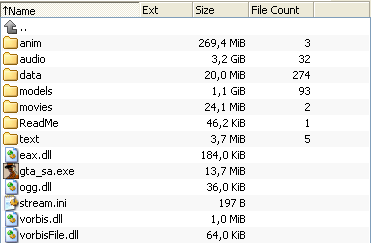
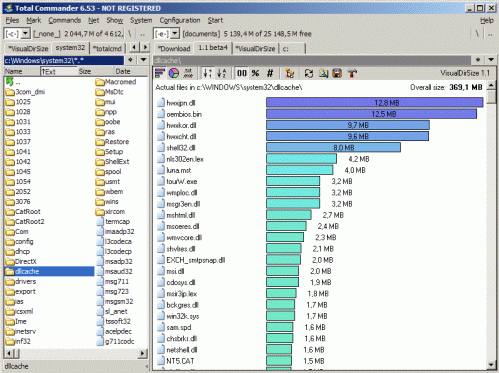
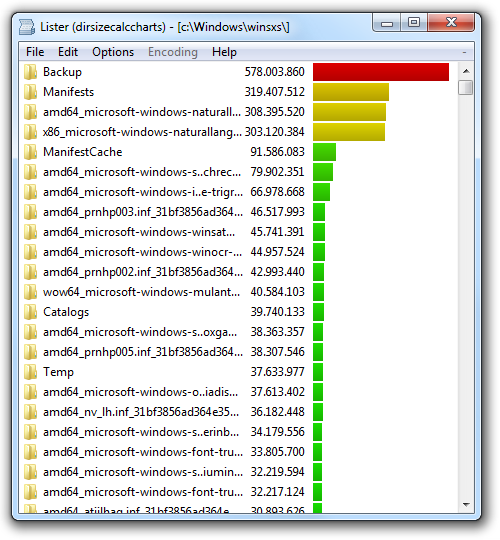
DirSizeCalc Charts displays a list of all files and folders contained in a folder sorted descending by size. A bar chart is displayed next to the items to illustrate the size dimensions at first glance.The linked download is the standalone version of DirSizeCalc Charts. Alternativelly you may download the addon version. Please make sure the latest version of DirSizeCalc is installed:
http://lefteous.totalcmd.net/tc/archives/dirsizecalccharts/wlx_dirsizecalc_charts_1.10_addon.zip
What’s new
Version 1.10
------------
ADDED Added support for .. items
FIXED High dpi mode e.g. 120pi or 144 dpi should look just fine.
CHANGED The way hotkeys are handled has been changed as the plugin could not be started when another plugin was displayed and user pressed 4. However it's unfortunately not a full fix as you have to press 4 twice in some cases. This includes opening the Lister not using the keyboard and then cycle through plugins by pressing 4.
ADDED The current path is now displayed in a new area above the file list.
ADDED The number of files in a folder is now displayed next to the size. This cannot be configured at the moment. A setting will be added later.
ADDED Pressing delete moves an item to the recycle bin. If moving to bin isn't possible the item will be deleted. A confirmation dialog is displayed in all cases.
ADDED It's now possible to navigate folders inside the plugin by pressing return or performing a doubleclick to go down or by pressing backspace to go up.
------------
ADDED Added support for .. items
FIXED High dpi mode e.g. 120pi or 144 dpi should look just fine.
CHANGED The way hotkeys are handled has been changed as the plugin could not be started when another plugin was displayed and user pressed 4. However it's unfortunately not a full fix as you have to press 4 twice in some cases. This includes opening the Lister not using the keyboard and then cycle through plugins by pressing 4.
ADDED The current path is now displayed in a new area above the file list.
ADDED The number of files in a folder is now displayed next to the size. This cannot be configured at the moment. A setting will be added later.
ADDED Pressing delete moves an item to the recycle bin. If moving to bin isn't possible the item will be deleted. A confirmation dialog is displayed in all cases.
ADDED It's now possible to navigate folders inside the plugin by pressing return or performing a doubleclick to go down or by pressing backspace to go up.