SGViewer 1.9.3.1
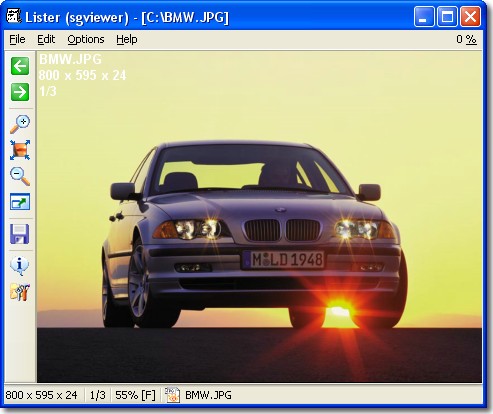
Description
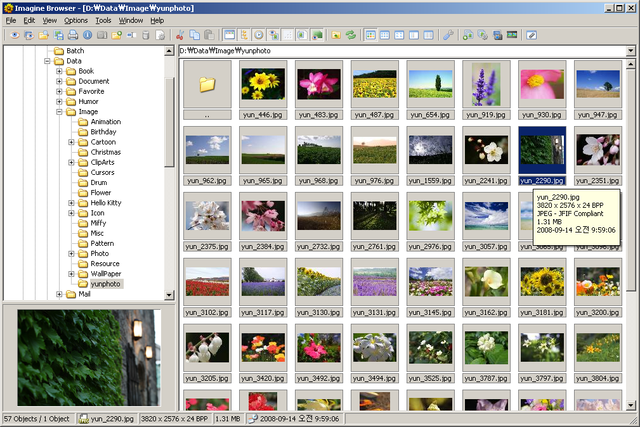
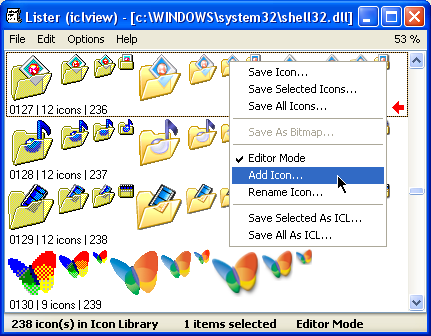
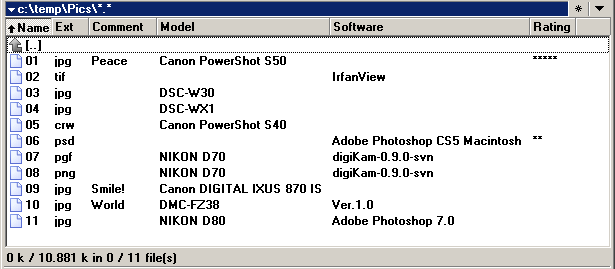
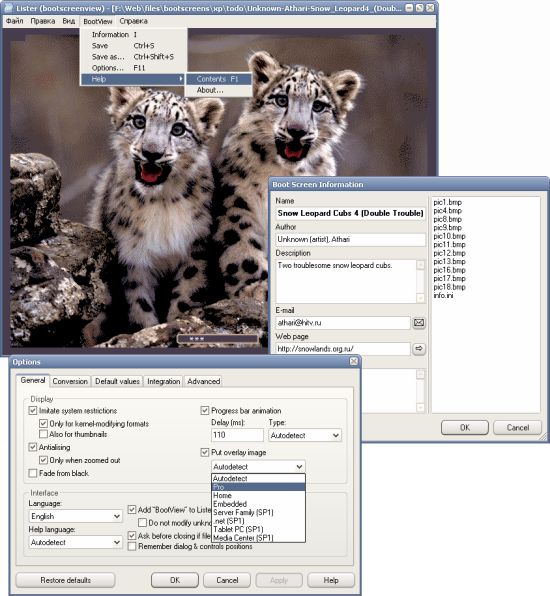
* Show images in Total Commander.* Supported formats:
BMP; JPEG; PNG; GIF (animation too); TIFF (not all compressions supported); PSD; TGA; PCX; PCD; PSP; EMF; WMF.
* Features:
- intelligible interface;
- easy navigation;
- full screen view;
- slideshow;
- random view mode;
- antialiasing for fitted images;
- view animation in GIF;
- multilingual user interface (English, French, German, Hungarian, Korean, Romanian, Russian, Spanish, Ukrainian);
- copying, moving, deleting image files;
- open current image in any application;
- copy image to and paste from Clipboard;
- save images to BMP or JPEG;
- image operations (rotate, mirror, etc.);
- basic function for print images;
- support ijl15.dll for fast JPEG load;
- support libgfl220.dll and libgfle220.dll for JPEG Lossless Transform and thumb's view TC mode;
- and many more!
For fast JPEG load you may use Intel JPEG Library (ijl15.dll). Also enable it in Setup window on "JPEG" page. Loading JPEG files increasing to more times! Copy this dll to SGViewer\Plugins folder or SGViewer folder, or Windows folder.
Support available via e-mail.
What’s new
Ver 1.9.3.1:
* changes and bug fixes.
15 Feb 2012
Silent update - update Danish translation
Ver 1.9.3:
+ Shift+Del to direct delete file (without Recycle bin);
+ Skip Error Images option (Setup dialog - Image) (last file always showed during infinite loop);
+ Skip Images By Size option (Setup dialog - Image) (last file always showed during infinite loop);
* changes and bug fixes.
Ver 1.9.2 Beta:
+ built-in thumbnail mode;
+ new menu item File Operations - Go To File open new tab in left panel of TC and set cursor on current viewed file name (TC only);
* changes and bug fixes.
Ver 1.9.1 Silent Update (19 Dec 2006)
* updated German and Ukrainian translations.
Ver 1.9.1:
+ some new TC7 functions supported (introduced in Public beta 2);
+ toolbar glyphs can be loaded from Toolbar.bmp;
* minor changes and bug fixes.
Ver 1.9:
+ experimental Fit width and height functions without antialiasing (Menu - Setup);
* up to 8 shell applications in menu without icons (Setup dialog - Shell)
* minor changes and bug fixes.
Ver 1.8.8.1:
+ "Display Last Access Date" function (Setup dialog - Advanced);
+ "Add "Close" Item to Popup Menu" function (Setup dialog - Advanced);
* minor changes and bug fixes.
Ver 1.8.8 Silent Update (25 May 2006)
* updated German and Ukrainian translations.
Ver 1.8.8:
* fixed JPEG rotation by EXIF;
+ support libjfl version 2.54 (libgfl254.dll, libgfle254.dll);
+ Stay On Top function (Menu);
+ File Size Display new values: Dynamic Extended (x.xx k/M/G) and Like Explorer (x.xx/xx.x/xxx) (Setup dialog - Advanced);
* minor changes and bug fixes.
Ver 1.8.7.1 Silent Update (22 Feb 2006):
+ updated Spanish translation and readme.
Ver 1.8.7.1:
+ Korean translation;
* big bug with animated GIF images fixed: some images leave "tails" (not properly clear background) when image is animated;
+ basic work with profiles: rename any *.profile to SGViewer.profile and settings from it will be used on first start of plugin (may help when reinstall plugin or install on new computer);
* minor changes and bug fixes.
Ver 1.8.7 RC:
+ allow full screen preview in Quick View mode (Setup dialog - Expert);
+ settings cache for speed up start\close plugin from removable devices (Setup dialog - Expert);
+ display file date & time in status bar (Setup dialog - Advanced);
* improvements and bug fixes.
Ver 1.8.6:
* scrollbars some fixes;
+ menu item Print Preview available by default (menu Image);
+ show image IPTC information if present (Info dialog);
+ show GIF image comments if present (Info dialog);
+ ability to set non transparent background for Info label (Setup Dialog - Main);
+ GIF animation antialiasing (Setup Dialog - Advanced);
* minor changes and bug fixes.
Ver 1.8.5 BETA:
+ show JPEG comment in JPEG files if present (Info dialog);
+ rotate JPEG images according to EXIF Orientation value on load (Setup dialog - JPEG);
+ rotate JPEG thumbnails according to EXIF Orientation value (Setup dialog - JPEG);
+ ability to copy/move/create link of file by right mouse click on status bar and "drag" it to Explorer (Setup dialog - Expert);
+ automatic JPEG Lossless Transform by EXIF Orientation value (Shift+A buttons, need libgfl220.dll and libgfle220.dll);
+ keep original file date/time on JPEG Lossless Transform (Setup dialog - JPEG);
+ reset EXIF Orientation value on JPEG Lossless Transform (Setup dialog - JPEG).
Ver 1.8.4:
+ German & Romanian languages added;
+ display file size in status bar (view mode change: Setup dialog - Advanced. Full related to TC column size setup);
* main is minor changes and bug fixes.
Ver 1.8.3 BETA:
+ file rename feature;
+ if image is in Fit Mode, buttons left,up\right,down opens previous\next image (like standard viewer of Win XP);
+ select Fit Mode on plugin start (Setup dialog - Main);
+ numeric sort in Win XP (Setup dialog - Main);
+ some more;
* minor changes and bug fixes.
Ver 1.8.2 BETA:
* fix "error 1400";
+ loading graphic's using libgflX.dll (Setup dialog - JPEG);
* you need manually changing DetectString for open new graphic format [LibGFL support near 100 formats] (for JPEG2000 copy Xjp2.dll from LibGFL SDK to folder with files libgfl220.dll and libgfle220.dll);
+ Shift+PgDown\Shift+PgUp show next\previous page in multipage files (like TIFF);
* minor changes and bug fixes.
Ver 1.8.1 BETA:
* additional libraries (ijl15.dll, libgfl220.dll, libgfle220.dll) now can be putted to SGViewer\Plugins folder or SGViewer folder;
+ support environment variables (ex. %COMMANDER_PATH%) in path to external applications (Setup dialog - Shell);
+ select antialiasing filter (Setup dialog - Advanced);
+ automatic antialiasing disabling for big images (Setup dialog - Advanced);
+ "skip" wheels messages from mouse before load next/prev image by setting value of "skip's" in setup file "WheelSkipCount" entry (useful if KatMouse (or old mouse) used);
* wheel scroll over scroll bars scroll's it's instead of loading next/prev image;
+ select font for Info Label (Setup dialog - Main)
+ test alpha channel support in 32 bit images (if Fit and Antialiasing enabled) PNG and BMP: change mode by pressing T button;
* Setup dialog changed;
* minor changes and bug fixes.
Ver 1.8 BETA:
* trying fix error with P4 HT;
+ support ijl15.dll for fast load JPEG files (speed up loadin JPEG to more times!)(Setup - JPEG);
+ support libgfl220.dll and libgfle220.dll for JPEG Lossless Transform and thumb's view mode in TC;
+ antialiasing for fitted images (may slow down showing big images);
* zoom changing from current now;
* minor changes and bug fixes.
Version 1.7.7
+ new menu items;
+ toolbar can be locked now;
+ plugin now can start in Full screen mode (Setup dialog - Expert);
* Setup dialog changed (now like TC setup diaolog);
* minor changes and bug fixes.
* changes and bug fixes.
15 Feb 2012
Silent update - update Danish translation
Ver 1.9.3:
+ Shift+Del to direct delete file (without Recycle bin);
+ Skip Error Images option (Setup dialog - Image) (last file always showed during infinite loop);
+ Skip Images By Size option (Setup dialog - Image) (last file always showed during infinite loop);
* changes and bug fixes.
Ver 1.9.2 Beta:
+ built-in thumbnail mode;
+ new menu item File Operations - Go To File open new tab in left panel of TC and set cursor on current viewed file name (TC only);
* changes and bug fixes.
Ver 1.9.1 Silent Update (19 Dec 2006)
* updated German and Ukrainian translations.
Ver 1.9.1:
+ some new TC7 functions supported (introduced in Public beta 2);
+ toolbar glyphs can be loaded from Toolbar.bmp;
* minor changes and bug fixes.
Ver 1.9:
+ experimental Fit width and height functions without antialiasing (Menu - Setup);
* up to 8 shell applications in menu without icons (Setup dialog - Shell)
* minor changes and bug fixes.
Ver 1.8.8.1:
+ "Display Last Access Date" function (Setup dialog - Advanced);
+ "Add "Close" Item to Popup Menu" function (Setup dialog - Advanced);
* minor changes and bug fixes.
Ver 1.8.8 Silent Update (25 May 2006)
* updated German and Ukrainian translations.
Ver 1.8.8:
* fixed JPEG rotation by EXIF;
+ support libjfl version 2.54 (libgfl254.dll, libgfle254.dll);
+ Stay On Top function (Menu);
+ File Size Display new values: Dynamic Extended (x.xx k/M/G) and Like Explorer (x.xx/xx.x/xxx) (Setup dialog - Advanced);
* minor changes and bug fixes.
Ver 1.8.7.1 Silent Update (22 Feb 2006):
+ updated Spanish translation and readme.
Ver 1.8.7.1:
+ Korean translation;
* big bug with animated GIF images fixed: some images leave "tails" (not properly clear background) when image is animated;
+ basic work with profiles: rename any *.profile to SGViewer.profile and settings from it will be used on first start of plugin (may help when reinstall plugin or install on new computer);
* minor changes and bug fixes.
Ver 1.8.7 RC:
+ allow full screen preview in Quick View mode (Setup dialog - Expert);
+ settings cache for speed up start\close plugin from removable devices (Setup dialog - Expert);
+ display file date & time in status bar (Setup dialog - Advanced);
* improvements and bug fixes.
Ver 1.8.6:
* scrollbars some fixes;
+ menu item Print Preview available by default (menu Image);
+ show image IPTC information if present (Info dialog);
+ show GIF image comments if present (Info dialog);
+ ability to set non transparent background for Info label (Setup Dialog - Main);
+ GIF animation antialiasing (Setup Dialog - Advanced);
* minor changes and bug fixes.
Ver 1.8.5 BETA:
+ show JPEG comment in JPEG files if present (Info dialog);
+ rotate JPEG images according to EXIF Orientation value on load (Setup dialog - JPEG);
+ rotate JPEG thumbnails according to EXIF Orientation value (Setup dialog - JPEG);
+ ability to copy/move/create link of file by right mouse click on status bar and "drag" it to Explorer (Setup dialog - Expert);
+ automatic JPEG Lossless Transform by EXIF Orientation value (Shift+A buttons, need libgfl220.dll and libgfle220.dll);
+ keep original file date/time on JPEG Lossless Transform (Setup dialog - JPEG);
+ reset EXIF Orientation value on JPEG Lossless Transform (Setup dialog - JPEG).
Ver 1.8.4:
+ German & Romanian languages added;
+ display file size in status bar (view mode change: Setup dialog - Advanced. Full related to TC column size setup);
* main is minor changes and bug fixes.
Ver 1.8.3 BETA:
+ file rename feature;
+ if image is in Fit Mode, buttons left,up\right,down opens previous\next image (like standard viewer of Win XP);
+ select Fit Mode on plugin start (Setup dialog - Main);
+ numeric sort in Win XP (Setup dialog - Main);
+ some more;
* minor changes and bug fixes.
Ver 1.8.2 BETA:
* fix "error 1400";
+ loading graphic's using libgflX.dll (Setup dialog - JPEG);
* you need manually changing DetectString for open new graphic format [LibGFL support near 100 formats] (for JPEG2000 copy Xjp2.dll from LibGFL SDK to folder with files libgfl220.dll and libgfle220.dll);
+ Shift+PgDown\Shift+PgUp show next\previous page in multipage files (like TIFF);
* minor changes and bug fixes.
Ver 1.8.1 BETA:
* additional libraries (ijl15.dll, libgfl220.dll, libgfle220.dll) now can be putted to SGViewer\Plugins folder or SGViewer folder;
+ support environment variables (ex. %COMMANDER_PATH%) in path to external applications (Setup dialog - Shell);
+ select antialiasing filter (Setup dialog - Advanced);
+ automatic antialiasing disabling for big images (Setup dialog - Advanced);
+ "skip" wheels messages from mouse before load next/prev image by setting value of "skip's" in setup file "WheelSkipCount" entry (useful if KatMouse (or old mouse) used);
* wheel scroll over scroll bars scroll's it's instead of loading next/prev image;
+ select font for Info Label (Setup dialog - Main)
+ test alpha channel support in 32 bit images (if Fit and Antialiasing enabled) PNG and BMP: change mode by pressing T button;
* Setup dialog changed;
* minor changes and bug fixes.
Ver 1.8 BETA:
* trying fix error with P4 HT;
+ support ijl15.dll for fast load JPEG files (speed up loadin JPEG to more times!)(Setup - JPEG);
+ support libgfl220.dll and libgfle220.dll for JPEG Lossless Transform and thumb's view mode in TC;
+ antialiasing for fitted images (may slow down showing big images);
* zoom changing from current now;
* minor changes and bug fixes.
Version 1.7.7
+ new menu items;
+ toolbar can be locked now;
+ plugin now can start in Full screen mode (Setup dialog - Expert);
* Setup dialog changed (now like TC setup diaolog);
* minor changes and bug fixes.