VisualDirSize 1.2
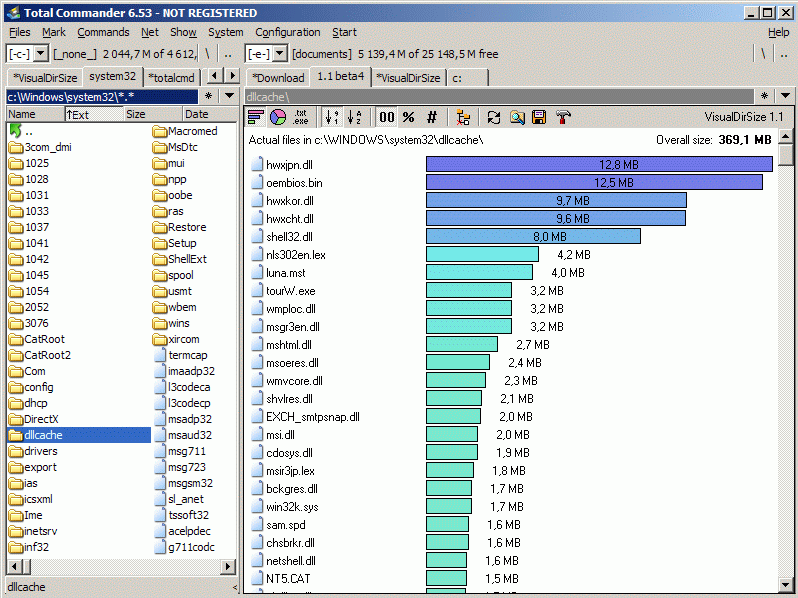
Description
VisualDirSize provide a graphical overview of the files/folders in a selected directory. You can view a chart by putting cursor on any directory and pressing 'Ctrl+Q'. Selected directory will be scanned and files/folders size will be displayed as a bar chart in the Quick View panel. Such bar chart is useful for showing the relative size of files/folders. For instance: you can quickly locate the biggest file/folder in directory.If you have any suggestions please post them on official TC forum. Thank you.
What’s new
1.2 [03.17.2006]
- Updated LNG files
- Added Norwegian language
- Updated LNG files
- Added Norwegian language