DataTAB new csv/json/xml all-in-one lister/editor 1.7
Description
Multi-format AIO plugin (csv / json / xml) and its file variants with one shared engine, so all three formats get the same filtering, sorting, editing, theming and font handling.What it does
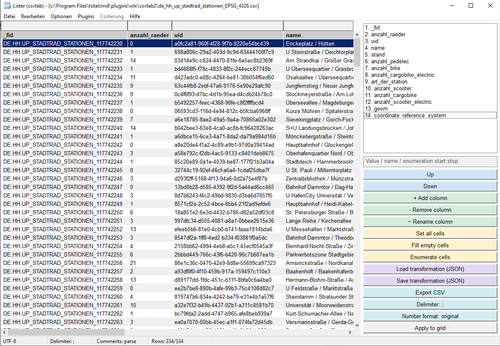
Grid view for CSV/TSV — sortable, filterable columns with per-column filter boxes, decimal-aligned numeric columns, natural sort, and a status bar showing row counts, delimiter and encoding.
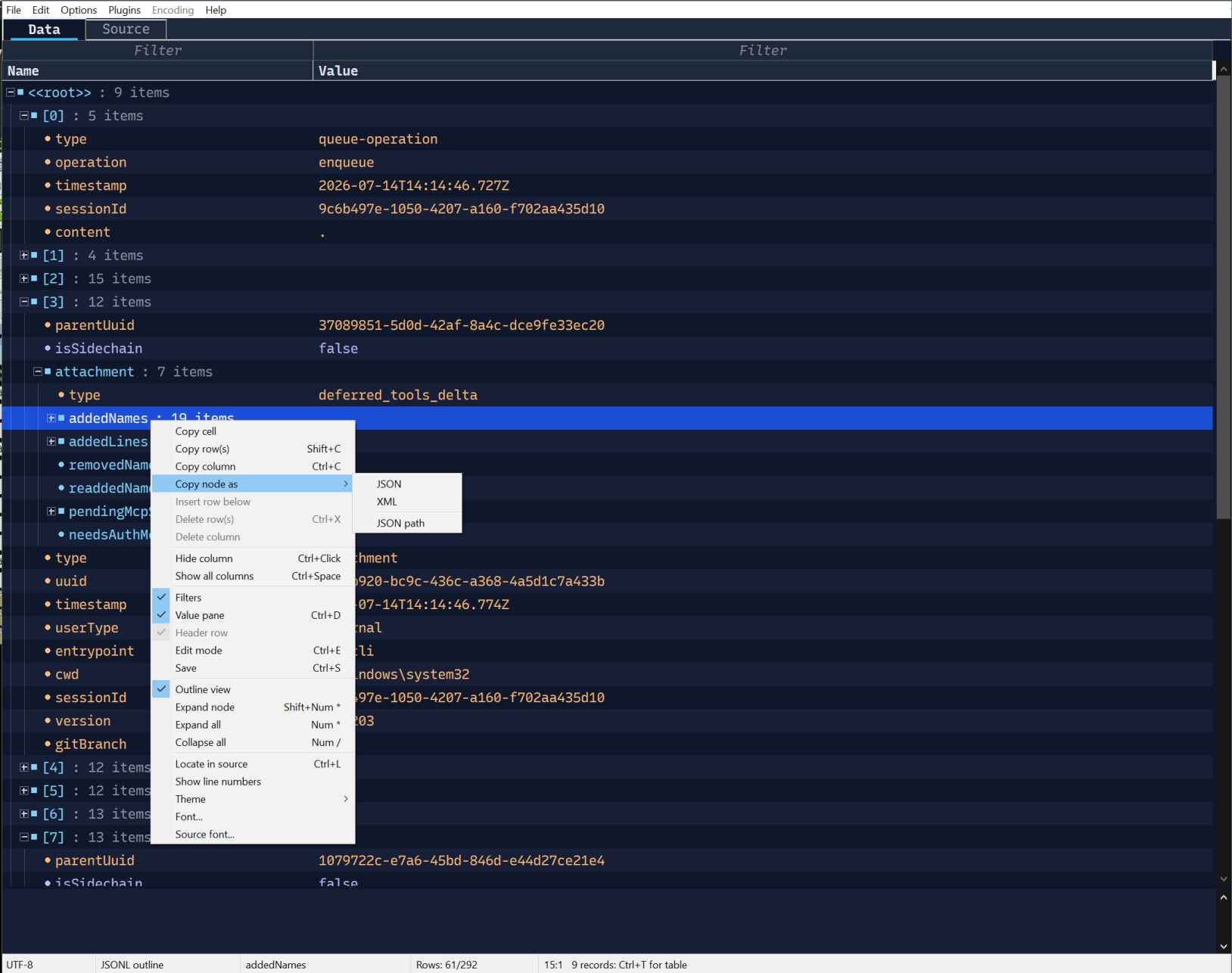
Outline view for JSON and XML — every node (object, array, element, attribute) as a Name/Value row, expand/collapse, with values wrapped for reading in a value pane below the grid.
Record table — when a document contains a repeated list (an array of similar objects, or an element repeated as siblings), DataTab can project just that list as a normal sortable/filterable table instead of the full tree — the status bar tells you when one is available (Ctrl+T to switch).
Editing — cells are editable in place; saves are lossless: untouched parts of the file are copied byte-for-byte, only the cells you changed are rewritten. Works for CSV rows, JSON values and XML element/attribute text.
Source tab — the raw file with syntax highlighting (CSV/JSON/XML), line numbers and "Locate in source" to jump from a row/node straight to its position in the text.
Copy node as JSON, XML or JSON Path/XPath from any outline node.
Themes — five built-in presets (Light, Paper, Dark, Midnight, Solarized Dark), or override any individual color.
Fonts — a standard Windows font picker for both the grid and the source view, remembered between sessions.
Large files — spans into the decoded file instead of per-cell copies, background indexing with progressive display, and filtering that stays responsive well past a million rows.
Supported files
CSV, TSV, TAB · JSON, JSONL/NDJSON, GeoJSON, JSONC, JSON5 · XML and the XML-family formats that are really XML underneath — SVG, XSD, XSLT, RSS, GPX, KML, OSM, .config/.manifest/.resx/.csproj/.props and similar project/config files, WSDL, PLIST, ATOM, and a few more. Unrecognized extensions are still opened if the content itself looks like JSON or XML.
What’s new
1.7 (2026-11-04)
If you have DataTAB 1.1 installed: after this update Total Commander lists DataTAB twice. Remove the older entry in Configuration → Options → Plugins → Lister plugins.
Changed: faster sorting and filtering
Measured on a 1-million-row CSV:
- Sorting a text column is 2-3x faster (a column of notes 1.1 s -> 0.4 s, a column of city names 0.46 s -> 0.14 s), and dates and numbers
about 2x. A repeated value is keyed once, and the work runs on several processor cores.
- The first letter typed into a filter on a sorted table no longer costs 2-3x a full filter (0.3 s -> 0.1 s).
- Query with SQL (Ctrl+Q) reads a table about 15% faster.
- A remembered sort gives way. Opening a big file whose sort was remembered no longer holds Total Commander while it sorts; a key press or click (in Quick View, moving to the next file) comes first, and the sort follows once things are quiet.
Fixed
- Numbers with a decimal comma are numbers. Where Windows uses ',' as the decimal point, 2,75 sorts, filters (>5), totals and goes into SQL as 2.75. Before, it was lined up as a number but sorted as text, so 2,8 came before 2,75 and >5 dropped 10,25.
- Numbers no longer depend on other plugins. Another plugin in Total Commander could switch the program's number format, after which 13213.21 read as 13213 in sorting, filters and SQL, and Excel number formats came out wrong.
- Long IDs keep every digit. A number of 19 or more digits (an order or card number) stays text in Query with SQL and in SQL export, instead of turning into 1.23456789012346e+19.
- A large database table sorts dates as dates, the same as a small one (it sorted them as text when the table was read in parts).
- Closing Lister with unsaved edits asks Save or Don't save. It used to offer Cancel too, but Total Commander closes Lister anyway, so Cancel lost the edits.
- Query with SQL (Ctrl+Q) reads the table in the background. Total Commander no longer freezes on a big file while the table is read, and Esc works as during any load.
- back-color2 paints alternating rows again. Since 1.4 it only colored the value pane, so an ini that set it (or back-color2-dark)
lost its zebra rows. Setting the key in the ini turns them back on, in the grid and the outline; the presets stay without.
initial version
If you have DataTAB 1.1 installed: after this update Total Commander lists DataTAB twice. Remove the older entry in Configuration → Options → Plugins → Lister plugins.
Changed: faster sorting and filtering
Measured on a 1-million-row CSV:
- Sorting a text column is 2-3x faster (a column of notes 1.1 s -> 0.4 s, a column of city names 0.46 s -> 0.14 s), and dates and numbers
about 2x. A repeated value is keyed once, and the work runs on several processor cores.
- The first letter typed into a filter on a sorted table no longer costs 2-3x a full filter (0.3 s -> 0.1 s).
- Query with SQL (Ctrl+Q) reads a table about 15% faster.
- A remembered sort gives way. Opening a big file whose sort was remembered no longer holds Total Commander while it sorts; a key press or click (in Quick View, moving to the next file) comes first, and the sort follows once things are quiet.
Fixed
- Numbers with a decimal comma are numbers. Where Windows uses ',' as the decimal point, 2,75 sorts, filters (>5), totals and goes into SQL as 2.75. Before, it was lined up as a number but sorted as text, so 2,8 came before 2,75 and >5 dropped 10,25.
- Numbers no longer depend on other plugins. Another plugin in Total Commander could switch the program's number format, after which 13213.21 read as 13213 in sorting, filters and SQL, and Excel number formats came out wrong.
- Long IDs keep every digit. A number of 19 or more digits (an order or card number) stays text in Query with SQL and in SQL export, instead of turning into 1.23456789012346e+19.
- A large database table sorts dates as dates, the same as a small one (it sorted them as text when the table was read in parts).
- Closing Lister with unsaved edits asks Save or Don't save. It used to offer Cancel too, but Total Commander closes Lister anyway, so Cancel lost the edits.
- Query with SQL (Ctrl+Q) reads the table in the background. Total Commander no longer freezes on a big file while the table is read, and Esc works as during any load.
- back-color2 paints alternating rows again. Since 1.4 it only colored the value pane, so an ini that set it (or back-color2-dark)
lost its zebra rows. Setting the key in the ini turns them back on, in the grid and the outline; the presets stay without.
initial version