jsontab2 2.1.2
Description
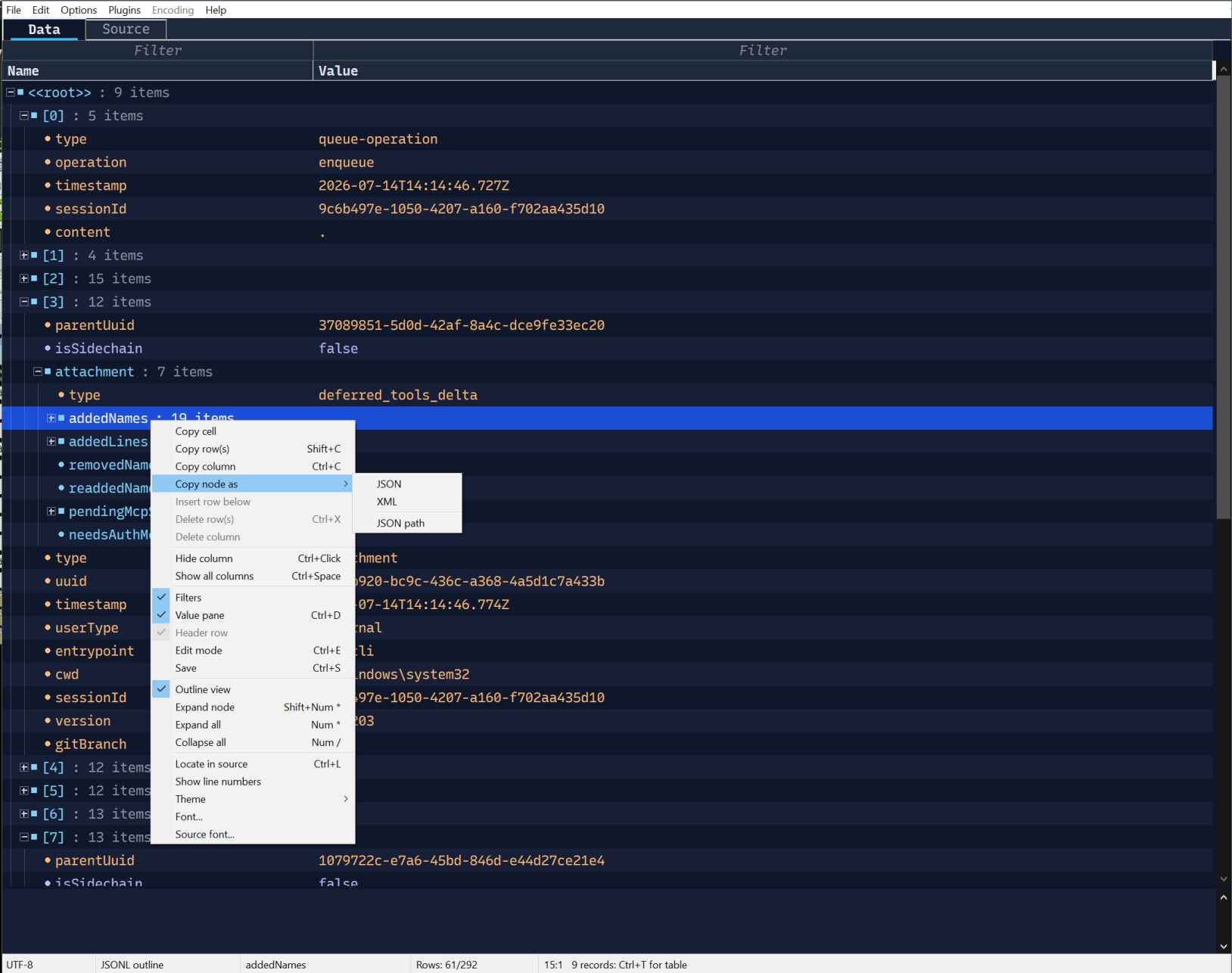
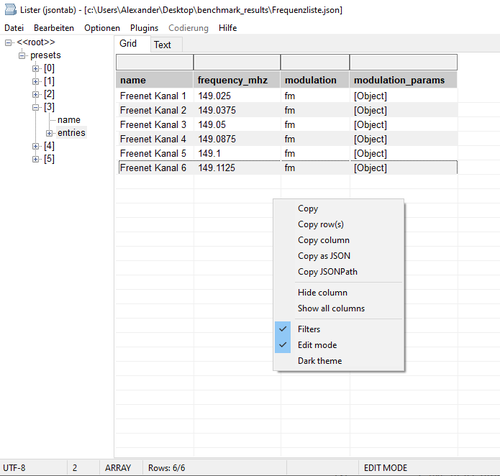
Feature HighlightsJSON Tab WLX is built for the moment when a JSON file is too structured for a plain text viewer, but too quick-and-dirty for a full editor. Open it in Lister, jump through the tree, flatten useful structures into columns, filter the result, edit a scalar value, copy exactly what you need, and move on.
•Tree, table, and text at once: browse objects and arrays in the tree,
inspect rows in the grid, and switch to syntax-highlighted formatted JSON when the raw structure matters.
•JSONL feels like normal JSON: .jsonl files are shown as one root array,
while saving keeps the compact one-record-per-line format.
•Flat views for nested data: FlatViewLevel can unfold uniform nested
objects and arrays into practical columns such as message, meta.message, or modulation_params.audio_freq. The status bar shows the active level, and Flat: 1* tells you when flattening is really in effect.
•Filters that stay usable: every column can be filtered with substring
matching or operators like =, !, <, and >. The filter row follows horizontal scrolling and column resizing smoothly, so it keeps feeling like part of the grid.
•Sorting that understands data: JSON numbers sort numerically, embedded
numbers sort naturally, and text sorting uses Windows locale-aware comparison. A third click restores the original order.
•Readable numbers, even in proportional fonts: decimal alignment is
enabled by default. Decimal separators line up per column, and integers sit correctly at the same numeric anchor.
•Fast on large arrays: the grid is virtual and keeps filtering/sorting in
a result index instead of rearranging the JSON data itself.
•Inline editing when you need it: toggle edit mode with Ctrl+E, edit
scalar cells directly, insert structurally matching rows, delete rows or columns, and save back with Ctrl+S.
•Keyboard-friendly grid work: arrow keys move the current cell, scrolling
the view at the edges; Ctrl+Arrow jumps to the first or last row/column.
•Useful right-click tools: copy cells, rows, columns, JSONPath, or inferred
JSON; hide columns; restore all columns; select the corresponding tree item.
•Comfort details: automatic column sizing, alternating row colors,
current-cell highlighting, light/dark themes, configurable colors, UTF-8 and UTF-16 detection, plus native Win32 and Win64 WLX builds without the LCL runtime.
Editing
Press Ctrl+E or use Edit mode in the grid context menu to toggle editing. While edit mode is active, double-clicking a scalar cell opens an inline editor.
•Enter or focus loss accepts an edit
•Escape cancels the active edit
•Ctrl+S saves modified JSON back to the source file
•Unsaved changes are marked in the status bar
•The detected source-file encoding is retained when saving
•Floating-point JSON values with a zero fractional part retain their decimal
form, for example 10000000.0
Arrays and objects remain read-only as cells; edit their scalar descendants instead.
What’s new
added locals and gui fixes