TC Wiper 1.0.2 beta
Description
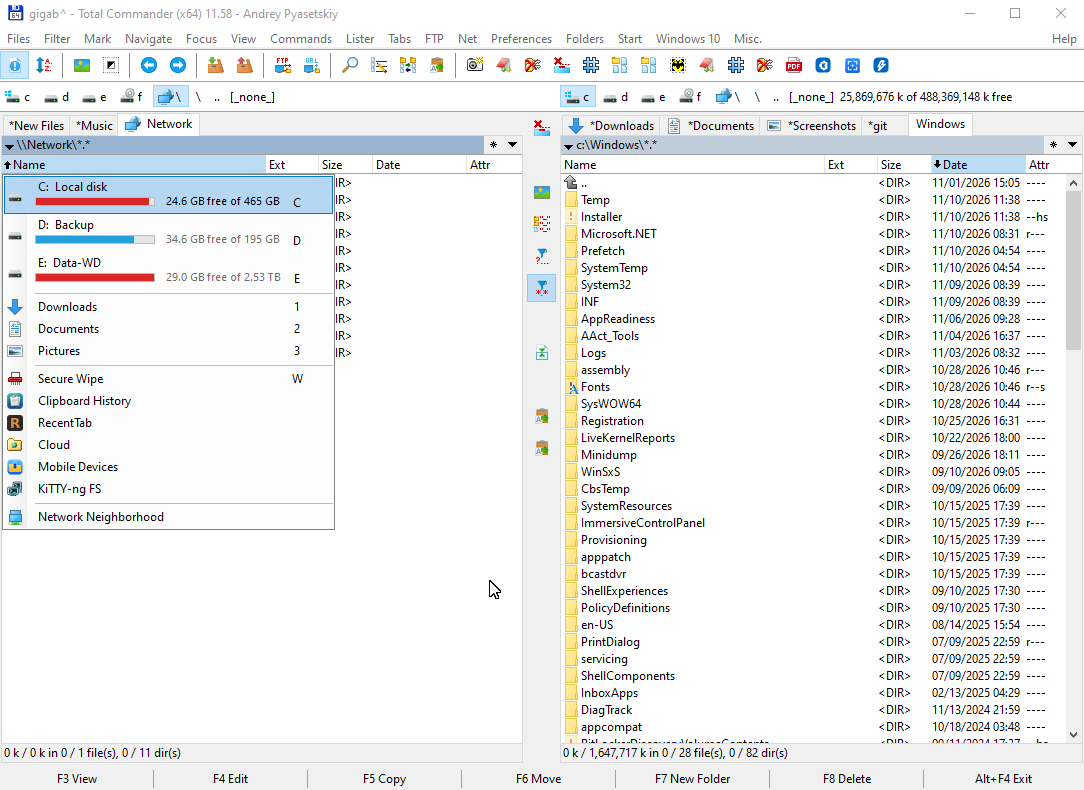
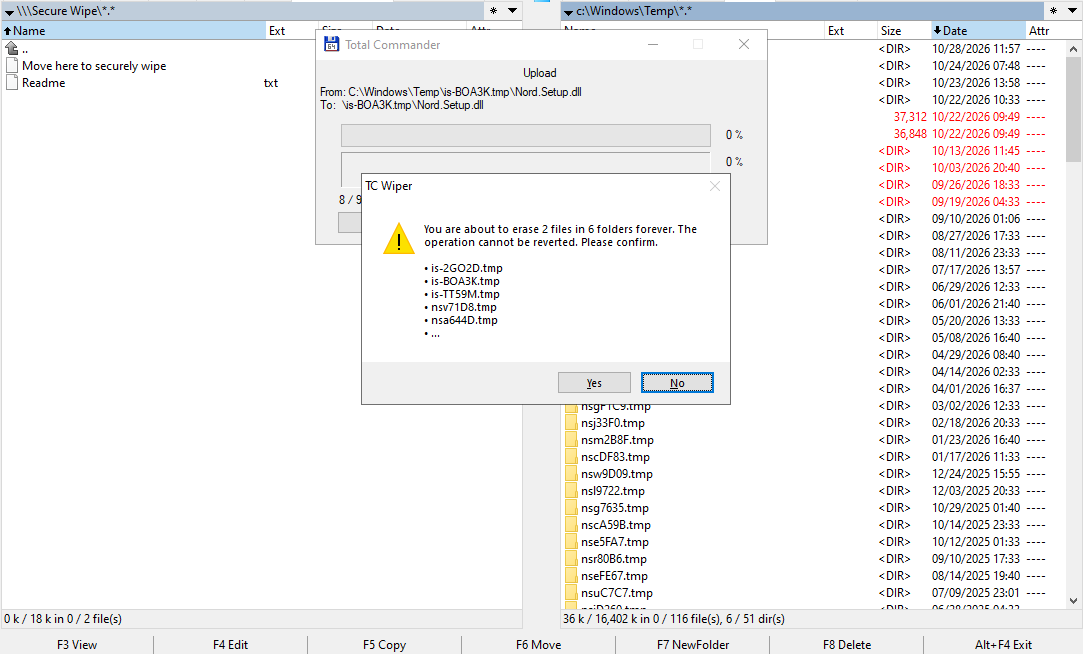
TC Wiper adds "Secure Wipe" to Network Neighborhood. Its panel contains only "Move here to securely wipe" and two readme files (English and Russian).How to use: select files and folders in the other panel and press F6. TC Wiper shows how many files and folders will be erased and the first selected names. Nothing is touched until you confirm. Then each file is:
- overwritten once with cryptographic random data, including the unused end of its last cluster and any alternate data streams;
- flushed to disk and truncated to zero;
- renamed 3 times to random names and deleted.
Emptied folders are renamed and removed as well. A progress window with Cancel and a summary are shown.
Safety:
- Windows and Program Files folders are refused.
- Files with other hard links and files in use are left alone.
- For symbolic links only the link is removed, never the target.
- F5 (Copy) never erases anything.
Hotkey or button without the plugin panel: TCWiperGo.exe, installed with the plugin, wipes the selected items that Total Commander passes to it with %WL, with the same confirmation. Set it up as an em_ command in usercmd.ini. Scripts running inside Total Commander (e.g. the Autorun plugin) can call the exported function WiperGo instead. See Readme.txt.
Honest limits: on hard disks (HDD) erased content cannot be recovered. On SSDs, USB sticks and memory cards no file-level tool can guarantee that the flash chips hold no old copy: TC Wiper defeats recovery software, not a laboratory reading the chips. Copies outside the file (older versions, shadow copies, cloud sync, backups) are not touched. Readme.txt in the plugin panel explains all of this in detail.
BETA: this version has been tested by the author only. Try it on test files first. Erased files cannot be restored. Provided as is, without warranty.
Antivirus note: for version 1.0.0 beta Kaspersky reported a generic heuristic detection (VHO:Trojan.Win32.Dllhijack.gen). This is believed to be a false positive, typical for new unsigned file-wiping tools. The full source code is public.
Developed using Claude Opus 5.5 Medium (Anthropic).
Requirements: Total Commander 64-bit or 32-bit with Unicode support, Windows 10 or 11.
License: GNU GPL v3.0 or later (source code included as a separate archive).
Source code and bug reports: https://github.com/apiasetski/tc-wiper/releases/tag/v1.0.2-beta
Author: Andrei Piasetski
What’s new
1.0.2 beta (2026-11-10)
- New TCWiperGo.exe: put secure wiping on a hotkey or button without the Autorun plugin. A Total Commander user command passes it the selected files and folders with %WL, and it wipes them with the usual confirmation. One program for 32-bit and 64-bit TC; see Readme.txt.
- WiperGo now returns -1 when some items were not erased (file in use, hard links, protected folder) and 1 when Cancel was pressed during the wipe. Reported by Orion9.
1.0.1 beta (2026-11-09)
- New exported function WiperGo for scripts running inside Total Commander (e.g. Autorun): wipes the selected files and folders of the active panel, or the item under the cursor, with the usual confirmation. Requested by Orion9.
- Folder links (junctions) inside wiped folders: only the link is removed.
- Empty folders inside Windows and Program Files are no longer removed.
- New TCWiperGo.exe: put secure wiping on a hotkey or button without the Autorun plugin. A Total Commander user command passes it the selected files and folders with %WL, and it wipes them with the usual confirmation. One program for 32-bit and 64-bit TC; see Readme.txt.
- WiperGo now returns -1 when some items were not erased (file in use, hard links, protected folder) and 1 when Cancel was pressed during the wipe. Reported by Orion9.
1.0.1 beta (2026-11-09)
- New exported function WiperGo for scripts running inside Total Commander (e.g. Autorun): wipes the selected files and folders of the active panel, or the item under the cursor, with the usual confirmation. Requested by Orion9.
- Folder links (junctions) inside wiped folders: only the link is removed.
- Empty folders inside Windows and Program Files are no longer removed.
Previous versions
- 1.0.1 beta 9 Nov 2026 Download 240 KB Source code 67 KB
- 1.0.0 beta 28 Oct 2026 Download 228 KB Source code 61 KB