Total Commander PowerToys 1.0.0
Description
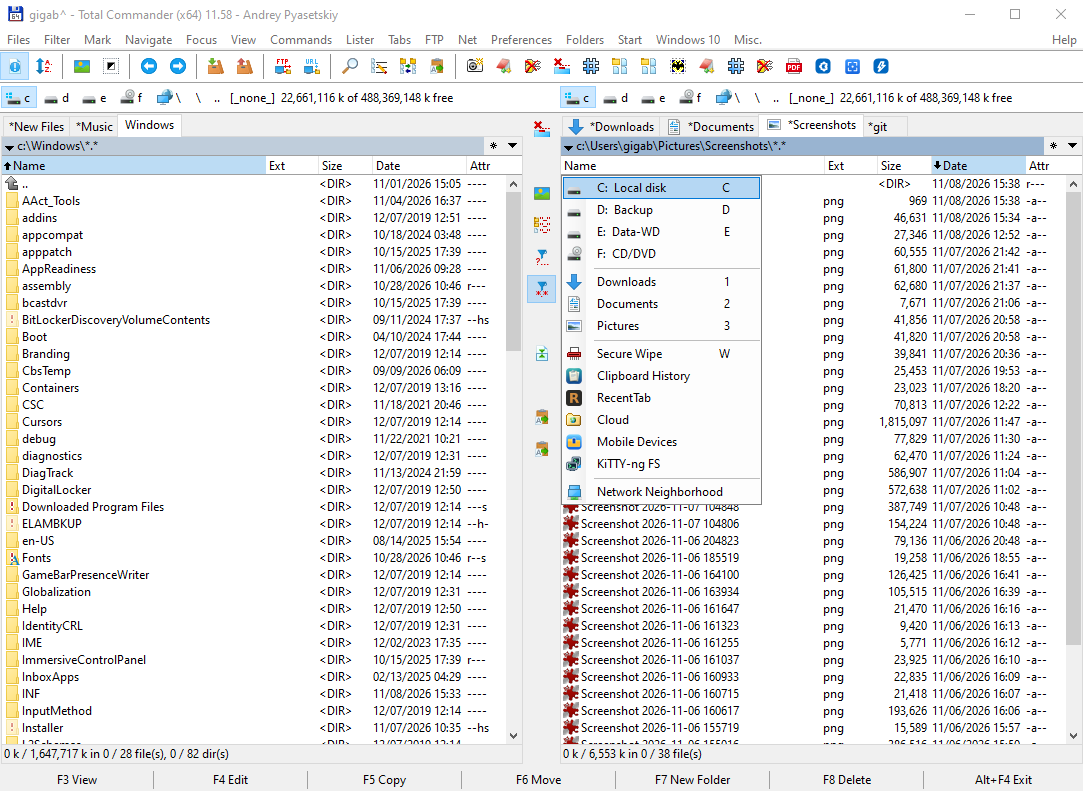
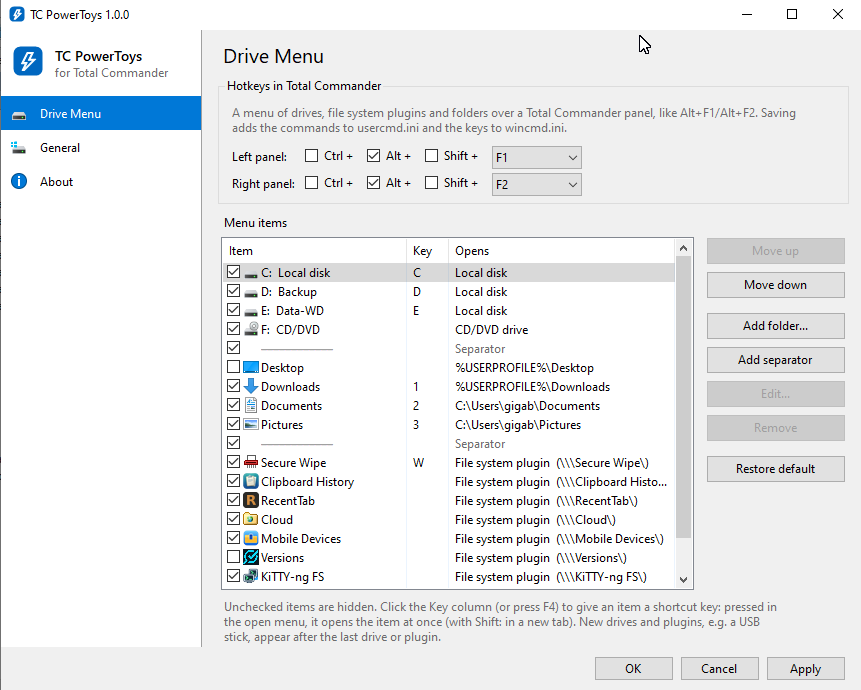
Total Commander PowerToys (TC PowerToys) is a set of small tools that extend Total Commander, with one configuration app for all of them. The first tool is Drive Menu: a menu of drives, file system plugins and your favorite folders that opens over a TC panel, like TC's own Alt+F1/Alt+F2 drive list, but with everything in one place.
Drive Menu
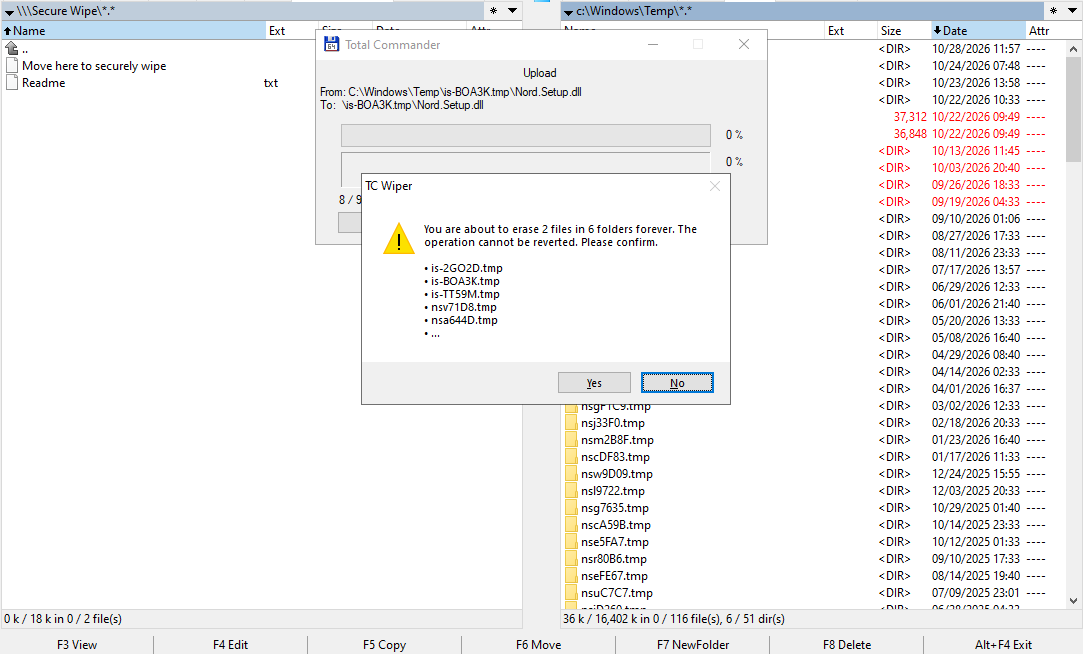
- Shows all drives with their labels, all installed file system plugins (Secure Wipe, Cloud, Mobile Devices and so on) and any folders you add, with their icons.
- Every item can have its own shortcut key (A–Z, 0–9, F1–F12), shown in the menu: press Alt+F1, then D, and Downloads opens in the left panel.
- Enter or a click opens the item in the panel; Shift+Enter, Shift+click or Shift+key opens it in a new tab.
- Folders can be local paths, network shares (\\server\share) or plugin paths (\\\Plugin\folder); %VARIABLES% are expanded.
- New drives and plugins, e.g. a USB stick, appear automatically after the last drive or plugin.
Two programs
- TCPowerToys.exe: the configuration. Tick or untick items, reorder them, add folders and separators, set item keys by clicking the Key column, and pick the Total Commander hotkeys.
- TCDriveMenu.exe: the menu itself. Total Commander starts it from the hotkey; it shows the menu and exits. Nothing runs in the background, and the tools don't connect to the internet.
Setup
- Unpack both exes into one folder, e.g. C:\totalcmd\TCPowerToys, and run TCPowerToys.exe.
- Pick the hotkeys for the left and right panel (Alt+F1 and Alt+F2 by default) and click OK. TC PowerToys adds the commands em_DriveMenuLeft and em_DriveMenuRight to usercmd.ini and the keys to wincmd.ini, so you don't have to edit ini files by hand.
- Total Commander reads hotkeys only when it starts, so TC PowerToys offers to restart it. If TC runs as administrator, open TC PowerToys from TC (the General page sets a hotkey for that) so it can do the restart.
Requirements: Windows 10 or 11 with .NET Framework 4.8 (built in), Total Commander, 32-bit or 64-bit (tested on TC 11.58 x64).
Uninstall: in TC PowerToys set the hotkeys' key to (none) and click OK; this removes them from wincmd.ini and TC's own Alt+F1/Alt+F2 menus return. Then delete the program folder. The em_ commands left in usercmd.ini are harmless and can be deleted.
Total Commander is a product of Christian Ghisler, Ghisler Software GmbH; TC PowerToys is an independent program.
What’s new
- First release.
- Drive Menu: drives, file system plugins and your folders in one menu over a TC panel (e.g. Alt+F1/Alt+F2).
- Shortcut key per menu item: press the hotkey, then D to open Downloads; Shift opens it in a new tab.
- Configuration app: show/hide and reorder items, add folders, set TC hotkeys without editing ini files.