TCplup 1.0.1
Description
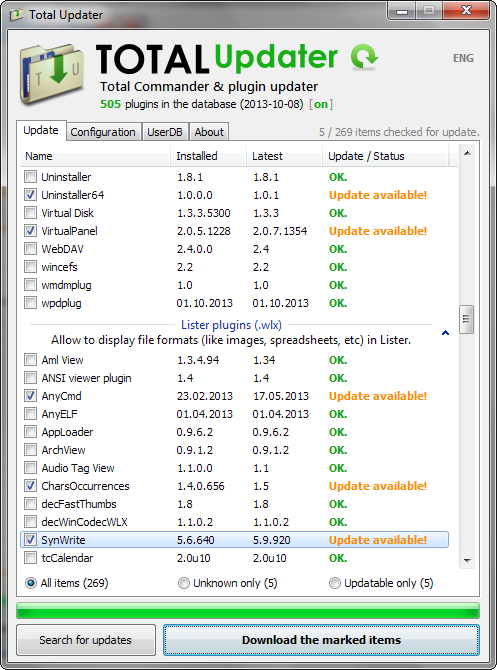
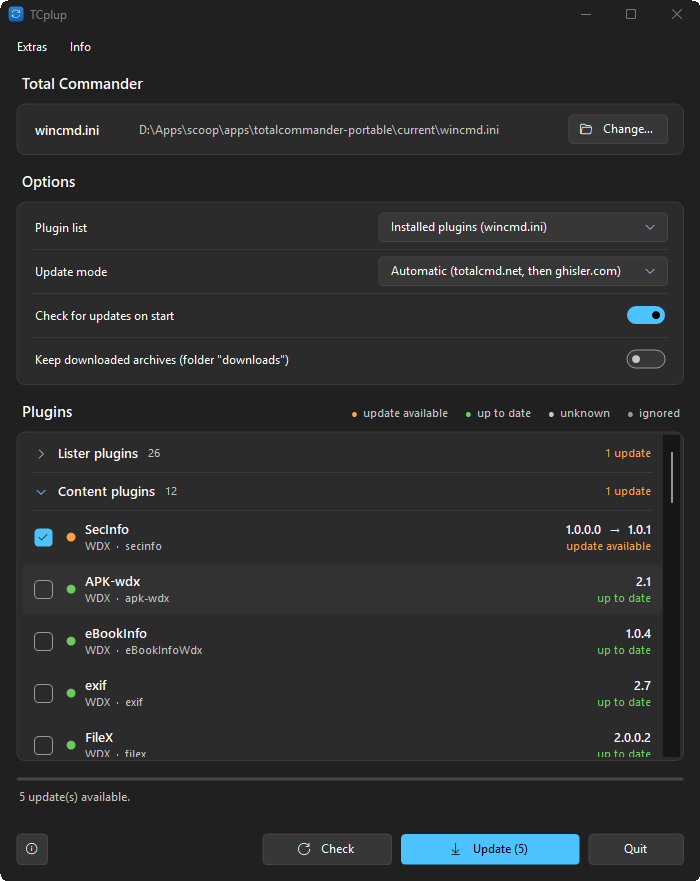
TCplup – updater for Total Commander pluginsTCplup keeps the plugins of Total Commander up to date. It reads the list of your plugins from wincmd.ini (or every plugin in the plugin folder), looks for newer versions on totalcmd.net, in the plugin tables of ghisler.com and in the releases of a GitHub repository, and downloads and installs them – one click for all of them.
Features
- Plugin list: the plugins registered in wincmd.ini (also when a section is moved to another file, like wincmd_plugins.ini), or every plugin in the plugin folder.
- Sources: totalcmd.net and the plugin tables of ghisler.com; Update mode decides where plugins are looked up (automatic, only totalcmd.net, only ghisler.com). A source can be set per plugin – a GitHub repository (the latest release is used), a totalcmd.net page or ghisler.com.
- Plugins grouped by type – Lister, Content, Packer, File system – in collapsible groups, updates first. The legend (update available, up to date, unknown, ignored) filters the list.
- Installs ZIP, 7z and RAR archives (7z and RAR need 7-Zip). SHA-256 checksums are verified where a source gives one; archives with unsafe paths are rejected; a failed install is rolled back.
- Total Commander can keep running: a plugin in use is renamed instead of overwritten (restart Total Commander to load the new version). Your .ini files are never overwritten.
- Update the ticked plugins, or only the selected ones from the context menu; skip a version; put a plugin on the ignore list.
- English and German user interface, light and dark design in the Windows 11 look.
- A plugin that was not found is searched again after 7 days, or at once when its name shows up in the newest-plugins list of totalcmd.net.
- Built-in self-update from its GitHub releases (signature checked).
Installation
Download TCplup.exe, put it into a folder of your choice and run it. No installation needed; the settings are stored in TCplup.ini next to it.
Requirements
Windows 10 or 11 (.NET Framework 4.5 or later is preinstalled), Total Commander 32 or 64 bit, installed or portable. 7-Zip for 7z and RAR archives.
Developer: Ali Naderi – digitalent.dev
Freeware: free to use and to pass on unmodified; selling is not allowed.
What’s new
1.0.1 (2026-10-31)
- A plugin that was "not found" is searched again at once when it shows up in the newest-plugins list of totalcmd.net, instead of after 7 days.
1.0.0 (2026-10-28)
- A plugin that was "not found" is searched again at once when it shows up in the newest-plugins list of totalcmd.net, instead of after 7 days.
1.0.0 (2026-10-28)