Synta 1.19.0

Description
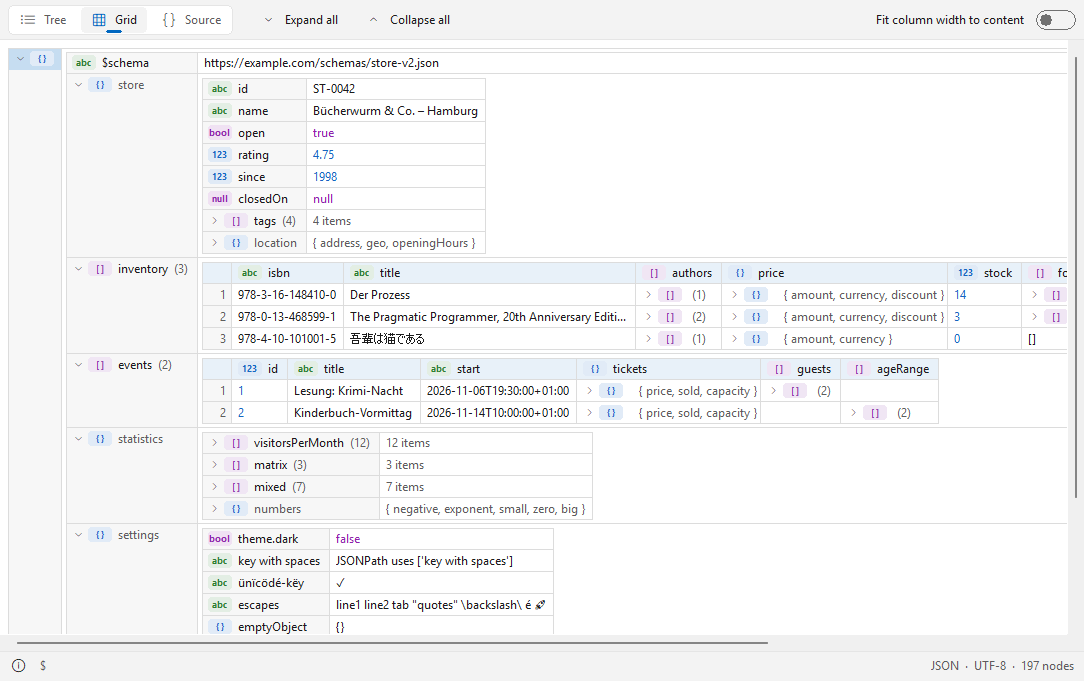
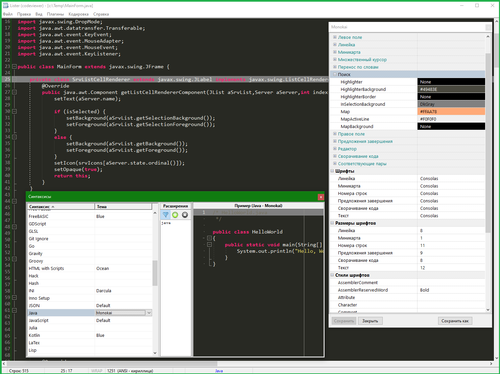
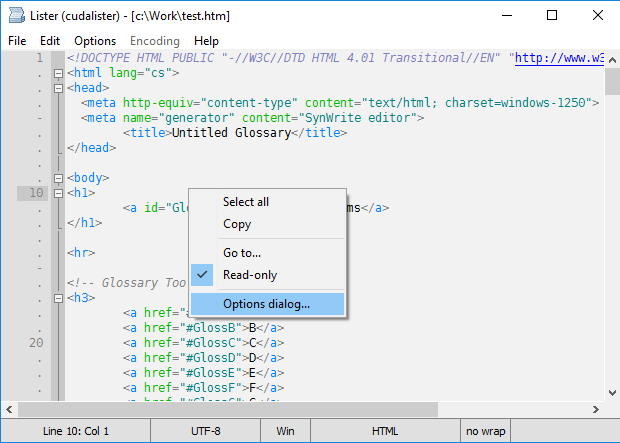
Synta is a new Lister plugin that shows source code with syntax highlighting, line numbers, and an optional minimap. A switch shows minified or messy code formatted - the file itself is never changed. Languages and color schemes are plain text files that anyone can extend. Native, 32 and 64 bit, no runtime, nothing to install besides the plugin.Features:
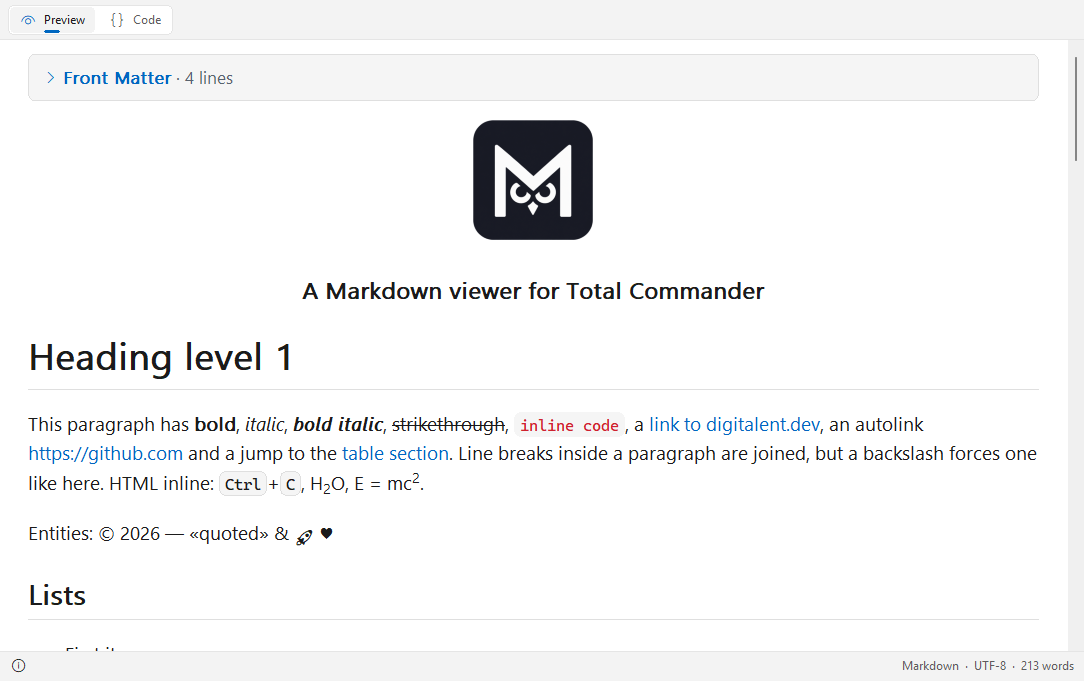
- About 40 languages and file types: C, C++, C#, Java, JavaScript, TypeScript, Python, PowerShell, SQL, Go, Rust, PHP, HTML (with embedded CSS and JavaScript), Astro, XML, JSON, YAML, TOML, Markdown, EDIFACT, CSV/TSV (every column in its own color) and many more. Files without an extension are recognized by their name (Makefile, Dockerfile) or by a #! line.
- [i]Show formatted[/i] (Ctrl+B): minified or messy JSON, XML, HTML, CSS, SQL and C-like code is pretty-printed; only white space changes.
- Word wrap, minimap, line numbers, indent guides, language picker, zoom with Ctrl+mouse wheel, selectable font and tab width.
- Search with Total Commander's Find (F7 / F3), go to line (Ctrl+G), selection and copy.
- Light and dark design (automatic like Windows, or fixed) in the Windows 11 look; color schemes Ayu Light, Ayu Dark, and Ayu Mirage.
- UTF-8, UTF-16 (with or without BOM), and the Windows code page; files up to 512 MB.
- English and German user interface (follows the Windows language).
What’s new
1.19.0 (2026-11-17)
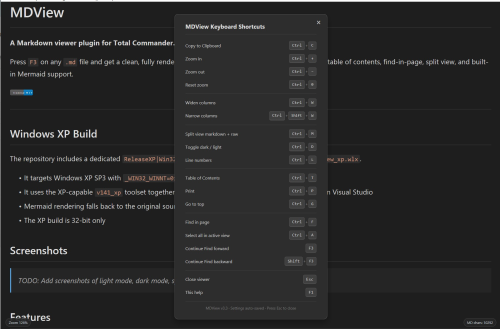
- New: shortcuts are configurable: [Keys] section in Synta.ini, e.g. ToggleFormat=Ctrl+Alt+F (several alternatives separated by commas, None turns an action off); configurable are go to line, bracket jump / select to bracket, show formatted, word wrap and code folding; menus and tooltips show the keys you set
1.18.2 (2026-11-17)
- New: Select to matching bracket (Ctrl+Alt+B, also in the context menu): selects from the bracket at the cursor to its partner, both included
- New: .code-workspace, .code-snippets and .code-profile files are shown as JSON
1.18.1 (2026-11-15)
- Fixed: a link followed by a BBCode closing tag (e.g. [url]https://example.com[/url]) no longer includes the "[/url]" when opened
1.18.0 (2026-11-14)
- Changed: Find (Ctrl+F) starts at the cursor / the current match instead of the top of the file and wraps around at the end
- New: IndentStyle= (space or tab) and IndentSize= (1-16) in the [Beautify] section of a .syntax file set the indentation per language (Go and Makefile: tabs, Python: 4 spaces, YAML and JSON: 2 spaces); they replace TabWidth and CopyIndent for that language
- New: highlighting for the macro files of the Syntax editor (.macro, .mac)
- New: CopyIndent=Tab in Synta.ini - text copied from the "Show formatted" view gets tab indentation instead of spaces (default Space)
1.16.2 (2026-11-12)
- Fixed: with word wrap on, Home / End act on the row the caret is shown in (after End the caret sits behind the last character of the row, Home then goes to the start of that same row)
- Docs: the readme lists every Synta.ini setting with its default
1.16.1 (2026-11-12)
- Added: Home goes to the first non-blank character of an indented line, a second press to the start of the line (SmartHome=0 in Synta.ini: always to the start)
- Fixed: JavaScript/TypeScript: quotes inside a regular expression within a template literal expression (`${e.replace(/["]/g, '')}`) no longer start a string
1.16.0 (2026-11-12)
- Fixed: JavaScript/TypeScript template literals with a nested template (`${`${a}/`}`) ended too early, so a following "/" started a regular expression and the rest of the line looked like a comment
- Added: with word wrap, Home/End go to the start/end of the displayed row, the cursor stays behind its last character (WrapHomeEnd=0 in Synta.ini: whole line as before)
- Fixed: Ctrl+F again with the same text finds the next match (wraps around after the last one)
- Fixed: F3 / Shift+F3 in Quick View repeat the search without leaving Quick View for a Lister window
- Added: context menu entry "Open Synta.ini in editor"
1.15.3 (2026-11-11)
- Added: descript.ion files (and other .ion files) open as plain text
- Fixed: JavaScript/TypeScript regular expressions right after if (...), while (...), for (...), with (...) or } were taken for a division, so their escaped slashes started a line comment
1.15.2 (2026-11-10)
- Fixed: JavaScript/TypeScript regular expressions like /foo\// were taken for a line comment, which broke highlighting and formatting of the rest of a minified file
1.15.1 (2026-11-10)
- Fixed: removed a leftover debug log that wrote a file to C:\Temp\sc while occurrences of a selected word were highlighted (1.14.2 and 1.15.0)
1.15.0 (2026-11-10)
- Search button: new option Search=2 in Synta.ini shows only a search button in the toolbar; a click opens the search field (Esc closes it). Search=1 keeps the field always visible
1.14.2 (2026-11-09)
- Highlight occurrences: a partial selection (e.g. mini in Minimap) now also tints the text inside longer words; a whole word still tints whole words only
- The selection may contain any characters (e.g. =), not only word characters
1.14.1 (2026-11-09)
- Ctrl+numpad + / Ctrl+numpad - now zoom like Ctrl+= / Ctrl+-
- Folding with the numpad moved to Ctrl+Shift+numpad +/- (block) and Ctrl+Alt+numpad +/- (all blocks)
1.14.0 (2026-11-09)
- Color of the highlighted occurrences of a selected word can be set in the theme (editor.selectionHighlightBackground, as in VS Code)
1.13.0 (2026-11-09)
- Search field in the top bar or status bar (View elements > Search field in the toolbar, or Search=1), with a regex button; Ctrl+Shift+F jumps to it
- Select a word and its other occurrences are highlighted (View elements > Highlight occurrences)
- Ctrl+ and Ctrl- zoom like Ctrl+mouse wheel
1.12.0 (2026-11-09)
- Optional vertical line at the column of the cursor: View elements > Cursor column line, or ColumnGuide=1
- The highlight of the current line is clearly visible in light themes now.
- Smaller gap between line numbers and text, so the file no longer looks indented by one space
1.11.0 (2026-11-09)
- Themes can set the text color of the selection (editor.selectionForeground) and the alternating rows (tree.tableOddRowsBackground); both are VS Code standard keys
- Indent guides (the vertical lines in the indentation) can be switched off: View elements > Indent guides, or IndentGuides=0
- NFO, DIZ and ANS files are shown with tight lines automatically, so ASCII art is not stretched (Line spacing > Always tight for NFO/DIZ, or AutoTight=0; TightExtensions= sets the file types)
1.10.0 (2026-11-07)
- Go to matching bracket: Ctrl+B jumps to the bracket that belongs to the one at the cursor (also in the context menu); brackets in strings and comments are ignored
- The bracket next to the cursor and its partner are highlighted (theme colors editorBracketMatch, same as in the editor Syntax)
- Show formatted is now Ctrl+Shift+B (Ctrl+B is used for the bracket jump)
- Folding shortcuts work on every keyboard layout: Ctrl+Shift+ß / ´ (German) or [ / ] (US) fold and unfold the block, Ctrl+Alt+ the same keys all blocks; = and \ work as well, Ctrl+Shift+/ and Ctrl+Alt+/ toggle
1.9.0 (2026-11-06)
- Code folding for every language: chevrons in the gutter (click), Ctrl+Shift+[ / ] fold and unfold the block around the cursor, Ctrl+Alt+[ / ] all blocks (number pad: Ctrl+- / Ctrl++, with Shift for all); also in the context menu under Code folding. Blocks come from brackets and indentation (Markdown: headings, INI: sections)
- Optional folded line count: shows how many lines are hidden behind the dots, e.g. ... (121 Lines). Off by default; turn it on in the context menu under Code folding, or with FoldCount=1 in Synta.ini
- New setting ExcludeExtensions=ts mts in Synta.ini: Synta declines these file types, so Total Commander uses its next viewer - no change to Total Commander's own ini needed
- LaTeX is now a supported language; .pac (proxy auto-config) files are shown as JavaScript
1.8.1 (2026-11-04)
- Word wrap, Show formatted and Minimap are now plain icon buttons with a tooltip - dimmed while off, bright while on (like the switches in the Syntax editor). The minimap icon sits at the right end
of the top bar or of the status bar
- The status bar shows the number of selected lines: Lines: 250 (12) means 12 of 250 lines are selected
- New option: alternating row background - every second line gets a faint background (like Background 2 in Total Commander). Off by default; turn it on in the context menu under View elements
1.8.0 (2026-11-04)
- Color schemes in the VS Code theme format: Themes\*.json replaces Themes\*.theme - the same files the editor Syntax uses, so themes from VS Code work as they are (colors, tokenColors with TextMate scopes, include). The styles VS Code has no common scope for have their own (keyword.control.flow, keyword.other.unit, constant.character.escape, markup.changed, ...); a theme that leaves them out gets the color of the next more general scope. Your own .theme files are still read. New: Catppuccin Frappé and Macchiato, Tokyo Night Light, Moon and Storm
- Log files: Line background (logs) (context menu > View elements, or LineBackground=1 in Synta.ini) tints the whole row of a log line in the color of its level. In the GitHub themes warnings are now amber and clearly different from errors
- Open "Syntaxes" / "Themes" folder opens the folder in a new tab of Total Commander instead of Explorer
1.7.0 (2026-11-02)
- Uniform file format: the folder `Languages` is now `Syntaxes` and the files end in `.syntax` instead of `.lang` (`global.syntax`, `<name>.user.syntax`, …), the same format as in the coming editor Syntax. Nothing to do by hand: the first time Synta runs after an update, it moves your own `.lang` files (also `*.user.lang`) from `Languages` to `Syntaxes` and renames them.
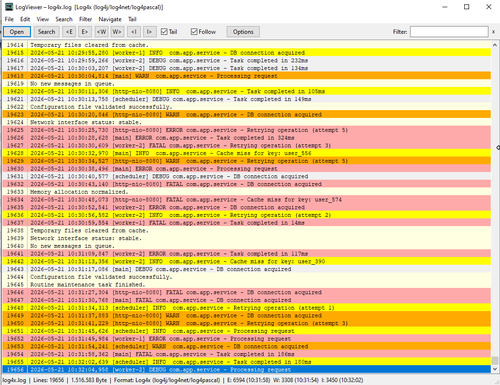
- Log files: `.log` files are colored line by line by their level – `ERROR`, `WARN`, `INFO`, `DEBUG`, `TRACE`, also in `[brackets]` and as `ERR`, `WRN`, … – while numbers, strings, and links keep their own colors. New `[Lines]` section in `.syntax` files (`Style=words`, `LineScan=`) colors any line by a word in it
- F4 at the cursor position: with the text cursor on, `EditorArgs=` in `Synta.ini` hands the file and the cursor position to the editor, e.g. `EditorArgs=%1 /GoTo(%LINE%:%COL%)` (`%1` / `%FILE%`, `%LINE%`, `%COL%`)
- Fix: the empty last line after a final line break is counted and shown (a file of 23 lines ending in a line break shows 24 lines, as in every editor)
- New language: `.session` a fresh `Synta.ini` now starts with the text cursor on, as documented
1.6.0 (2026-11-01)
- F4 edits the file: as in Lister, F4 opens the file you are viewing in the editor configured in Total Commander (Editor= in wincmd.ini, including parameters such as "%1")
- Total Commander menus and button bars: .mnu files (new language Total Commander Menu, with the cm_ commands) and .bar files are now highlighted
1.5.5 (2026-10-31)
- Encoding button: next to the language picker, it shows the encoding of the file and opens the list of encodings (UTF-8, UTF-16, Windows and DOS code pages) – also when the buttons sit in the status bar<br>
- Theme colors: the list of encodings now has the colors of the Synta theme (Windows drew it in its light colors because it had columns)<br>
- Minimap button: new icon<br>
- Fix: "Detect automatically" in the Encoding menu keeps CP437 as the default for NFO, DIZ, ASC and ANS files<br>
1.5.2 (2026-10-31)
- DOS text: files with box drawing characters are recognized as DOS text and shown with the right code page (CP437, CP850, CP852 or CP866), so umlauts and boxes display correctly. NFO, DIZ, ASC and ANS files are opened as plain text, by default as CP437. The code page can still be switched by hand in the context menu (Encoding)
- Settings: DetectEncoding and DefaultCodepage in Synta.ini are now documented
- Printing (1.5.1): with text selected, the print dialog offers "Selection" and prints only that text
1.5.0 (2026-10-31)
- Printing: File > Print opens the printer dialog; the text is printed in the colors of the light scheme on white paper, with or without line numbers (PrintLineNumbers in Synta.ini)
- Own settings: Languages\global.user.lang overrides global.lang, and Languages\<name>.user.lang adds to or overrides any built-in language – updates never touch these files
- Links: LinkEnd= and LinkAfter= control where a URL ends and starts, plain values in YAML (url: http://…) are linked, LinkClick=1 opens links with a plain click, LinkUnderline=1 underlines them
- Word wrap: W toggles it
- Wide characters: the width of a character now comes from the font itself, so wide characters (e.g. Chinese) no longer overlap their neighbours
Language menu: long lists are split into submenus by initial letters; popup menus follow the Synta color scheme
- Fix: the detect string is capped at 1900 characters (Total Commander cut longer ones: "Plugin detect string error")
1.4.0 (2026-10-30)
- Links: URLs (http, https, ftp, www., mailto) are colored as links in text, comments and strings; Ctrl+click opens one (the pointer turns into a hand while Ctrl is held). Links= in Languages\global.lang lists the prefixes
- Plain text: new Languages\text.lang for .txt and .log
- Wide characters: CJK, Hangul, fullwidth characters and emoji take two columns
Word lists: WordBounds= restricts listed words to fields of their own (e.g. BANK+M BANK SA colors only the first BANK)
- Files without an extension: Registry exports are recognized by their header; any other text file is shown as plain text (ExtensionlessText=0 in Synta.ini turns this off)
1.3.0 (2026-10-30)
- Buttons: the buttons can now sit at the top (default), in the status bar next to the info button, or be hidden – Buttons in the context menu (Buttons in Synta.ini; an older TopBar=0 becomes the status bar)
- Line spacing: new Line spacing submenu (tight to very wide) – LineSpacing in Synta.ini
- View elements: minimap, line numbers and text cursor are grouped in a View elements submenu
- The README now explains the detect string that limits which files Total Commander offers to Synta
1.2.0 (2026-10-29)
- 16 new color schemes, each in a light and a dark variant: GitHub, Solarized, One, Catppuccin (Latte / Mocha), Gruvbox, Tokyo Night (Day / Night), Rosé Pine (Dawn / Main) and Visual Studio – plus Ayu Mirage Light
- YAML: dates and times such as 2025-09-19 11:00 are now highlighted as one number
- README.txt in the ZIP is plain text now (no stray HTML tags)
1.1.0 (2026-10-29)
- New language: AutoIt (including #cs … #ce comment blocks)
- More text encodings: besides UTF-8 and UTF-16, legacy code pages (Windows 125x, CP866, CP850, KOI8, Shift-JIS, GBK, Big5, …) are detected automatically and can be switched in the context menu (Encoding)
- Text cursor: the arrow keys move a cursor through the code (Shift selects, Ctrl+arrows jump by word, Ctrl+Home / End); on by default, switchable in the context menu or with Cursor in Synta.ini
- Top bar can be hidden (context menu or TopBar=0); everything stays available in the context menu
- Theme "like Total Commander": follows only Total Commander's dark mode (Theme=3)
- Improved definitions for Astro and EDIFACT
- New: shortcuts are configurable: [Keys] section in Synta.ini, e.g. ToggleFormat=Ctrl+Alt+F (several alternatives separated by commas, None turns an action off); configurable are go to line, bracket jump / select to bracket, show formatted, word wrap and code folding; menus and tooltips show the keys you set
1.18.2 (2026-11-17)
- New: Select to matching bracket (Ctrl+Alt+B, also in the context menu): selects from the bracket at the cursor to its partner, both included
- New: .code-workspace, .code-snippets and .code-profile files are shown as JSON
1.18.1 (2026-11-15)
- Fixed: a link followed by a BBCode closing tag (e.g. [url]https://example.com[/url]) no longer includes the "[/url]" when opened
1.18.0 (2026-11-14)
- Changed: Find (Ctrl+F) starts at the cursor / the current match instead of the top of the file and wraps around at the end
- New: IndentStyle= (space or tab) and IndentSize= (1-16) in the [Beautify] section of a .syntax file set the indentation per language (Go and Makefile: tabs, Python: 4 spaces, YAML and JSON: 2 spaces); they replace TabWidth and CopyIndent for that language
- New: highlighting for the macro files of the Syntax editor (.macro, .mac)
- New: CopyIndent=Tab in Synta.ini - text copied from the "Show formatted" view gets tab indentation instead of spaces (default Space)
1.16.2 (2026-11-12)
- Fixed: with word wrap on, Home / End act on the row the caret is shown in (after End the caret sits behind the last character of the row, Home then goes to the start of that same row)
- Docs: the readme lists every Synta.ini setting with its default
1.16.1 (2026-11-12)
- Added: Home goes to the first non-blank character of an indented line, a second press to the start of the line (SmartHome=0 in Synta.ini: always to the start)
- Fixed: JavaScript/TypeScript: quotes inside a regular expression within a template literal expression (`${e.replace(/["]/g, '')}`) no longer start a string
1.16.0 (2026-11-12)
- Fixed: JavaScript/TypeScript template literals with a nested template (`${`${a}/`}`) ended too early, so a following "/" started a regular expression and the rest of the line looked like a comment
- Added: with word wrap, Home/End go to the start/end of the displayed row, the cursor stays behind its last character (WrapHomeEnd=0 in Synta.ini: whole line as before)
- Fixed: Ctrl+F again with the same text finds the next match (wraps around after the last one)
- Fixed: F3 / Shift+F3 in Quick View repeat the search without leaving Quick View for a Lister window
- Added: context menu entry "Open Synta.ini in editor"
1.15.3 (2026-11-11)
- Added: descript.ion files (and other .ion files) open as plain text
- Fixed: JavaScript/TypeScript regular expressions right after if (...), while (...), for (...), with (...) or } were taken for a division, so their escaped slashes started a line comment
1.15.2 (2026-11-10)
- Fixed: JavaScript/TypeScript regular expressions like /foo\// were taken for a line comment, which broke highlighting and formatting of the rest of a minified file
1.15.1 (2026-11-10)
- Fixed: removed a leftover debug log that wrote a file to C:\Temp\sc while occurrences of a selected word were highlighted (1.14.2 and 1.15.0)
1.15.0 (2026-11-10)
- Search button: new option Search=2 in Synta.ini shows only a search button in the toolbar; a click opens the search field (Esc closes it). Search=1 keeps the field always visible
1.14.2 (2026-11-09)
- Highlight occurrences: a partial selection (e.g. mini in Minimap) now also tints the text inside longer words; a whole word still tints whole words only
- The selection may contain any characters (e.g. =), not only word characters
1.14.1 (2026-11-09)
- Ctrl+numpad + / Ctrl+numpad - now zoom like Ctrl+= / Ctrl+-
- Folding with the numpad moved to Ctrl+Shift+numpad +/- (block) and Ctrl+Alt+numpad +/- (all blocks)
1.14.0 (2026-11-09)
- Color of the highlighted occurrences of a selected word can be set in the theme (editor.selectionHighlightBackground, as in VS Code)
1.13.0 (2026-11-09)
- Search field in the top bar or status bar (View elements > Search field in the toolbar, or Search=1), with a regex button; Ctrl+Shift+F jumps to it
- Select a word and its other occurrences are highlighted (View elements > Highlight occurrences)
- Ctrl+ and Ctrl- zoom like Ctrl+mouse wheel
1.12.0 (2026-11-09)
- Optional vertical line at the column of the cursor: View elements > Cursor column line, or ColumnGuide=1
- The highlight of the current line is clearly visible in light themes now.
- Smaller gap between line numbers and text, so the file no longer looks indented by one space
1.11.0 (2026-11-09)
- Themes can set the text color of the selection (editor.selectionForeground) and the alternating rows (tree.tableOddRowsBackground); both are VS Code standard keys
- Indent guides (the vertical lines in the indentation) can be switched off: View elements > Indent guides, or IndentGuides=0
- NFO, DIZ and ANS files are shown with tight lines automatically, so ASCII art is not stretched (Line spacing > Always tight for NFO/DIZ, or AutoTight=0; TightExtensions= sets the file types)
1.10.0 (2026-11-07)
- Go to matching bracket: Ctrl+B jumps to the bracket that belongs to the one at the cursor (also in the context menu); brackets in strings and comments are ignored
- The bracket next to the cursor and its partner are highlighted (theme colors editorBracketMatch, same as in the editor Syntax)
- Show formatted is now Ctrl+Shift+B (Ctrl+B is used for the bracket jump)
- Folding shortcuts work on every keyboard layout: Ctrl+Shift+ß / ´ (German) or [ / ] (US) fold and unfold the block, Ctrl+Alt+ the same keys all blocks; = and \ work as well, Ctrl+Shift+/ and Ctrl+Alt+/ toggle
1.9.0 (2026-11-06)
- Code folding for every language: chevrons in the gutter (click), Ctrl+Shift+[ / ] fold and unfold the block around the cursor, Ctrl+Alt+[ / ] all blocks (number pad: Ctrl+- / Ctrl++, with Shift for all); also in the context menu under Code folding. Blocks come from brackets and indentation (Markdown: headings, INI: sections)
- Optional folded line count: shows how many lines are hidden behind the dots, e.g. ... (121 Lines). Off by default; turn it on in the context menu under Code folding, or with FoldCount=1 in Synta.ini
- New setting ExcludeExtensions=ts mts in Synta.ini: Synta declines these file types, so Total Commander uses its next viewer - no change to Total Commander's own ini needed
- LaTeX is now a supported language; .pac (proxy auto-config) files are shown as JavaScript
1.8.1 (2026-11-04)
- Word wrap, Show formatted and Minimap are now plain icon buttons with a tooltip - dimmed while off, bright while on (like the switches in the Syntax editor). The minimap icon sits at the right end
of the top bar or of the status bar
- The status bar shows the number of selected lines: Lines: 250 (12) means 12 of 250 lines are selected
- New option: alternating row background - every second line gets a faint background (like Background 2 in Total Commander). Off by default; turn it on in the context menu under View elements
1.8.0 (2026-11-04)
- Color schemes in the VS Code theme format: Themes\*.json replaces Themes\*.theme - the same files the editor Syntax uses, so themes from VS Code work as they are (colors, tokenColors with TextMate scopes, include). The styles VS Code has no common scope for have their own (keyword.control.flow, keyword.other.unit, constant.character.escape, markup.changed, ...); a theme that leaves them out gets the color of the next more general scope. Your own .theme files are still read. New: Catppuccin Frappé and Macchiato, Tokyo Night Light, Moon and Storm
- Log files: Line background (logs) (context menu > View elements, or LineBackground=1 in Synta.ini) tints the whole row of a log line in the color of its level. In the GitHub themes warnings are now amber and clearly different from errors
- Open "Syntaxes" / "Themes" folder opens the folder in a new tab of Total Commander instead of Explorer
1.7.0 (2026-11-02)
- Uniform file format: the folder `Languages` is now `Syntaxes` and the files end in `.syntax` instead of `.lang` (`global.syntax`, `<name>.user.syntax`, …), the same format as in the coming editor Syntax. Nothing to do by hand: the first time Synta runs after an update, it moves your own `.lang` files (also `*.user.lang`) from `Languages` to `Syntaxes` and renames them.
- Log files: `.log` files are colored line by line by their level – `ERROR`, `WARN`, `INFO`, `DEBUG`, `TRACE`, also in `[brackets]` and as `ERR`, `WRN`, … – while numbers, strings, and links keep their own colors. New `[Lines]` section in `.syntax` files (`Style=words`, `LineScan=`) colors any line by a word in it
- F4 at the cursor position: with the text cursor on, `EditorArgs=` in `Synta.ini` hands the file and the cursor position to the editor, e.g. `EditorArgs=%1 /GoTo(%LINE%:%COL%)` (`%1` / `%FILE%`, `%LINE%`, `%COL%`)
- Fix: the empty last line after a final line break is counted and shown (a file of 23 lines ending in a line break shows 24 lines, as in every editor)
- New language: `.session` a fresh `Synta.ini` now starts with the text cursor on, as documented
1.6.0 (2026-11-01)
- F4 edits the file: as in Lister, F4 opens the file you are viewing in the editor configured in Total Commander (Editor= in wincmd.ini, including parameters such as "%1")
- Total Commander menus and button bars: .mnu files (new language Total Commander Menu, with the cm_ commands) and .bar files are now highlighted
1.5.5 (2026-10-31)
- Encoding button: next to the language picker, it shows the encoding of the file and opens the list of encodings (UTF-8, UTF-16, Windows and DOS code pages) – also when the buttons sit in the status bar<br>
- Theme colors: the list of encodings now has the colors of the Synta theme (Windows drew it in its light colors because it had columns)<br>
- Minimap button: new icon<br>
- Fix: "Detect automatically" in the Encoding menu keeps CP437 as the default for NFO, DIZ, ASC and ANS files<br>
1.5.2 (2026-10-31)
- DOS text: files with box drawing characters are recognized as DOS text and shown with the right code page (CP437, CP850, CP852 or CP866), so umlauts and boxes display correctly. NFO, DIZ, ASC and ANS files are opened as plain text, by default as CP437. The code page can still be switched by hand in the context menu (Encoding)
- Settings: DetectEncoding and DefaultCodepage in Synta.ini are now documented
- Printing (1.5.1): with text selected, the print dialog offers "Selection" and prints only that text
1.5.0 (2026-10-31)
- Printing: File > Print opens the printer dialog; the text is printed in the colors of the light scheme on white paper, with or without line numbers (PrintLineNumbers in Synta.ini)
- Own settings: Languages\global.user.lang overrides global.lang, and Languages\<name>.user.lang adds to or overrides any built-in language – updates never touch these files
- Links: LinkEnd= and LinkAfter= control where a URL ends and starts, plain values in YAML (url: http://…) are linked, LinkClick=1 opens links with a plain click, LinkUnderline=1 underlines them
- Word wrap: W toggles it
- Wide characters: the width of a character now comes from the font itself, so wide characters (e.g. Chinese) no longer overlap their neighbours
Language menu: long lists are split into submenus by initial letters; popup menus follow the Synta color scheme
- Fix: the detect string is capped at 1900 characters (Total Commander cut longer ones: "Plugin detect string error")
1.4.0 (2026-10-30)
- Links: URLs (http, https, ftp, www., mailto) are colored as links in text, comments and strings; Ctrl+click opens one (the pointer turns into a hand while Ctrl is held). Links= in Languages\global.lang lists the prefixes
- Plain text: new Languages\text.lang for .txt and .log
- Wide characters: CJK, Hangul, fullwidth characters and emoji take two columns
Word lists: WordBounds= restricts listed words to fields of their own (e.g. BANK+M BANK SA colors only the first BANK)
- Files without an extension: Registry exports are recognized by their header; any other text file is shown as plain text (ExtensionlessText=0 in Synta.ini turns this off)
1.3.0 (2026-10-30)
- Buttons: the buttons can now sit at the top (default), in the status bar next to the info button, or be hidden – Buttons in the context menu (Buttons in Synta.ini; an older TopBar=0 becomes the status bar)
- Line spacing: new Line spacing submenu (tight to very wide) – LineSpacing in Synta.ini
- View elements: minimap, line numbers and text cursor are grouped in a View elements submenu
- The README now explains the detect string that limits which files Total Commander offers to Synta
1.2.0 (2026-10-29)
- 16 new color schemes, each in a light and a dark variant: GitHub, Solarized, One, Catppuccin (Latte / Mocha), Gruvbox, Tokyo Night (Day / Night), Rosé Pine (Dawn / Main) and Visual Studio – plus Ayu Mirage Light
- YAML: dates and times such as 2025-09-19 11:00 are now highlighted as one number
- README.txt in the ZIP is plain text now (no stray HTML tags)
1.1.0 (2026-10-29)
- New language: AutoIt (including #cs … #ce comment blocks)
- More text encodings: besides UTF-8 and UTF-16, legacy code pages (Windows 125x, CP866, CP850, KOI8, Shift-JIS, GBK, Big5, …) are detected automatically and can be switched in the context menu (Encoding)
- Text cursor: the arrow keys move a cursor through the code (Shift selects, Ctrl+arrows jump by word, Ctrl+Home / End); on by default, switchable in the context menu or with Cursor in Synta.ini
- Top bar can be hidden (context menu or TopBar=0); everything stays available in the context menu
- Theme "like Total Commander": follows only Total Commander's dark mode (Theme=3)
- Improved definitions for Astro and EDIFACT
Previous versions
- 1.18.2 17 Nov 2026 Download 672 KB
- 1.18.1 15 Nov 2026 Download 671 KB
- 1.18.0 14 Nov 2026 Download 671 KB
- 1.16.2 12 Nov 2026 Download 669 KB
- 1.16.1 12 Nov 2026 Download 668 KB
- 1.16.0 12 Nov 2026 Download 668 KB
- 1.15.3 11 Nov 2026 Download 664 KB
- 1.15.2 10 Nov 2026 Download 663 KB
- 1.15.1 10 Nov 2026 Download 662 KB
- 1.15.0 10 Nov 2026 Download 683 KB
- 1.14.2 9 Nov 2026 Download 682 KB
- 1.14.1 9 Nov 2026 Download 661 KB
- 1.14.0 9 Nov 2026 Download 661 KB
- 1.13.0 9 Nov 2026 Download 661 KB
- 1.12.0 9 Nov 2026 Download 570 KB
- 1.11.0 9 Nov 2026 Download 568 KB
- 1.10.0 7 Nov 2026 Download 566 KB
- 1.9.0 6 Nov 2026 Download 563 KB
- 1.8.1 4 Nov 2026 Download 543 KB
- 1.8.0 4 Nov 2026 Download 543 KB
- 1.7.0 2 Nov 2026 Download 502 KB
- 1.6.0.0 1 Nov 2026 Download 496 KB
- 1.5.5 31 Oct 2026 Download 490 KB
- 1.5.2 31 Oct 2026 Download 488 KB
- 1.5.0 31 Oct 2026 Download 484 KB
- 1.4.0 30 Oct 2026 Download 458 KB
- 1.3.0 30 Oct 2026 Download 451 KB
- 1.2.0 29 Oct 2026 Download 448 KB
- 1.1.0 29 Oct 2026 Download 434 KB
- 1.0.0 28 Oct 2026 Download 431 KB