WLX MDView for Total Commander 3.8.2
Description
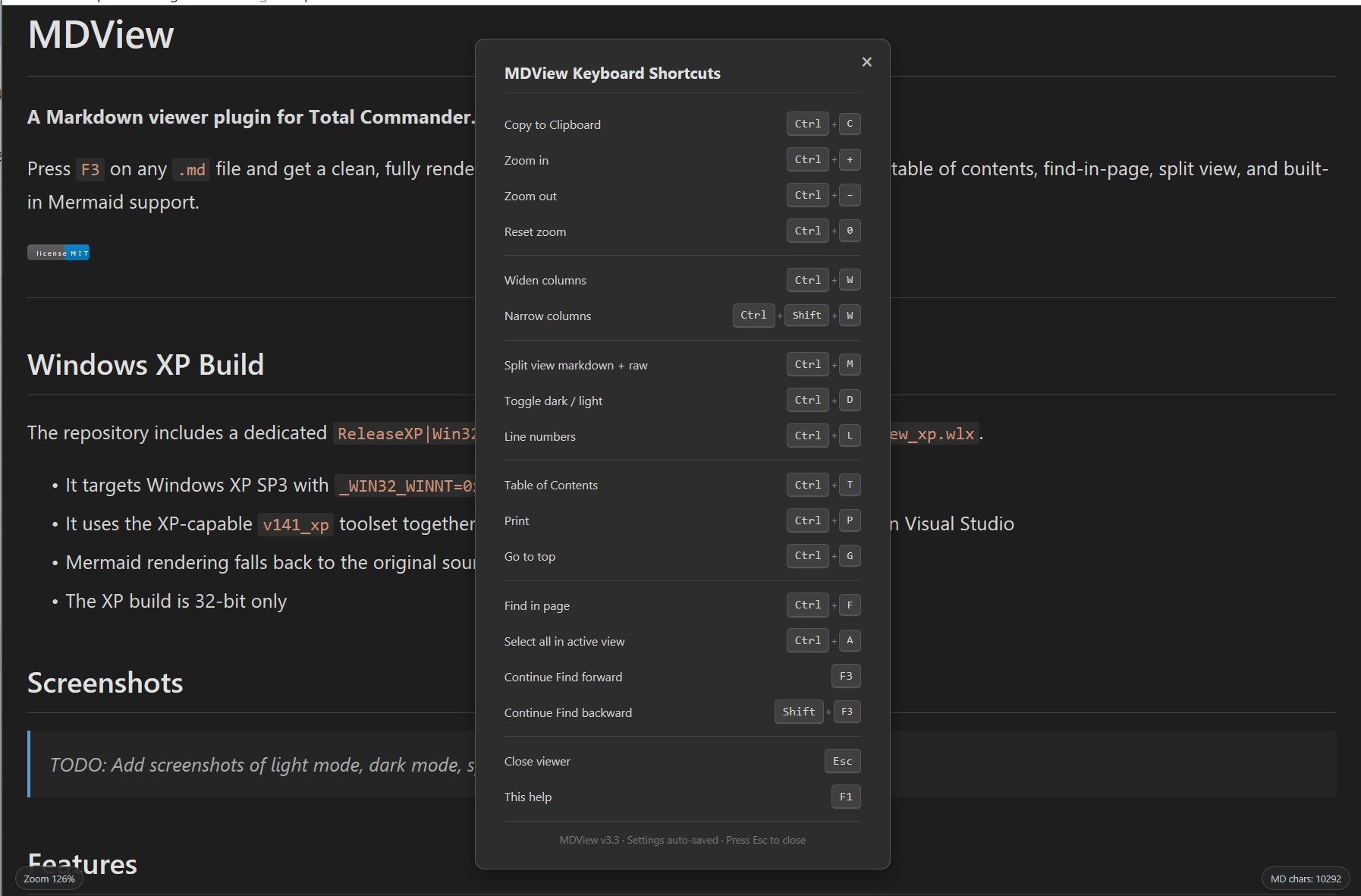
MDView is a Lister plugin for viewing Markdown files in Total Commander.It renders .md, .markdown, .mkd, and .mkdn files with headings, tables, links, images, syntax-highlighted code blocks, dark/light mode, table of contents, search, printing, and optional split view with the raw Markdown source.
The plugin includes built-in support for several Mermaid diagram types, relative Markdown links, YAML front matter, task lists, collapsible HTML sections, and configurable viewer settings.
Available builds: x32, x64, and Windows XP-compatible x32.
WinXP Version here: https://github.com/jumpifequal/mdview-for-Total-Commander/releases/download/mdview_381/WLX_mdviewXP_TC-plugin_v3.8.1.zip
Github: https://github.com/jumpifequal/mdview-for-Total-Commander
What’s new
v3.8.2
- fix: Ctrl+MouseWheel now uses the same persistent MDView font-size zoom path as Ctrl+Plus and Ctrl+Minus, updating the displayed zoom level and saved setting
- fix: Markdown files with accented or non-ASCII filenames now open through the Unicode Windows file API instead of being declined and shown by Total Commander's plain-text fallback viewer
v3.8.1
- fix: compact changelog-style lines such as -add: and -change: retain visible line breaks without changing standard Markdown list parsing
- docs: README and package metadata updated for the 3.8.1 release
v3.8
- change: split view now uses two MSHTML panes in one viewer document instead of mixing MSHTML rendering with a separate RichEdit raw control
- fix: Ctrl+Y, double-click, and the split-view context sync command now use line/signature anchors shared by the rendered and raw panes for more reliable alignment on image-heavy Markdown files
- fix: raw-view copy preserves Markdown line breaks for both Ctrl+A/Ctrl+C and mouse-selection/Ctrl+C clipboard paths
- fix: split-view text selection is constrained to the pane where the drag starts, avoiding accidental cross-pane selection
- docs: README and package metadata updated for the 3.8 release
- fix: Ctrl+MouseWheel now uses the same persistent MDView font-size zoom path as Ctrl+Plus and Ctrl+Minus, updating the displayed zoom level and saved setting
- fix: Markdown files with accented or non-ASCII filenames now open through the Unicode Windows file API instead of being declined and shown by Total Commander's plain-text fallback viewer
v3.8.1
- fix: compact changelog-style lines such as -add: and -change: retain visible line breaks without changing standard Markdown list parsing
- docs: README and package metadata updated for the 3.8.1 release
v3.8
- change: split view now uses two MSHTML panes in one viewer document instead of mixing MSHTML rendering with a separate RichEdit raw control
- fix: Ctrl+Y, double-click, and the split-view context sync command now use line/signature anchors shared by the rendered and raw panes for more reliable alignment on image-heavy Markdown files
- fix: raw-view copy preserves Markdown line breaks for both Ctrl+A/Ctrl+C and mouse-selection/Ctrl+C clipboard paths
- fix: split-view text selection is constrained to the pane where the drag starts, avoiding accidental cross-pane selection
- docs: README and package metadata updated for the 3.8 release