Totalgram 26.11.07.1203
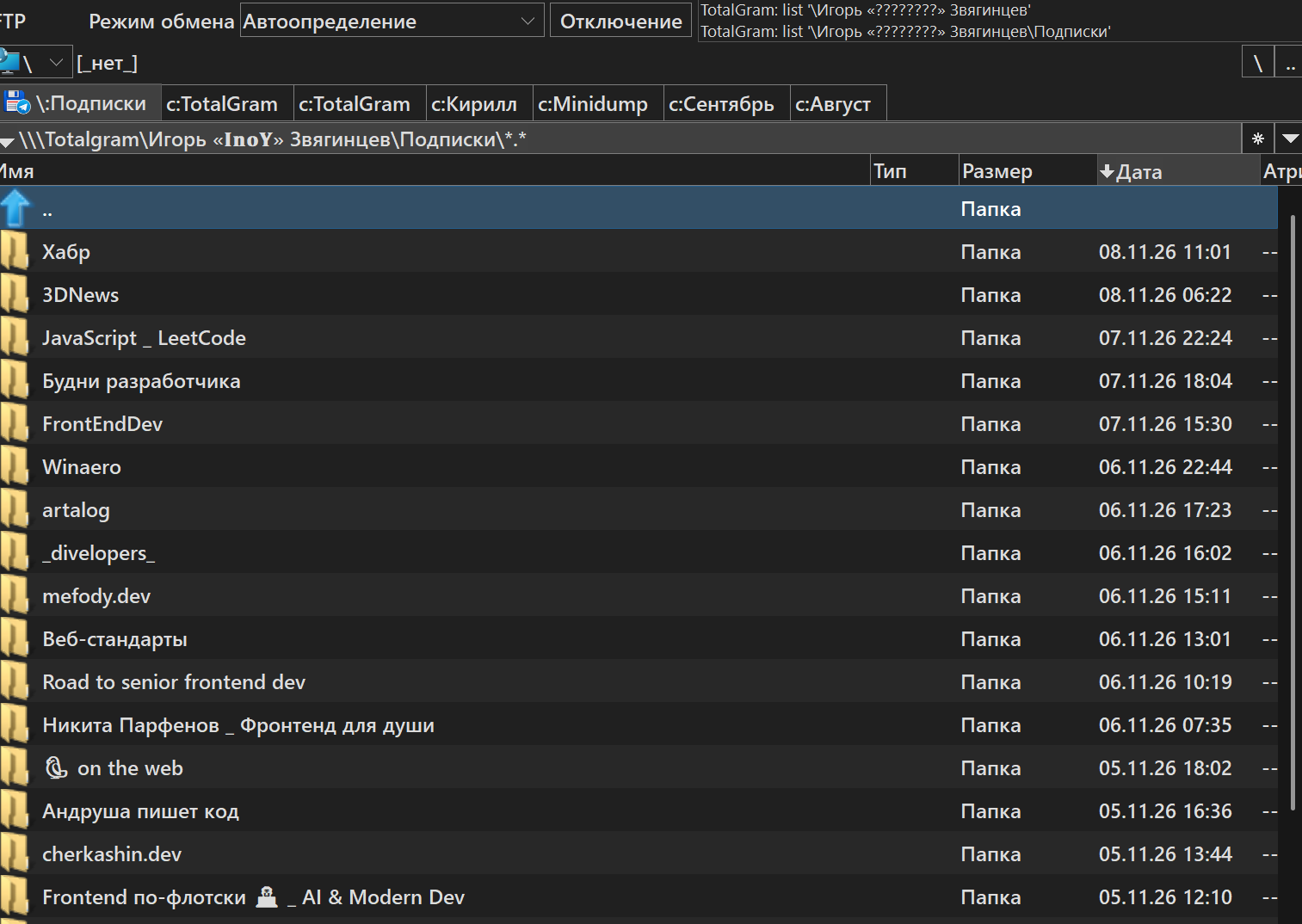
Description
This is the plugin for using Telegram as a cloud file system.Source code is available at https://github.com/inoyakaigor/totalgram
PR welcomed.
What’s new
26.11.07.1203 (2026-11-08)
## 26.11.07.1203
- A session Telegram has dropped used to report "You must provide a config value for
phone_number", which tells the user nothing they can act on. Entering such an account
now explains that the session has to be set up again, and that logging in through
"[+ Add account]" with the same phone number replaces it - no file to delete by hand.
## 26.11.07.1200
- New setting `cache_dir`: where to keep the folder listings. The default is still
`%APPDATA%\Igor Zviagintsev\TotalGram\cache`, but a busy account fills it, and it
does not have to live on the system disk. Environment variables are expanded. A path
that is relative, or that cannot be created, leaves the cache at the default rather
than switching it off, and says so in the FTP log.
## 26.10.08.1823
- Copying a file into `Incoming` now says what will happen: the file is sent from your
own account, so it turns up under `Outgoing`. Copying is still allowed. The dialog
appears once per Total Commander session, the FTP log names every file.
## 26.10.08.1820
- Every content folder, and `All files` too, now holds an `Incoming` and an `Outgoing`
subfolder beside its files — the same list split by who sent the message.
## 26.10.08.1811
- Folder listings are kept in `%APPDATA%\Igor Zviagintsev\TotalGram\cache\` between
sessions. A folder is read from Telegram once; after that only what changed is asked
for. A chat whose `Files` folder took 3 seconds opens in 0.4.
- `max_items` now limits one visit rather than the folder itself. A folder too big to
read in one go walks further back on every visit instead of staying cut off.
## 26.10.08.1756
- Files sent uncompressed — an iPhone `.MOV`, a photo sent as a file — were missing
from `Files` **and** from `Media`. After Telegram had answered which messages belong
to a folder, the plugin judged their kind a second time and disagreed with itself.
Telegram's answer now stands, so the folders hold what its own "Shared media" tabs
show. In one chat this brought back about 1600 files.
## 26.10.08.1004
- README: how to build the plugin, and the two traps worth knowing about.
## 26.10.07.1845
- Copy progress now reaches Total Commander's dialog, downloads and uploads alike, and
the Cancel button works. Total Commander runs a transfer on a thread of its own and
ignores progress sent from any other one; the plugin was reporting from the Telegram
client's thread, so the bar stayed at zero.
- Photos showed a size of 0 bytes in the panel. Today's photos arrive as progressive
JPEGs, whose size is stored differently from the older format the plugin read.
## 26.10.05.1655
- `Saved Messages` appears next to the folder list as a shortcut to that one chat.
- Sending a file clears the chat's cached listings, so it shows up without a wait.
- First attempt at copy progress. It never reached Total Commander — fixed in
26.10.07.1845.
## 26.11.07.1203
- A session Telegram has dropped used to report "You must provide a config value for
phone_number", which tells the user nothing they can act on. Entering such an account
now explains that the session has to be set up again, and that logging in through
"[+ Add account]" with the same phone number replaces it - no file to delete by hand.
## 26.11.07.1200
- New setting `cache_dir`: where to keep the folder listings. The default is still
`%APPDATA%\Igor Zviagintsev\TotalGram\cache`, but a busy account fills it, and it
does not have to live on the system disk. Environment variables are expanded. A path
that is relative, or that cannot be created, leaves the cache at the default rather
than switching it off, and says so in the FTP log.
## 26.10.08.1823
- Copying a file into `Incoming` now says what will happen: the file is sent from your
own account, so it turns up under `Outgoing`. Copying is still allowed. The dialog
appears once per Total Commander session, the FTP log names every file.
## 26.10.08.1820
- Every content folder, and `All files` too, now holds an `Incoming` and an `Outgoing`
subfolder beside its files — the same list split by who sent the message.
## 26.10.08.1811
- Folder listings are kept in `%APPDATA%\Igor Zviagintsev\TotalGram\cache\` between
sessions. A folder is read from Telegram once; after that only what changed is asked
for. A chat whose `Files` folder took 3 seconds opens in 0.4.
- `max_items` now limits one visit rather than the folder itself. A folder too big to
read in one go walks further back on every visit instead of staying cut off.
## 26.10.08.1756
- Files sent uncompressed — an iPhone `.MOV`, a photo sent as a file — were missing
from `Files` **and** from `Media`. After Telegram had answered which messages belong
to a folder, the plugin judged their kind a second time and disagreed with itself.
Telegram's answer now stands, so the folders hold what its own "Shared media" tabs
show. In one chat this brought back about 1600 files.
## 26.10.08.1004
- README: how to build the plugin, and the two traps worth knowing about.
## 26.10.07.1845
- Copy progress now reaches Total Commander's dialog, downloads and uploads alike, and
the Cancel button works. Total Commander runs a transfer on a thread of its own and
ignores progress sent from any other one; the plugin was reporting from the Telegram
client's thread, so the bar stayed at zero.
- Photos showed a size of 0 bytes in the panel. Today's photos arrive as progressive
JPEGs, whose size is stored differently from the older format the plugin read.
## 26.10.05.1655
- `Saved Messages` appears next to the folder list as a shortcut to that one chat.
- Sending a file clears the chat's cached listings, so it shows up without a wait.
- First attempt at copy progress. It never reached Total Commander — fixed in
26.10.07.1845.