3divi 1.0.0
Description
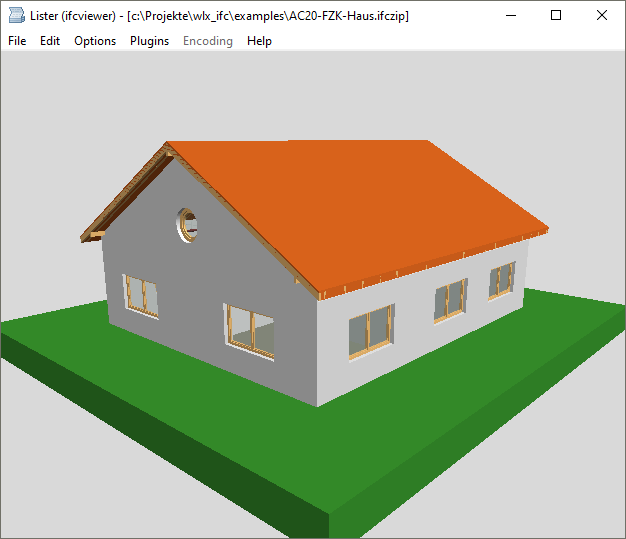
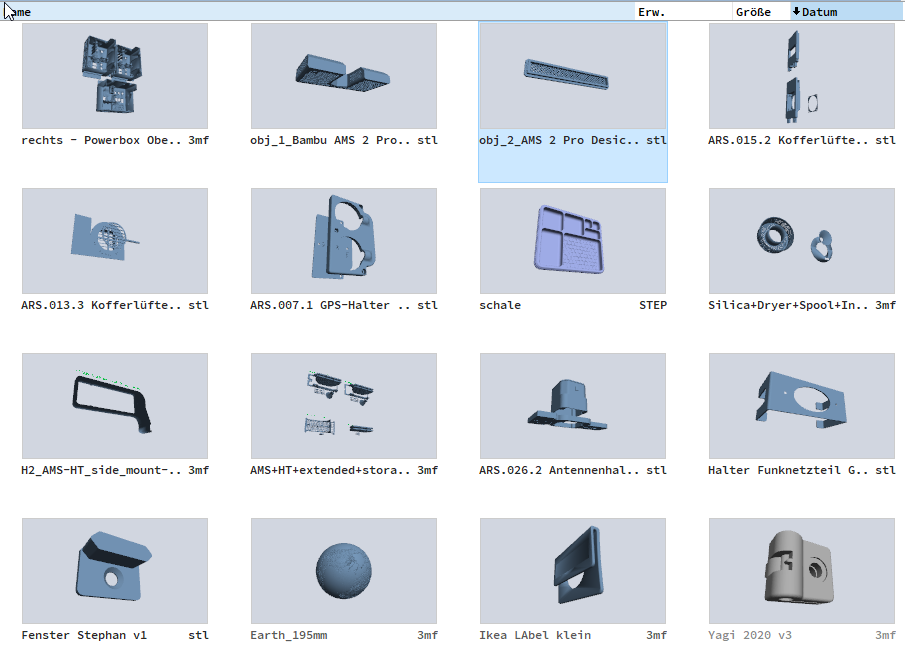
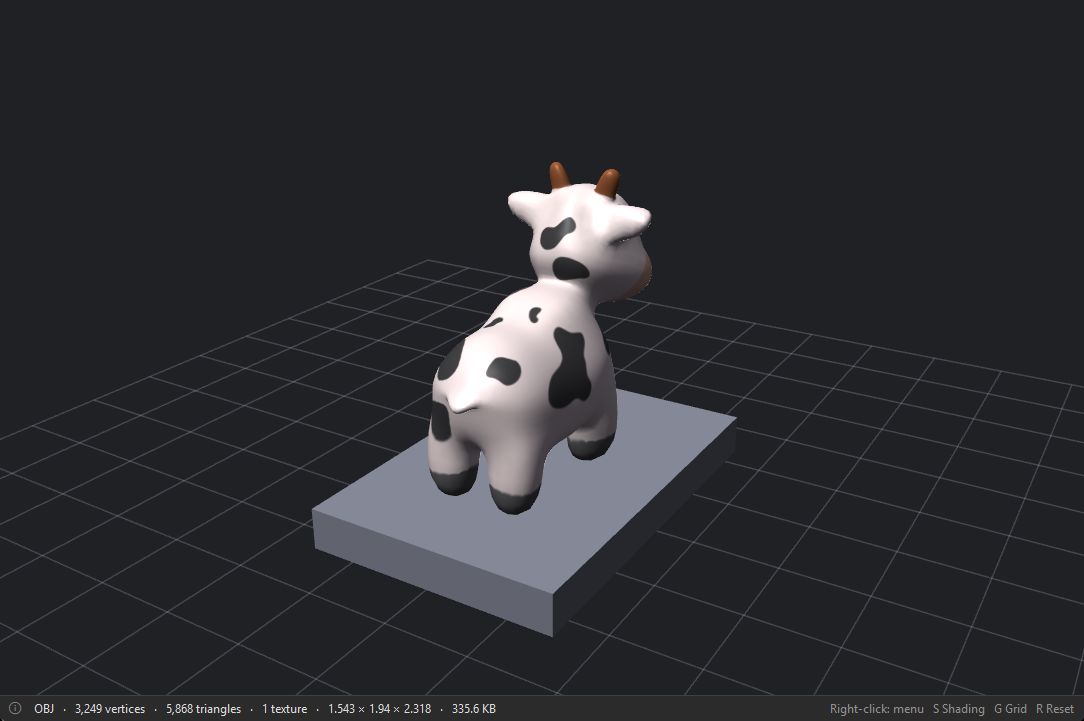
3divi – 3D model viewer (Lister plugin) for Total Commander, 32 and 64 bit3divi shows 3D models in Total Commander's Lister (F3): turn them with the mouse, zoom, switch between shading modes, and save them in another format. Large models load in the background, thumbnails appear in Total Commander's thumbnail view. Native Direct3D 11, nothing to install besides the plugin.
Supported files
- STL (binary and ASCII), OBJ (with .mtl colours and map_Kd textures, quads and polygons), PLY (ASCII and binary, vertex colours and normals, triangle strips, point clouds), OFF (also with colours)
- LDraw: .ldr, .mpd, .dat (the parts come from your LDraw library, found automatically in the usual folders or set with LDrawPath= in 3divi.ini or LDRAWDIR)
- glTF and GLB, FBX, 3DS, DXF, LWO and LWS (LightWave), AC (AC3D), ASE, DAE (Collada), 3MF, AMF, X3D, MS3D, MD2, MD3, MD5MESH, MDC, COB, XGL, Q3O, Q3S, PMX, OGEX
- Files with a shared extension are recognized by their content, so unrelated .ac, .dat or .dae files still open in Total Commander's other viewers.
Features
- Mouse: drag = orbit, right or middle drag (or Shift+drag) = pan, wheel = zoom, double-click = fit to the window.
- Shading modes (key S): Solid, Points, Edges, Hidden points, Hidden lines, Solid and edges.
- Textures and materials: OBJ materials and textures, embedded and external textures of glTF, FBX, 3DS and others, vertex colours.
- Smoothing: normals of the file, flat, 30 degrees, 60 degrees or fully smooth. Optimize welds identical vertices and removes degenerate triangles.
- Light follows the camera or stays fixed; brighter or darker.
- Transform: rotate by 90 degrees around X, Y or Z (keys X, Y, Z), switch the up axis (key U), reset.
- Views: front, back, left, right, top, bottom (numeric keypad, with Ctrl for the opposite side), axes, grid, back-face culling, anti-aliasing, FPS display.
- Right-click context menu with all functions and their keys.
- Save as STL, OBJ, or PLY, including your rotation, with the up axis converted for the target format.
- Copy the current view as an image (Ctrl+C).
- Thumbnails in Total Commander's thumbnail view (files up to 96 MB).
- Light and dark design in the Windows 11 look (automatic like Windows, or fixed: Theme= in 3divi.ini); user interface in English and German (follows the Windows language, or Language=de / Language=en).
Installation
Open 3divi.zip in Total Commander and confirm the installation. Settings are stored in 3divi.ini next to the plugin. If you also use TreeView, put 3divi before it in the list of Lister plugins: both open .dae files.
Requirements
Total Commander 32 or 64 bit, Windows 10 or 11, a graphics card, or a driver with Direct3D 10 or higher (the software renderer is used otherwise).
Developer: Ali Naderi – digitalent.dev
Freeware: free to use and to pass on unmodified; selling is not allowed. Contains the Open Asset Import Library (BSD) and zlib; see THIRD-PARTY-LICENSES.txt.
What’s new
1.0.0 (2026-11-24)
- Formats: STL, OBJ (with materials and textures), PLY, OFF, LDraw, glTF/GLB, FBX, 3DS, DXF, LWO, AC3D, 3MF, Collada (DAE) and more – files with a shared extension are recognized by their content
- Viewing: orbit, pan and zoom with the mouse; shading modes Solid, Points, Edges, Hidden points, Hidden lines and Solid and edges; axes, grid, light, smoothing and 90° rotation; context menu with all functions
- Convert and share: save as STL, OBJ or PLY, copy the current view as an image
- Thumbnails in Total Commander's thumbnail view; large models load in the background
- Light and dark design, English and German user interface