EmEditor 4.13
Description
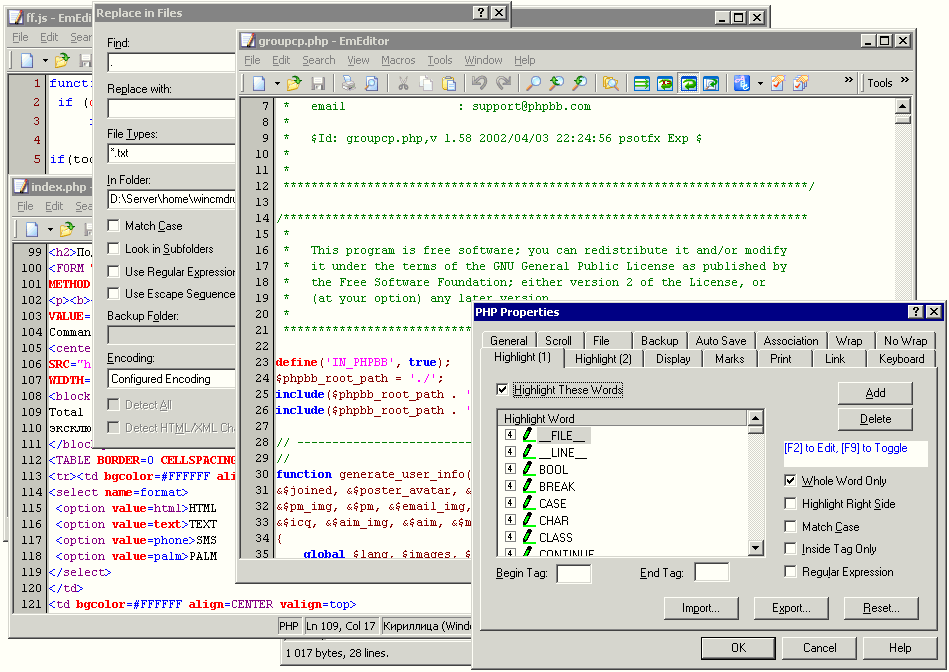
EmEditor 4.0 is an advanced text editor with syntax highlighting and unicode support. Among key features of EmEditor are powerful search and replace in files with regular expressions support, plugins support, clickable URLs and e-mail addresses, box-select mode, keyboard, toolbar, menu, font and color customization. With EmEditor Professional 4.0, you can create functionally-rich macros using JavaScript or VBScript, allowing you to define most operations. Not only can you define a macro which records keystrokes that you use and reference repeatedly. The macros are based on the Windows Scripting Host (WSH) engine, so you can use all of the powerful, robust objects available under the WSH.Editor’s review
One of the most popular text editors did not impressed me much. I tried to find these features that made this program so popular and failed. Perhaps it is a good marketing and shareware promotion that made EmEditor the first among the others. When I was trying this software I was concentrated to open it for me, to find it useful, to get used to it... and again I failed. EmEditor is nothing more than standard SDI text editor with syntax highlighting and macros possibilities. This is even not talking about MDI and SDI concepts' advantages and ensued system requirements to open tens of documents at a time.When I observe software I look into configurability. For example shortcuts re-mapping. I found this option in EmEditor. You are allowed to remap shortcuts for such useful actions as Help opening or Notepad launch and etc... I mean that I didn't find how to remap shortcuts to paste HTML or PHP (ASP, ColdFusion, Perl, etc) code. On the other hand, you may create functionally-rich macros using JavaScript or VBScript to be assigned for shortcuts, and this is the only key feature that really beats all other text editors taken together. I programmed several macros to use my favorite HTML and PHP code successfully. These macros are really useful but served for me only to make EmEditor at least not worse than my favorite software, but for you it can mean that you will be able to program code-pasting for any possible language! But what about code autocompletion, cliptext libraries, projects, file browser, HTML tools, spell checking... Am I to program them also myself?
Conclusion. JavaScript or VBScript macros support is great and fantastic decision that beats any text editor's internal macro language I ever seen. But is it worth for those who usually edit only one or two documents at a time (SDI is not good)? Look at my monitor screen. I usually have tens of documents open and I found it not worth to lose real MDI-software advantages.