FavMenu & Menu Editor 2.0

Description
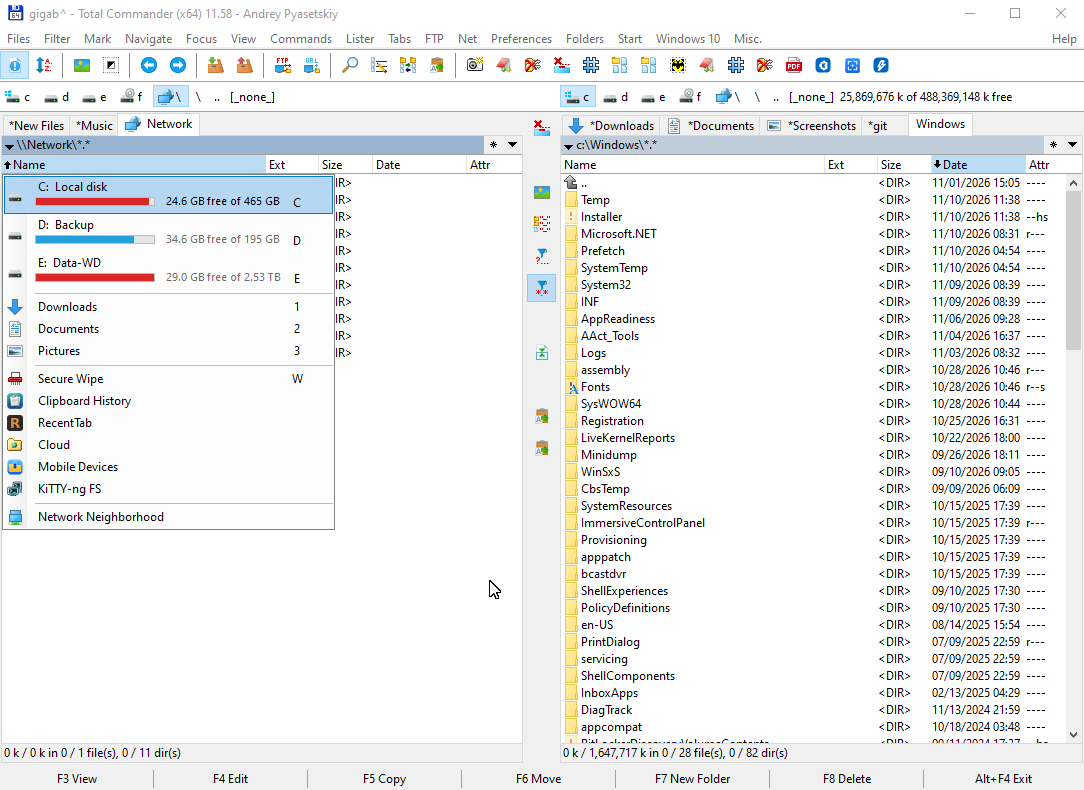
NOTICE! The plugin has been temporarily removed due to antivirus detects.FavMenu is Windows OS enhancer and application launcher. It stores information about your favorite folders and executables and let you quickly use your favorites within system dialogs (Open/Save, Browse For Folder, Office2003 dialogs), Console (cmd.exe), Widows Explorer and Total Commander.
Format of the menu configuration file is compatibile with the Total Commander file manager directory menu, and was originaly written to work as addon for this file manager. Almost all features of the TC directory menu are supported, including plugins and pseudovariables. Furthermore, TC doesn’t need to be started.
If you don’t use Total Commander Favmenu can be set to work with Windows Explorer. This option will be automatically offered on first start-up if TC is not detected.
Menu Editor can be used to create, edit, delete and organise menu items. This is also complete replacement of TC’s internal directory menu editor witch adds many new options. It can be used together with FavMenu or separate.
Links
Features
Developing page
Supported dialogs
What’s new
HISTORY
V2.0 (18. September 2006)
- Added support for Browse For Folders dialogs (might need administrator privilegies)
- Added support for Console ( internal console commands are also supported ).
- Added support for Windows Explorer (you can use it also as a File Manager instead of Total Commander)
- Added left click on the tray icon to launch FavMenu from the tray.
- Clicking on tray icon will not steal current focus. This means that you can use Favmenu within supported windows via the tray icon.
- Added custom tray icons for enabled and dissabled state. You can change them in res folder.
- Enhaced “Add current directory” feature:
+ Now supports Browse For Folders, Windows Explorer and Console.
+ Full functionality in Open/Save standard dialogs: support for all folders including virtual folders with physical representation.
(Desktop, My Picture, My Documents, Recent Documents…)
+ Dialog is now of dynamic width: the path recognised will always fit except if it is too long
- Added Help tray menu item
- Properties: Added “change item” button. Click on it to select next item to edit, via FavMenu.
- Properties: Added ENTER key handling. Pressing it will switch focus to next item parameter.
- Setup: New options – integration tab – select where do you want Favmenu to appear.
- Setup: Added button to create sample menu.
- Editor: changed Enter key behavior - it is no longer needed in Editor to press Enter on every changed item.
Items are saved per keypress. Everything is saved after Save button is pressed.
V1.1 (21. Avgust 2006)
- Add current directory is available in dialogs also (except Office dialogs). Previous version had this item only if TC was active. It will surely work for hard disk folders and My Documents virtual folder. It doesn’t work for Desktop.
- CTRL SHIFT ENTER on menu item will paste that item in active window.
- Dialog handling improvements and bug fixes. Sometimes you could get redirected to TC when using Favmenu in dialogs without a reason.
- Added Total Commander hook to “Current Directory” header: double click on it will open Favmenu preventing original TC menu. [*] button is not hooked.
- Properties dialog changed: when open, using FavMenu will switch the Properties view to that item thus making editing of particular item much faster.
V2.0 (18. September 2006)
- Added support for Browse For Folders dialogs (might need administrator privilegies)
- Added support for Console ( internal console commands are also supported ).
- Added support for Windows Explorer (you can use it also as a File Manager instead of Total Commander)
- Added left click on the tray icon to launch FavMenu from the tray.
- Clicking on tray icon will not steal current focus. This means that you can use Favmenu within supported windows via the tray icon.
- Added custom tray icons for enabled and dissabled state. You can change them in res folder.
- Enhaced “Add current directory” feature:
+ Now supports Browse For Folders, Windows Explorer and Console.
+ Full functionality in Open/Save standard dialogs: support for all folders including virtual folders with physical representation.
(Desktop, My Picture, My Documents, Recent Documents…)
+ Dialog is now of dynamic width: the path recognised will always fit except if it is too long
- Added Help tray menu item
- Properties: Added “change item” button. Click on it to select next item to edit, via FavMenu.
- Properties: Added ENTER key handling. Pressing it will switch focus to next item parameter.
- Setup: New options – integration tab – select where do you want Favmenu to appear.
- Setup: Added button to create sample menu.
- Editor: changed Enter key behavior - it is no longer needed in Editor to press Enter on every changed item.
Items are saved per keypress. Everything is saved after Save button is pressed.
V1.1 (21. Avgust 2006)
- Add current directory is available in dialogs also (except Office dialogs). Previous version had this item only if TC was active. It will surely work for hard disk folders and My Documents virtual folder. It doesn’t work for Desktop.
- CTRL SHIFT ENTER on menu item will paste that item in active window.
- Dialog handling improvements and bug fixes. Sometimes you could get redirected to TC when using Favmenu in dialogs without a reason.
- Added Total Commander hook to “Current Directory” header: double click on it will open Favmenu preventing original TC menu. [*] button is not hooked.
- Properties dialog changed: when open, using FavMenu will switch the Properties view to that item thus making editing of particular item much faster.